<?php
$url = 'https://example.com';
echo file_get_contents($url);
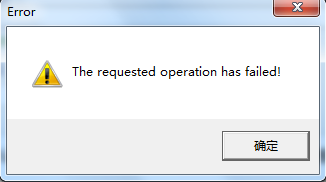
// Warning: file_get_contents(): failed to open stream: No such file or directory
?>
原因:PHP 默認未開啟 openssl 擴展,或 allow_url_fopen=Off,導致無法處理 https:// 協議封裝流。
<?php
function https_get($url, $timeout = 10) {
    $ch = curl_init();
    curl_setopt_array($ch, [
        CURLOPT_URL            => $url,
        CURLOPT_RETURNTRANSFER => true,
        CURLOPT_SSL_VERIFYPEER => false, // 生產環境建議 true 並配置 CA 憑證
        CURLOPT_SSL_VERIFYHOST => false, // 2 = 嚴格驗證 CN,0 = 不驗證
        CURLOPT_FOLLOWLOCATION => true,
        CURLOPT_MAXREDIRS      => 5,
        CURLOPT_TIMEOUT        => $timeout,
        CURLOPT_USERAGENT      => 'Mozilla/5.0 (compatible; PHP Bot)',
    ]);
    $data = curl_exec($ch);
    if ($data === false) {
        throw new Exception('cURL Error: ' . curl_error($ch));
    }
    curl_close($ch);
    return $data;
}

// 使用
try {
    echo https_get('https://api.github.com/users/octocat');
} catch (Exception $e) {
    error_log($e->getMessage());
}
?>
| 選項 | 建議值 | 說明 |
|---|---|---|
CURLOPT_SSL_VERIFYPEER | true | 驗證伺服器憑證鏈,防中間人攻擊。需部署 cacert.pem 並設 CURLOPT_CAINFO |
CURLOPT_SSL_VERIFYHOST | 2 | 2=檢查 CN 匹配,0=不檢查。生產必須為 2 |
CURLOPT_FOLLOWLOCATION | true | 自動跟隨 301/302 重定向 |
CURLOPT_TIMEOUT | 10-30 | 最大執行秒數,防止掛起 |
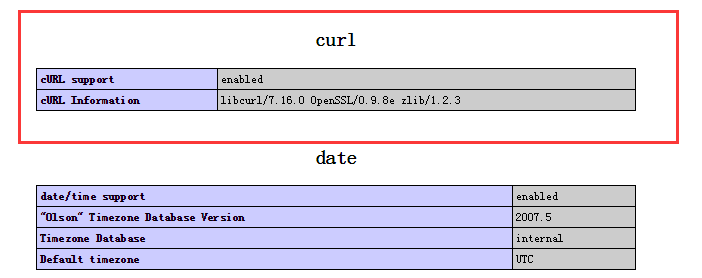
php.ini 確認 extension=openssl 已啟用。allow_url_fopen = On。之後 file_get_contents('https://...') 即可直接工作,但無法自定義 Header、超時、代理、憑證驗證,不適合生產爬蟲。
$ch = curl_init();
curl_setopt_array($ch, [
    CURLOPT_URL => 'https://example.com/dashboard',
    CURLOPT_COOKIEJAR => '/tmp/cookies.txt', // 存儲 Cookie
    CURLOPT_COOKIEFILE => '/tmp/cookies.txt', // 發送 Cookie
    CURLOPT_POST => true,
    CURLOPT_POSTFIELDS => http_build_query(['user'=>'a','pass'=>'b']),
    // ... 其他 SSL 選項同前
]);
curl_exec($ch); // 先 POST 登錄
curl_setopt($ch, CURLOPT_URL, 'https://example.com/profile');
curl_setopt($ch, CURLOPT_POST, false);
$html = curl_exec($ch); // 再 GET 受保護頁面
file_get_contents + 開啟 OpenSSL 最快。curl_multi_* 並發或 Swoole/Workerman 協程客戶端。