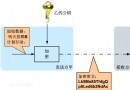
整體架構
- 前端 HTML/JS:輸入框、驗證碼圖片、看不清換一張、即時提示區。
- 後端 PHP (yzm.php):GD 繪製 4 位數字驗證碼 PNG,透過
num 參數傳入預設碼,確保前後端一致。
前端程式碼
HTML 表單
<form id="register" name="register" method="post">
<table align="center">
<tr>
  <td><div align="right">驗證碼:</div></td>
  <td>
    <input id="yzm" type="text" name="yzm" size="8"
           onBlur="chkyzm(this.form)"
           onMouseOver="this.style.backgroundColor='#fff'"
           onMouseOut="this.style.backgroundColor='#e8f4ff'" />
  </td>
  <td><input id="yzm2" type="hidden" value="" /></td>
  <td align="center" valign="middle"><script>yzm()</script></td>
  <td><a href="javascript:code()" style="text-decoration:none">看不清</a></td>
  <td width="150" align="center"><div id="yzm1"><font color="#999">請輸入驗證碼</font></div></td>
</tr>
</table>
</form>
JavaScript (checked.js)
// 驗證輸入
function chkyzm(form) {
    var msg = document.getElementById('yzm1');
    if (form.yzm.value === '') {
        msg.innerHTML = '<font color=#FF0000>×驗證碼不能為空</font>';
    } else if (form.yzm.value !== form.yzm2.value) {
        msg.innerHTML = '<font color=#FF0000>×驗證碼輸入錯誤</font>';
    } else {
        msg.innerHTML = '<font color=green>√驗證碼輸入正確</font>';
    }
}

// 首次產生驗證碼圖片
function yzm() {
    var num = Math.round(Math.random() * 1e6).toString().substr(0, 4);
    document.write('<img name="codeimg" src="yzm.php?num=' + num + '">');
    document.getElementById('yzm2').value = num;
}

// 看不清,重新產生
function code() {
    var num = Math.round(Math.random() * 1e6).toString().substr(0, 4);
    document.codeimg.src = 'yzm.php?num=' + num;
    document.getElementById('yzm2').value = num;
}
後端 PHP GD 繪圖 (yzm.php)
<?php
header("Content-type: image/png");
$im = imagecreate(66, 22);               // 建立畫布
$bg = imagecolorallocate($im, 200,200,200); // 灰背景
imagefill($im, 0, 0, $bg);

for ($i = 0; $i < 4; $i++) {
    $y   = mt_rand(1, 5);                // 字元 Y 軸隨機
    $size = mt_rand(6, 9);               // 字體大小隨機
    $ch  = substr($_GET['num'], $i, 1);  // 取對應數字
    $color = imagecolorallocate($im, mt_rand(0,250), mt_rand(0,250), mt_rand(0,250));
    imagestring($im, $size, 3 + $i * 15, $y, $ch, $color);
}

// 雜訊點
for ($i = 0; $i < 200; $i++) {
    $nc = imagecolorallocate($im, mt_rand(0,255), mt_rand(0,255), mt_rand(0,255));
    imagesetpixel($im, mt_rand()%70, mt_rand()%30, $nc);
}

imagepng($im);
imagedestroy($im);
?>
部署注意事項
- PHP 需啟用
gd 擴充套件(extension=gd)。
- 若部署在中文環境,確保檔案編碼為 UTF-8 無 BOM。
- 生產環境建議改用
imagecreatetruecolor + TTF 字體(imagettftext)提升辨識度與安全性。
- 驗證碼儲存於隱藏欄位
yzm2 屬前端簡易做法,正式專案應改用 Session 或簽名 Token 防止繞過。
進階強化方向
- 字元集擴充:英數混合、排除易混淆字元 (0/O, 1/l)。
- 加入干擾線、扭曲、噪點密度可配置。
- 前端改用
fetch/axios 非同步驗證,體驗更佳。
- 後端加入限流(同 IP 分鐘請求上限)。