<!DOCTYPE html>
<html>
<head>
<meta charset="utf-8" />
<title>微博導航欄</title>
<script type="text/javascript">
var hiddenChild = function(obj) {
    var ul = obj.getElementsByTagName("ul")[0];
    ul.style.display = 'none';
};
var showChild = function(obj) {
    var ul = obj.getElementsByTagName("ul")[0];
    ul.style.display = 'block';
};
</script>
<style type="text/css">
* { margin: 0; padding: 0; }
#nav { line-height: 60px; list-style: none; background: #0000FF; text-align: center; }
#nav a { color: white; text-decoration: none; display: block; width: 80px; font-size: 20px; font-weight: 800; }
#nav a:hover { background: #ccc; }
#nav li { background: blue; float: left; color: white; list-style: none; }
#nav li ul { position: absolute; display: none; width: 130px; }
.show { display: block; }
</style>
</head>
<body>
<ul id="nav">
    <li onmouseover="showChild(this);" onmouseleave="hiddenChild(this);">
        <a href="#">首頁</a>
        <ul>
            <li><a href="#">全部廣播</a></li>
            <li><a href="#">好友</a></li>
            <li><a href="#">關注</a></li>
        </ul>
    </li>
    <li onmouseover="showChild(this);" onmouseleave="hiddenChild(this);">
        <a href="#">微頻道</a>
        <ul>
            <li><a href="#">微頻道1</a></li>
            <li><a href="#">微頻道2</a></li>
        </ul>
    </li>
    <li onmouseover="showChild(this);" onmouseleave="hiddenChild(this);">
        <a href="#">找人</a>
        <ul>
            <li><a href="#">明星</a></li>
            <li><a href="#">達人</a></li>
        </ul>
    </li>
    <li onmouseover="showChild(this);" onmouseleave="hiddenChild(this);">
        <a href="#">微群</a>
        <ul>
            <li><a href="#">股票</a></li>
        </ul>
    </li>
</ul>
</body>
</html>
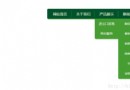
利用 onmouseover/onmouseleave 控制子菜單顯示/隱藏,CSS 絕對定位實現下拉效果。