架構概覽
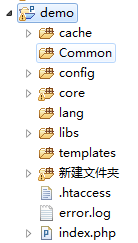
- ValidationCode 類別:GD 繪圖、干擾像素、字元渲染
- imgcode.php:產生圖片、寫入 Session
- demo.php:前端表單、JS 刷新邏輯、後端驗證
核心類別:CreateImg.class.php
width   = $width;
        $this->height  = $height;
        $this->codenum = $codenum;
    }

    public function outImg() {
        $this->outFileHeader();        // 輸出 Header
        $this->createCode();           // 產生隨機碼
        $this->createImage();          // 建立畫布
        $this->setDisturbColor();      // 繪製干擾點
        $this->writeCheckCodeToImage(); // 寫入字元
        imagepng($this->checkimage);
        imagedestroy($this->checkimage);
    }

    private function outFileHeader() {
        header("Content-type: image/png");
    }

    private function createCode() {
        // 取 MD5 前 N 碼並轉大寫
        $this->checkcode = strtoupper(substr(md5(rand()), 0, $this->codenum));
    }

    private function createImage() {
        $this->checkimage = @imagecreate($this->width, $this->height);
        $back   = imagecolorallocate($this->checkimage, 255, 255, 255); // 白底
        $border = imagecolorallocate($this->checkimage, 0, 0, 0);       // 黑框
        imagefilledrectangle($this->checkimage, 0, 0, $this->width-1, $this->height-1, $back);
        imagerectangle($this->checkimage, 0, 0, $this->width-1, $this->height-1, $border);
    }

    private function setDisturbColor() {
        for ($i = 0; $i <= 200; $i++) {
            $this->disturbColor = imagecolorallocate($this->checkimage, rand(0,255), rand(0,255), rand(0,255));
            imagesetpixel($this->checkimage, rand(2,128), rand(2,38), $this->disturbColor);
        }
    }

    private function writeCheckCodeToImage() {
        for ($i = 0; $i < $this->codenum; $i++) {
            $bg_color = imagecolorallocate($this->checkimage, rand(0,255), rand(0,128), rand(0,255));
            $x = floor($this->width / $this->codenum) * $i;
            $y = rand(0, $this->height - 15);
            imagechar($this->checkimage, rand(5,8), $x, $y, $this->checkcode[$i], $bg_color);
        }
    }

    public function __destruct() {
        unset($this->width, $this->height, $this->codenum);
    }
}
圖片輸出腳本:imgcode.php
outImg();
$_SESSION['validationcode'] = $image->checkcode; // 存入 Session 供驗證
前端整合:demo.php
驗證碼點擊刷新示範

關鍵細節解析
| 環節 | 重點 |
|---|
| 隨機碼來源 | md5(rand()) 取前 4 碼,簡單但非加密級;生產環境建議 random_int() 或 random_bytes() |
| Session 儲存 | 驗證碼寫入 $_SESSION,驗證時**大小寫不敏感**(雙方同用 strtoupper) |
| 防快取機制 | JS 附加 ?nowtime=timestamp 強制瀏覽器重新請求 |
| GD 函數 | imagecreate 建立調色盤圖片,imagechar 繪製單一字元,imagesetpixel 畫干擾點 |
| 資源釋放 | imagedestroy() 必須呼叫,避免記憶體洩漏 |
進階強化建議
- 使用
imagecreatetruecolor() 替代 imagecreate() 取得真彩色支援
- 加入中文字型(
imagettftext())提升辨識難度
- 引入扭曲、干擾線、噪點圖層對抗 OCR
- 驗證通過後立即
unset($_SESSION['validationcode']) 防止重放攻擊
- 考慮整合 Gregwar/Captcha 等成熟套件