善用 {html_options}、{html_select_date}、{html_table}、{math}、{mailto}、{popup} 等內建函數,能大幅減少模板邏輯代碼。本文整理 11 類高頻代碼片段,附參數說明與輸出範例。
{html_options}values:值陣列 (value 屬性)output:顯示文字陣列selected:預選值 (單值或陣列){html_checkboxes}{html_checkboxes values=$cust_ids checked=$customer_id output=$cust_names separator="
"}
separator:項目間分隔字串 (預設換行)checked:預勾選值陣列{html_radios}{html_radios values=$cust_ids checked=$customer_id output=$cust_names separator="
"}
{counter}{counter start=0 skip=2 print=true}
start:初始值skip:遞增步長print:是否輸出 (false 只遞增不顯示){counter name=row start=1 print=false} 後 {counter name=row} 輸出行號{section} + {cycle}{section name=row loop=$data}
{$data[row].title}
{$data[row].content}
{/section}
cycle:循環輸出值,支援多值交替section 進階:start, step, max, show 控制迴圈範圍{assign}{assign var="name" value="Bob"}
The value of $name is {$name}.
{$name='Bob'} (Smarty 3 短語法){fetch}{fetch file="https://www.example.com/api/data" assign="remoteData"}
https://, ftp://, 本地檔案路徑assign:將內容存入變量而非直接輸出{html_image}{html_image file="/images/logo.png" border="1" height="100" width="100" alt="Logo" href="home.html"}
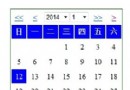
width/height (若省略會讀取檔案資訊,影響效能)href:包裹 <a> 連結{html_select_date} / {html_select_time}{html_select_date prefix="start_" time=$startTime display_days=true display_months=true display_years=true year_range="-10:+5"}
{html_select_time prefix="start_" time=$startTime display_seconds=false}
prefix:生成 name 屬性前綴 (如 start_Month)time:Unix 時間戳或 strtotime 字串year_range:年份範圍 (相對當前年或絕對 2000:2025){html_table}{html_table loop=$data cols=4 table_attr='border="0" cellpadding="5"' tr_attr=$trStyles td_attr=$tdStyles}
loop:資料陣列 (一維自動按 cols 換行,二維直接對應)cols:欄數tr_attr/td_attr:行/列屬性陣列 (可交替 class){math}{math equation="x + y" x=$height y=$width}
{math equation="(a*b)/c" a=10 b=5 c=2 format="%.2f"}
equation:數學表達式,變數對應參數format:sprintf 格式化輸出{mailto}{mailto address="user@example.com" text="聯繫我們" encode="hex" subject="詢價"}
encode:none|hex|javascript (防採集)subject、cc、bcc、body:預填郵件欄位{popup} / {popup_init}{popup_init}
查看詳情
{popup_init} 載入 JSpopup 屬性輸出 onclick="window.open(...)"{* 頁面標題 *}
{$pageTitle}
{* 篩選表單 *}
{* 列表表格 *}
| 圖片 | 名稱 | 價格 | 上架日期 | 操作 |
|---|---|---|---|---|
| {html_image file=$products[i].thumb width=80 height=80} | {$products[i].name} | {math equation="price/100" price=$products[i].price format="%.2f"} | {html_select_date time=$products[i].created_at prefix="d_" display_days=false display_months=false display_years=true year_range="-5:+0"} | 編輯 |
Smarty 內建函數覆蓋表單、日期、表格、數學、連結、彈窗等高頻場景。**核心原則:模板只負責呈現,複雜邏輯 (資料處理、權限、API 呼叫) 移至 Controller/Service 層**。熟記上述 13 類片段參數與輸出,能讓模板代碼乾淨、可維護、前端友善。Smarty 3 另支援 {function}、{block} 繼承、{nocache} 區塊緩存,進一步提升複用與效能。