Zend Framework 1.x 推薦將可複用的横切關注點 (如檔案上傳、認證、日誌) 封裝為 Zend_Controller_Plugin_Abstract 子類,掛載於 Front Controller,所有 Action 自動共享。本文示範:建立 Custom_Controller_Plugin_Upload 支援多檔、類型/大小限制、圖片縮圖,並在 Action 中一行呼叫完成上傳。
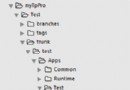
library/
  Custom/
    Controller/
      Plugin/
        Upload.php   <-- 核心上傳類
application/
  controllers/
    IndexController.php
  views/
    scripts/
      message/
        upload.phtml
確保 library 在 include_path,並已註冊 Zend_Loader_Autoloader (或手動 require_once)。
class Custom_Controller_Plugin_Upload extends Zend_Controller_Plugin_Abstract {
    private $uploadDir;      // 存放路徑
    private $maxFiles;       // 最大檔案數
    private $maxSize;        // 單檔最大 bytes
    private $allowedExt;     // 允許副檔名陣列
    private $imageMaxW;      // 圖片最大寬度
    private $imageMaxH;      // 圖片最大高度
    public $fileArray = [];  // 成功上傳檔名陣列
    public $lastFileName;    // 最後一個檔名
    public $error = '';      // 錯誤訊息

    public function __construct($dir, $formName, $maxFiles, $maxSize, array $allowedExt, $imgW=0, $imgH=0) {
        $this->uploadDir = rtrim($dir, '/') . '/';
        $this->maxFiles = (int)$maxFiles;
        $this->maxSize = (int)$maxSize;
        $this->allowedExt = array_map('strtolower', $allowedExt);
        $this->imageMaxW = (int)$imgW;
        $this->imageMaxH = (int)$imgH;
        $this->formName = $formName;
        $this->processUpload();
    }

    private function processUpload() {
        if (!isset($_FILES[$this->formName])) { $this->error = '無上傳資料'; return; }
        $files = $this->rearrayFiles($_FILES[$this->formName]);
        if (count($files) > $this->maxFiles) { $this->error = "超過最大檔案數 {$this->maxFiles}"; return; }

        foreach ($files as $file) {
            if ($file['error'] !== UPLOAD_ERR_OK) { $this->error = $this->getUploadError($file['error']); return; }
            if ($file['size'] > $this->maxSize) { $this->error = "檔案 {$file['name']} 超過大小限制"; return; }
            $ext = strtolower(pathinfo($file['name'], PATHINFO_EXTENSION));
            if (!in_array($ext, $this->allowedExt)) { $this->error = "副檔名 .$ext 不被允許"; return; }

            $newName = $this->generateUniqueName($ext);
            $dest = $this->uploadDir . $newName;
            if (!move_uploaded_file($file['tmp_name'], $dest)) { $this->error = "移動檔案失敗"; return; }
            chmod($dest, 0644);

            // 圖片縮圖
            if ($this->imageMaxW && $this->imageMaxH && $this->isImage($ext)) {
                $this->createThumbnail($dest, $this->imageMaxW, $this->imageMaxH);
            }
            $this->fileArray[] = $newName;
            $this->lastFileName = $newName;
        }
    }

    private function rearrayFiles($files) { /* 將 $_FILES 多檔結構轉為陣列 */ }
    private function generateUniqueName($ext) { return date('YmdHis').'_'.uniqid().".$ext"; }
    private function isImage($ext) { return in_array($ext, ['jpg','jpeg','png','gif','bmp']); }
    private function createThumbnail($src, $maxW, $maxH) { /* GD 建立縮圖並覆蓋原檔 */ }
    private function getUploadError($code) { /* 對應 UPLOAD_ERR_* 常數 */ }
}
class IndexController extends Zend_Controller_Action {
    public function uploadAction() {
        $this->view->baseUrl = $this->_request->getBaseUrl();
        if ($this->getRequest()->isPost()) {
            Zend_Loader::loadClass('Custom_Controller_Plugin_Upload');
            $upload = new Custom_Controller_Plugin_Upload(
                ROOT_DIR . '/public/upload/',  // 存放目錄
                'uploadfile',                  //
                10,                            // 最多 10 檔
                2048000,                       // 2MB
                ['gif','png','jpg','bmp','jpeg'], // 允許類型
                600, 600                       // 縮圖最大 600x600
            );
            if ($upload->error) {
                $this->view->error = $upload->error;
            } else {
                $this->view->success = '上傳成功!檔案:' . implode(', ', $upload->fileArray);
            }
        }
        // 渲染 upload.phtml
    }
}
success)): ?>
    success; ?>
error)): ?>
    error; ?>
$_FILES['field']['name'] 為陣列,需重組為單檔資訊陣列。finfo_file() 檢測真實 MIME 類型。uniqid() + 時間戳 + 原始副檔名,或雜湊值命名。location ~ \.php$ { deny all; }),檔案下載時用 readfile() 而非直接連結。將檔案上傳封裝為 Controller Plugin,實現「Controller 一行代碼、View 純表單、Plugin 含驗證/縮圖/安全」的關注點分離。此架構易於單元測試、跨專案複用、功能擴充 (如加入病毒掃描、水印、轉碼)。現代專案若使用 ZF2/3 (Laminas) 或 Laravel,同樣可參考此思想建立 Service/Action/Listener 分層。