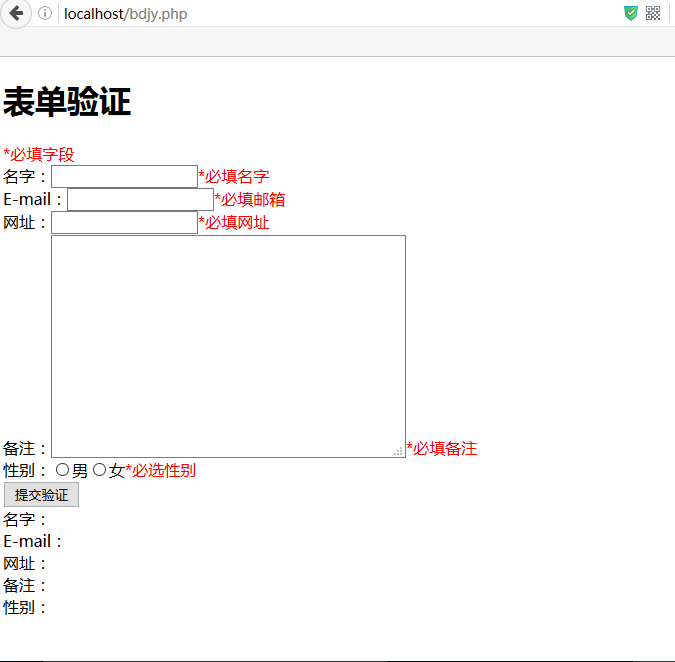
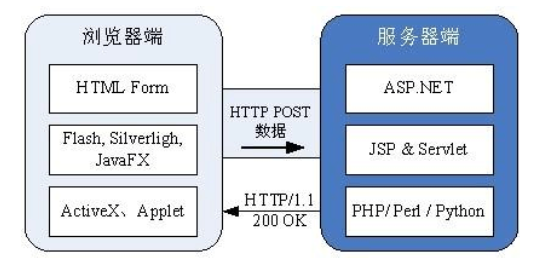
利用 form target 指向隱藏 <iframe>,頁面不跳轉。
<iframe name="formsubmit" style="display:none;"></iframe>
<form action="form.php" method="POST" target="formsubmit">
  <input type="text" name="uname" placeholder="用戶名">
  <input type="password" name="pwd" placeholder="密碼">
  <button type="submit">登入</button>
</form>
if (empty($_POST['uname']) || empty($_POST['pwd'])) exit('<script>alert("欄位不可空");</script>');
if ($_POST['uname']!=='jack' || $_POST['pwd']!=='123456') exit('<script>alert("帳密錯誤");</script>');
exit('<script>alert("登入成功");</script>');
缺點:無法直接取得 JSON 回傳,需靠 JS 解析 iframe document。
<iframe name="myiframe" style="display:none;" onload="iframeLoad(this)"></iframe>
<form action="form.php" method="POST" target="myiframe">
  <input name="username"> <input type="password" name="userpwd"> <button>送出</button>
</form>
<script>
function iframeLoad(ifr) {
    var doc = ifr.contentDocument || ifr.contentWindow.document;
    var html = doc.body.innerHTML;
    if (!html) return;
    var res = JSON.parse(html);
    alert(res.msg);
    if (res.status) location.href = 'https://example.com';
}
</script>
header('Content-Type: application/json');
$msg = ['status'=>0, 'msg'=>''];
$user = ['name'=>'jack','pwd'=>'jack2014'];

if ($_POST['username']!==$user['name']) $msg['msg']='用戶不存在';
elseif ($_POST['userpwd']!==$user['pwd']) $msg['msg']='密碼錯誤';
else $msg=['status'=>1,'msg'=>'登入成功'];

echo json_encode($msg);
document.querySelector('form').addEventListener('submit', async e => {
    e.preventDefault();
    const fd = new FormData(e.target);
    const res = await fetch('form.php', {method:'POST', body:fd}).then(r=>r.json());
    alert(res.msg);
    if (res.status) location.href = 'https://example.com';
});
優點:代碼簡潔、支援上傳進度、錯誤處理靈活、無需 iframe 複雜度。
| 特性 | iframe 方案 | Fetch/AJAX |
|---|---|---|
| 瀏覽器相容 | IE6+ | IE10+ (需 Polyfill) |
| 檔案上傳 | 原生支援 | FormData 原生支援 |
| 回應處理 | 麻煩 | Promise/async 簡潔 |
| 推薦場景 | 極舊環境維護 | 現代專案首選 |