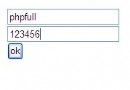
內部系統統一認證,利用現有郵件服務器(如 163、QQ 企業郵箱)驗證用戶身份,無需維護獨立用戶表。
基於 SMTP 協議的 AUTH LOGIN 機制,通過 fsockopen 建立 TCP 連接,按流程發送命令並解析響應碼:
220 就緒響應HELO,等待 250AUTH LOGIN,等待 334 (請求用戶名)334 (請求密碼)235 (認證成功)<?php
/**
* SMTP 郵箱賬號密碼驗證
* @param string $email 完整郵箱地址
* @param string $password 密碼
* @param string $server SMTP 服務器地址
* @param int $port 端口,默認 25
* @return bool
*/
function validateSmtpLogin(string $email, string $password, string $server = 'smtp.163.com', int $port = 25): bool {
$socket = @fsockopen($server, $port, $errno, $errstr, 10);
if (!$socket) return false;
// 讀取歡迎信息
$response = fgets($socket, 512);
if (strpos($response, '220') !== 0) { fclose($socket); return false; }
// HELO
fwrite($socket, "HELO localhost\r\n");
$response = fgets($socket, 512);
if (strpos($response, '250') !== 0) { fclose($socket); return false; }
// AUTH LOGIN
fwrite($socket, "AUTH LOGIN\r\n");
$response = fgets($socket, 512);
if (strpos($response, '334') !== 0) { fclose($socket); return false; }
// 用戶名
fwrite($socket, base64_encode($email) . "\r\n");
$response = fgets($socket, 512);
if (strpos($response, '334') !== 0) { fclose($socket); return false; }
// 密碼
fwrite($socket, base64_encode($password) . "\r\n");
$response = fgets($socket, 512);
fclose($socket);
return strpos($response, '235') === 0;
}
// 使用示例
if (validateSmtpLogin('user@163.com', 'password123')) {
echo '登錄成功';
// 設置 Session、生成 Token 等
} else {
echo '郵箱或密碼錯誤';
}
| 服務商 | SMTP 服務器 | 端口 | 備註 |
|---|---|---|---|
| 163/126 | smtp.163.com | 25/465/587 | 需開啟 SMTP 服務並設置授權碼 |
| QQ 郵箱 | smtp.qq.com | 465/587 | 需使用授權碼,建議 SSL 端口 465 |
| Gmail | smtp.gmail.com | 465/587 | 需開啟「安全性較低的應用」或應用專用密碼 |
| Outlook | smtp.office365.com | 587 | STARTTLS 加密 |
對於 465 端口(隱式 SSL),需使用 ssl:// 前綴:
$socket = @fsockopen('ssl://smtp.qq.com', 465, $errno, $errstr, 15);
對於 587 端口(顯式 STARTTLS),建議改用 PHPMailer 或 SwiftMailer 等成熟庫,手動實現 STARTTLS 較為複雜。