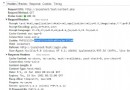
透過 header() 設定正確的 Content-Type、Content-Disposition、Content-Length,可實現任意格式檔案的強制下載(而非瀏覽器預覽)。本文提供完整 MIME 對照表、大檔分塊輸出、安全路徑處理。
$filePath = '/path/to/file.pdf';
$fileName = basename($filePath);
$fileSize = filesize($filePath);
$mime = 'application/pdf'; // 依副檔名查表

header('Content-Type: ' . $mime);
header('Content-Disposition: attachment; filename="' . rawurlencode($fileName) . '"');
header('Content-Length: ' . $fileSize);
header('Content-Transfer-Encoding: binary');
header('Cache-Control: must-revalidate, post-check=0, pre-check=0');
header('Pragma: public');
header('Expires: 0');
readfile($filePath); // 或分塊輸出
exit;
$mimeTypes = [
    'pdf'  => 'application/pdf',
    'zip'  => 'application/zip',
    'doc'  => 'application/msword',
    'docx' => 'application/vnd.openxmlformats-officedocument.wordprocessingml.document',
    'xls'  => 'application/vnd.ms-excel',
    'xlsx' => 'application/vnd.openxmlformats-officedocument.spreadsheetml.sheet',
    'ppt'  => 'application/vnd.ms-powerpoint',
    'pptx' => 'application/vnd.openxmlformats-officedocument.presentationml.presentation',
    'jpg'  => 'image/jpeg',
    'jpeg' => 'image/jpeg',
    'png'  => 'image/png',
    'gif'  => 'image/gif',
    'mp3'  => 'audio/mpeg',
    'wav'  => 'audio/wav',
    'mp4'  => 'video/mp4',
    'mov'  => 'video/quicktime',
    'avi'  => 'video/x-msvideo',
    'txt'  => 'text/plain',
    'csv'  => 'text/csv',
    'json' => 'application/json',
    'js'   => 'application/javascript',
    'css'  => 'text/css',
    'html' => 'text/html',
    'default' => 'application/octet-stream'
];
function force_download(string $filePath, string $downloadName = ''): void {
    if (!is_file($filePath)) { http_response_code(404); exit('File not found'); }

    // 防止路徑遍歷
    $realBase = realpath('/var/www/files');
    $realFile = realpath($filePath);
    if (strpos($realFile, $realBase) !== 0) { http_response_code(403); exit('Forbidden'); }

    $downloadName = $downloadName ?: basename($filePath);
    $ext = strtolower(pathinfo($downloadName, PATHINFO_EXTENSION));
    $mime = $GLOBALS['mimeTypes'][$ext] ?? $GLOBALS['mimeTypes']['default'];

    $fileSize = filesize($filePath);

    // Header
    header('Content-Type: ' . $mime);
    header('Content-Disposition: attachment; filename="' . rawurlencode($downloadName) . '"');
    header('Content-Length: ' . $fileSize);
    header('Content-Transfer-Encoding: binary');
    header('Cache-Control: must-revalidate, post-check=0, pre-check=0');
    header('Pragma: public');
    header('Expires: 0');

    // 大檔分塊輸出(避免記憶體爆炸)
    $handle = fopen($filePath, 'rb');
    while (!feof($handle)) {
        echo fread($handle, 8192);
        @ob_flush(); flush();
    }
    fclose($handle);
    exit;
}
readfile() 會將整檔讀入記憶體,大檔(>100MB)必須用 fread() 分塊。Range 請求可實現斷點續傳、多執行緒下載,需解析 $_SERVER['HTTP_RANGE'] 並回應 206 Partial Content。X-Accel-Redirect / Apache X-Sendfile 可卸載下載流量至 Web Server,PHP 僅驗證權限。// 現代瀏覽器支援 RFC 5987
header('Content-Disposition: attachment; filename*=UTF-8\'\'' . rawurlencode($fileName) . '; filename="' . rawurlencode($fileName) . '"');
ob_clean() 或確保腳本無輸出。rawurlencode()。header('Cache-Control: private, must-revalidate')。封裝通用下載函數並嚴格驗證路徑,能安全、高效支援各類檔案分發需求。