在開發用戶生成內容(UGC)的應用時,關鍵字過濾是維護社群環境的必要功能。本文介紹兩種 PHP 實作關鍵字屏蔽的核心方法,從簡單的正則替換到可擴展的檔案式管理,滿足不同規模的應用需求。
適合關鍵字數量較少、固定不變的場景,程式碼簡潔直觀。
<?php
$pattern = '/你大爺|你麻痺|什麼玩意|SB|你他媽/'; // 關鍵字正則
$text = "你他媽幹什麼玩意了 SB"; // 待檢測文字

// 將匹配到的關鍵字替換為星號
$filtered = preg_replace($pattern, '*', $text);
echo $filtered; // 輸出:*幹*了 *
?>
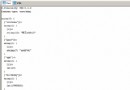
適合關鍵字庫較大、需頻繁更新、需記錄違規詞彙的生產環境。
你大爺
你麻痺
什麼玩意
SB
你他媽
<?php
header('Content-Type: text/html; charset=utf-8');

function checkKeywords($content) {
    // 1. 讀取關鍵字檔案
    $keywords = file_get_contents('keyWords.txt');
    $content = trim($content);

    // 2. 分割成陣列(按換行符)
    $keywordArr = explode("\n", $keywords);

    // 3. 遍歷檢測
    foreach ($keywordArr as $word) {
        $word = trim($word);
        if (empty($word)) continue; // 跳過空行

        // 關鍵點:strpos 返回 false 或位置索引(含 0),必須用 !== false 判斷
        if (strpos($content, $word) !== false) {
            return $word; // 返回第一個匹配到的關鍵字
        }
    }
    return false; // 無匹配
}

// 測試
$content = "我今天你大爺碰到一個SB";
$found = checkKeywords($content);

if ($found) {
    echo "存在關鍵字:" . $found;
} else {
    echo "OK - 內容安全";
}
?>
檔案讀取後的每行關鍵字末尾可能包含換行符或空格,必須使用 trim() 清理,否則會導致匹配失敗或誤判。
// ❌ 錯誤寫法
if (strpos($content, $word) != false) { ... }

// ✅ 正確寫法
if (strpos($content, $word) !== false) { ... }
因為 strpos() 可能返回 0(關鍵字在字串開頭),在鬆散比較下 0 == false 為 true,會導致漏判。
function getAllBadWords($content) {
    $keywords = file_get_contents('keyWords.txt');
    $keywordArr = explode("\n", $keywords);
    $found = [];

    foreach ($keywordArr as $word) {
        $word = trim($word);
        if ($word && strpos($content, $word) !== false) {
            $found[] = $word;
        }
    }
    return $found; // 返回所有匹配到的關鍵字陣列
}
jieba-php 等分詞庫提升準確度方法一適合快速原型與簡單場景;方法二具備工程化特質,易於維護擴展。實際專案中建議採用方法二並結合緩存機制,同時根據業務需求決定是「僅檢測」還是「自動替換」。