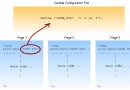
PHP 每次請求都要:讀取腳本 → 詞法分析 → 語法分析 → 編譯為操作碼 → 執行。對相同程式碼重複編譯浪費 CPU。操作碼快取將編譯結果存共享記憶體,下次直接執行,大幅降低延遲與 CPU 使用率。
| 快取器 | 授權 | 特色 | PHP 版本支援 |
|---|---|---|---|
| OPcache | PHP 內建 | 官方維護、JIT 整合、生產首選 | 5.5+ |
| APCu | 開源 | 使用者快取(非操作碼),搭配 OPcache | 5.4+ |
| XCache | 開源 | 早期流行、涵蓋操作碼+變數快取 | 5.1-7.x |
| Zend OpCache | 商業 | Zend Server 套件,含監控工具 | 5.4+ |
⚡ 現代 PHP (7.4+) 強烈建議直接使用內建 OPcache,無需額外安裝。
zend_extension=opcache.so
opcache.enable=1
opcache.enable_cli=1
opcache.memory_consumption=256
opcache.interned_strings_buffer=16
opcache.max_accelerated_files=20000
opcache.validate_timestamps=0          ; 生產環境關閉,部署後需重啟 PHP-FPM 或發送 SIGUSR2
opcache.revalidate_freq=0
opcache.fast_shutdown=1
opcache.enable_file_override=1
opcache.jit_buffer_size=128M           ; PHP 8.0+ 啟用 JIT
opcache.jit=tracing若維護舊專案仍需 XCache:
phpize → ./configure --enable-xcache --enable-xcache-coverager → make && make installxcache.so 並設定 xcache.size、xcache.var_size觀察 opcache_enabled、cached_scripts、memory_usage、hit_rate(命中率應 > 90%)。
kill -USR2 $(cat /run/php-fpm.pid) 清除快取opcache_reset() 或重啟步驟