FCKeditor(現 CKEditor 前身)支援多語言、多平台。本文針對 PHP 環境,說明如何精簡檔案、配置中文介面、字體與上傳路徑。
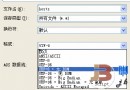
_ 開頭的暫存檔/資料夾。保留:fckconfig.js、fckeditor.js、fckeditor.php、fckeditor_php4.php、fckeditor_php5.php、fckstyles.xml、fcktemplates.xml、editor/ 資料夾。en.js、zh-cn.js(簡中)、zh-tw.js(繁中)。default(輕量)、office2003、silver。php/。php/。FCKConfig.AutoDetectLanguage = false; // 關閉自動偵測 FCKConfig.DefaultLanguage = 'zh-cn'; // 設為簡體中文
FCKConfig.FontNames = 'Arial;Comic Sans MS;Courier New;Tahoma;Times New Roman;Verdana;' +
    '宋體;楷體_GB2312;新宋體;黑體;隸書;幼圓;'; // 依需求增減
FCKConfig.ToolbarSets["Basic"] = [
    ['Source','DocProps','-','Save','NewPage','Preview','-','Templates'],
    ['Cut','Copy','Paste','PasteText','PasteWord','-','Print','SpellCheck'],
    ['Undo','Redo','-','Find','Replace','-','SelectAll','RemoveFormat'],
    ['Form','Checkbox','Radio','TextField','Textarea','Select','Button','ImageButton','HiddenField'],
    '/',
    ['Bold','Italic','Underline','StrikeThrough','-','Subscript','Superscript'],
    ['OrderedList','UnorderedList','-','Outdent','Indent','Blockquote'],
    ['JustifyLeft','JustifyCenter','JustifyRight','JustifyFull'],
    ['Link','Unlink','Anchor'],
    ['Image','Flash','Table','Rule','Smiley','SpecialChar','PageBreak'],
    '/',
    ['Style','FontFormat','FontName','FontSize'],
    ['TextColor','BGColor'],
    ['FitWindow','ShowBlocks','-','About']
];
編輯 editor/filemanager/browser/default/connectors/php/config.php:
$Config['Enabled'] = true;
$Config['UserFilesPath'] = '/UserFiles/'; // URL 路徑
$Config['UserFilesAbsolutePath'] = '/var/www/html/UserFiles/'; // 絕對路徑,需可寫

// 允許上傳類型
$Config['AllowedExtensions']['File'] = array('7z','aiff','asf','avi','bmp','csv','doc','fla','flv','gif','gz','gzip','jpeg','jpg','mid','mov','mp3','mp4','mpc','mpeg','mpg','ods','odt','pdf','png','ppt','pxd','qt','ram','rar','rm','rmi','rmvb','rtf','sdc','sitd','swf','sxc','sxw','tar','tgz','tif','tiff','txt','vsd','wav','wma','wmv','xls','xlsx','zip');
$Config['DeniedExtensions']['File'] = array();

// 圖片上傳
$Config['AllowedExtensions']['Image'] = array('bmp','gif','jpeg','jpg','png');
$Config['DeniedExtensions']['Image'] = array();

// 快取設定
$Config['QuickUploadPath']['Image'] = $Config['UserFilesAbsolutePath'];
$Config['QuickUploadPath']['File'] = $Config['UserFilesAbsolutePath'];
mkdir -p /var/www/html/UserFiles
chmod 777 /var/www/html/UserFiles
chown www-data:www-data /var/www/html/UserFiles
<?php
require_once('fckeditor/fckeditor.php');
$oFCKeditor = new FCKeditor('content');
$oFCKeditor->BasePath = '/fckeditor/';
$oFCKeditor->ToolbarSet = 'Basic';
$oFCKeditor->Value = '<p>初始內容</p>';
$oFCKeditor->Create();
?>
config.php 路徑、目錄權限、PHP upload_max_filesize/post_max_size。fckconfig.js 以 UTF-8 儲存,PHP 頁面 header('Content-Type: text/html; charset=utf-8')。UserFilesPath URL 是否可正常訪問。FCKeditor 已停止維護,新專案強烈建議使用 CKEditor 4/5,架構更現代、支援模組化、相容性更佳。