Smarty 是 PHP 著名模板引擎,分離邏輯與顯示。本文記錄安裝步驟與基本配置。
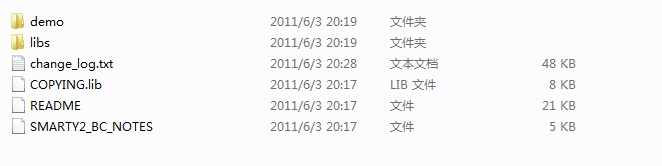
libs 目錄重命名為 smarty,複製到網站目錄。templates(模板檔)與 templates_c(編譯快取)目錄。templates_c 權限 755(可寫入)。test.php<?php
include_once('./Smarty/Smarty.class.php');
$smarty = new Smarty();
$smarty->template_dir = "./templates";
$smarty->compile_dir = "./templates_c";
$smarty->left_delimiter = "{{";
$smarty->right_delimiter = "}}";
$smarty->assign('test','OK');
$smarty->display('test.html');
?>templates/test.html<html><head></head><body>{{$test}}</body></html>瀏覽 test.php,若顯示 OK 即安裝成功。