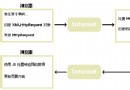
前端下拉選單選擇使用者,AJAX 請求 PHP 查詢 MySQL 資料庫,回傳該使用者的詳細資料並以 HTML 表格顯示。示範完整的前後端資料庫互動流程。
CREATE TABLE `user` (
  `id` INT PRIMARY KEY,
  `FirstName` VARCHAR(50),
  `LastName` VARCHAR(50),
  `Age` INT,
  `Hometown` VARCHAR(100),
  `Job` VARCHAR(100)
);

INSERT INTO `user` VALUES
(1, 'Peter', 'Griffin', 41, 'Quahog', 'Brewery'),
(2, 'Lois', 'Griffin', 40, 'Newport', 'Piano Teacher'),
(3, 'Joseph', 'Swanson', 39, 'Quahog', 'Police Officer'),
(4, 'Glenn', 'Quagmire', 41, 'Quahog', 'Pilot');
<!DOCTYPE html>
<html>
<head>
<meta charset="utf-8">
<title>AJAX MySQL 範例</title>
<script>
function showUser(str) {
    const box = document.getElementById('txtHint');
    if (!str) {
        box.innerHTML = '';
        return;
    }
    const xhr = new XMLHttpRequest();
    xhr.onreadystatechange = function() {
        if (xhr.readyState === 4 && xhr.status === 200) {
            box.innerHTML = xhr.responseText;
        }
    };
    xhr.open('GET', 'getuser.php?q=' + encodeURIComponent(str), true);
    xhr.send();
}
</script>
</head>
<body>
<form>
    <select name="users" onchange="showUser(this.value)">
        <option value="">Select a person:</option>
        <option value="1">Peter Griffin</option>
        <option value="2">Lois Griffin</option>
        <option value="3">Joseph Swanson</option>
        <option value="4">Glenn Quagmire</option>
    </select>
</form>
<br>
<div id="txtHint"><b>Person info will be listed here.</b></div>
</body>
</html>
<?php
$q = isset($_GET['q']) ? (int)$_GET['q'] : 0;
if (!$q) exit;

$host = 'localhost';
$user = 'peter';
$pass = 'abc123';
$db = 'my_db';

$mysqli = new mysqli($host, $user, $pass, $db);
if ($mysqli->connect_errno) {
    exit('資料庫連線失敗: ' . $mysqli->connect_error);
}

$stmt = $mysqli->prepare('SELECT FirstName, LastName, Age, Hometown, Job FROM user WHERE id = ?');
$stmt->bind_param('i', $q);
$stmt->execute();
$result = $stmt->get_result();

if ($result->num_rows > 0) {
    echo "<table border='1' cellpadding='5'>
        <tr><th>Firstname</th><th>Lastname</th><th>Age</th><th>Hometown</th><th>Job</th></tr>";
    while ($row = $result->fetch_assoc()) {
        echo "<tr>";
        foreach ($row as $val) {
            echo "<td>" . htmlspecialchars($val) . "</td>";
        }
        echo "</tr>";
    }
    echo "</table>";
} else {
    echo '查無資料';
}

$stmt->close();
$mysqli->close();
?>
onchange 送出使用者 ID q。#txtHint 顯示。prepare() + bind_param(),絕不直接拼接 SQL 字串。(int)$_GET['q'] 確保為整數。htmlspecialchars() 防止 XSS。mysqli::persistent 或連線池。