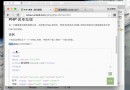
使用者在輸入框鍵入關鍵字時,前端即時送出 AJAX 請求,後端搜尋 XML 資料並回傳符合的連結列表,無需按鈕、無需重新整理。適合自動完成、即時過濾等場景。
<!DOCTYPE html>
<html>
<head>
<meta charset="utf-8">
<title>AJAX 即時搜尋</title>
<script>
function showResult(str) {
    const box = document.getElementById('livesearch');
    if (!str) {
        box.innerHTML = '';
        box.style.border = '0';
        return;
    }
    const xhr = new XMLHttpRequest();
    xhr.onreadystatechange = function() {
        if (xhr.readyState === 4 && xhr.status === 200) {
            box.innerHTML = xhr.responseText;
            box.style.border = '1px solid #A5ACB2';
        }
    };
    xhr.open('GET', 'livesearch.php?q=' + encodeURIComponent(str), true);
    xhr.send();
}
</script>
</head>
<body>
<form>
    <input type="text" size="30" onkeyup="showResult(this.value)" placeholder="輸入關鍵字搜尋...">
    <div id="livesearch"></div>
</form>
</body>
</html>
<?php
$q = isset($_GET['q']) ? trim($_GET['q']) : '';
if (!$q) {
    exit('no suggestion');
}

$xmlFile = 'links.xml';
$doc = new DOMDocument();
if (!$doc->load($xmlFile)) {
    exit('no suggestion');
}

$links = $doc->getElementsByTagName('link');
$hint = '';

for ($i = 0; $i < $links->length; $i++) {
    $linkNode = $links->item($i);
    $titleNode = $linkNode->getElementsByTagName('title')->item(0);
    $urlNode = $linkNode->getElementsByTagName('url')->item(0);

    if ($titleNode && $urlNode) {
        $title = $titleNode->nodeValue;
        $url = $urlNode->nodeValue;
        if (stripos($title, $q) !== false) {
            $hint .= "<a href='$url' target='_blank'>$title</a><br>";
        }
    }
}

echo $hint ?: 'no suggestion';
?>
<?xml version="1.0" encoding="UTF-8"?>
<links>
    <link>
        <title>HTML 教學</title>
        <url>https://example.com/html</url>
    </link>
    <link>
        <title>CSS 進階技巧</title>
        <url>https://example.com/css</url>
    </link>
    <link>
        <title>JavaScript 基礎</title>
        <url>https://example.com/js</url>
    </link>
</links>
onkeyup 觸發 showResult(),傳送目前輸入值。<link> 節點。stripos() 不分大小寫比對標題是否包含關鍵字。#livesearch 並顯示邊框。setTimeout / clearTimeout (300ms) 避免每個字元都發請求。fetch() + AbortController 取消舊請求,搭配 Vue/React/Alpine.js 元件化。