前三篇確立了插件項目創建、右鍵菜單彈出等 UI 基礎。本篇聚焦核心業務——領域對象到 Form/Assembler 代碼的自動生成。為解耦插件與生成邏輯,獨立建立生成器項目,參考開源 Koala 專案思想,採用 Velocity 模板引擎實現。
| 組件 | 職責 |
|---|---|
NewFile 抽象基類 |
封裝文件路徑解析、包名轉換、模板加載、文件寫入通用邏輯 |
FormNewFile |
生成 Form 類,管理字段映射、導入包、模板路徑 |
AssemblerNewFile |
生成 Assembler 類,處理轉換邏輯模板 |
CURDClassLoader |
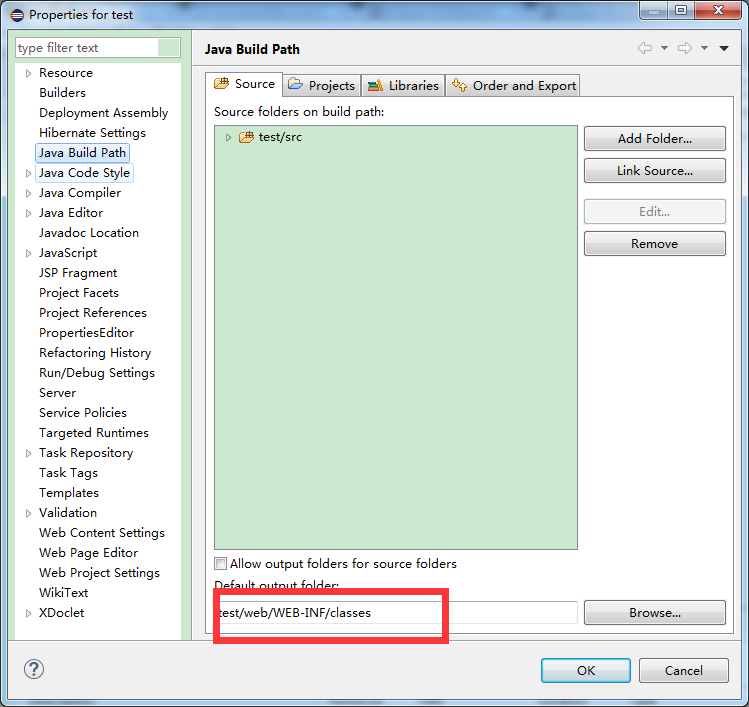
自定義 URLClassLoader,掃描 Web 項目 /WEB-INF/classes 與 /WEB-INF/lib 下所有 Class/Jar,支持反射加載領域對象 |
CURDCoreAnalysis |
核心分析引擎:遞歸掃描實體類及父類字段,通過反射提取字段名、類型,構建 EntityModel / FieldModel 元數據模型 |
CodeGenerator |
統一入口:解析輸入路徑 → 調用分析器 → 填充 Velocity 上下文 → 驅動 Form/Assembler 生成 |
private void initLoader() throws MalformedURLException {
    if ("WEB".equals(webType)) {
        String dir = webRootPath + "/web/WEB-INF/classes/";
        String libs = webRootPath + "/web/WEB-INF/lib/";
        loadeWeb(dir, libs);
    } else {
        String dir = webRootPath + "/bin";
        loadJar(dir);
    }
}

private void loadeWeb(String dir, String libs) throws MalformedURLException {
    urlList.add(new URL("file:" + dir));
    File lib = new File(libs);
    for (File jarFile : lib.listFiles()) {
        urlList.add(new URL("file:" + jarFile.getAbsolutePath()));
    }
}

// 構造時構建 URLClassLoader
URL[] urls = urlList.toArray(new URL[0]);
classloader = new URLClassLoader(urls);public EntityModel analysis(String projectPath, String srcJava) throws Exception {
classloader = CURDClassLoader.getInstance(projectPath);
EntityModel entity = analysisField(srcJava); // 遞歸分析含父類字段
classloader.close();
return entity;
}
private void analysisField(Class classEntity, EntityModel entity) {
// 收集當前類及所有父類
List<Class> classesForAnalysis = new ArrayList<>();
classesForAnalysis.add(classEntity);
Class superClass = classEntity.getSuperclass();
while (superClass != null) {
classesForAnalysis.add(superClass);
superClass = superClass.getSuperclass();
}
// 從頂層父類開始分析,確保字段順序正確
for (int i = classesForAnalysis.size() - 1; i >= 0; i--) {
Class clazz = classesForAnalysis.get(i);
for (Field field : clazz.getDeclaredFields()) {
if (Modifier.isStatic(field.getModifiers())) continue; // 跳過 static
entity.getFields().add(new FieldModel(field.getName(), field.getType().getName()));
}
}
}public static void generateCode(String javaPath) throws Exception {
// 1. 解析項目路徑與類全名
String projectPath = javaPath.substring(0, javaPath.indexOf("/src") + 1);
projectPath = projectPath.substring(0, projectPath.lastIndexOf("/"));
String srcJava = javaPath.substring(javaPath.indexOf("/src") + 4)
.replace("/", ".")
.replace(".java", "");
// 2. 核心分析
EntityModel entityModel = CURDCoreAnalysis.getInstance().analysis(projectPath, srcJava);
// 3. Velocity 上下文注入
VelocityContext context = VelocityContextUtils.getVelocityContext();
context.put("entity", entityModel);
// 4. 生成 Form 與 Assembler
FormNewFile formNewFile = createFormFile(projectPath, entityModel);
formNewFile.process();
AssemblerNewFile assemblerNewFile = createAssemblerFile(projectPath, entityModel);
assemblerNewFile.process();
}generator.jarlib/ 目錄並加入 Classpathexecute() 中調用:
public Object execute(ExecutionEvent event) throws ExecutionException {
    String path = getSelectPath(); // 獲取右鍵選中的 Java 文件路徑
    if (path != null) {
        try {
            CodeGenerator.generateCode(path);
            MessageDialog.openInformation(null, "生成代碼", "生成代碼成功!!");
        } catch (Exception e) {
            e.printStackTrace();
        }
    }
    return null;
}
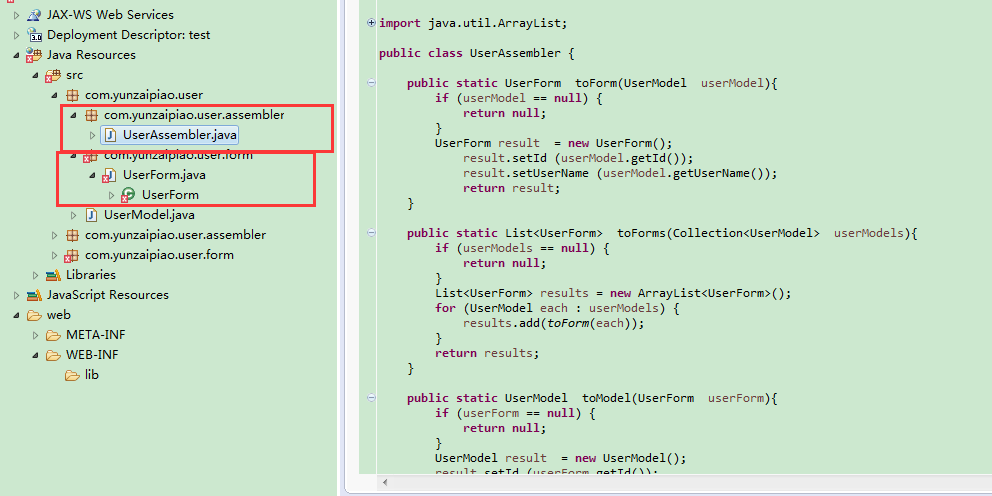
源碼下載:TestPlugin.rar