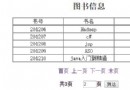
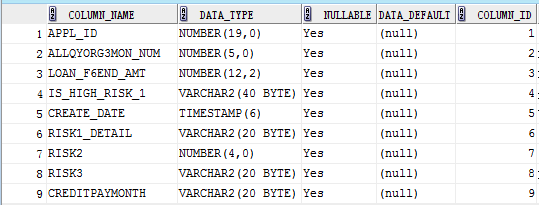
承接上篇環境配置,本文通過完整代碼示例講解 JDBC 核心六步法、Statement/PreparedStatement 操作、結果集處理、資源關閉模式、SQL 注入防範與連接池引入,幫助你從「能跑通」進階到「生產可用」。
// 1. 加載驅動(JDBC 4.0+ SPI 機制可省略,但建議保留兼容性)
Class.forName("com.mysql.cj.jdbc.Driver"); // MySQL 8.0+ 驅動類

// 2. 建立連接
String url = "jdbc:mysql://localhost:3306/your_db?useSSL=false&serverTimezone=UTC&characterEncoding=utf8";
String user = "root";
String password = "123456";
Connection conn = DriverManager.getConnection(url, user, password);

// 3. 創建語句對象
Statement stmt = conn.createStatement();
// 或 PreparedStatement pstmt = conn.prepareStatement(sql);

// 4. 執行 SQL
// 查詢:ResultSet rs = stmt.executeQuery("SELECT * FROM person");
// 增刷改:int rows = stmt.executeUpdate("INSERT INTO person VALUES (3, 'Li', 98)");

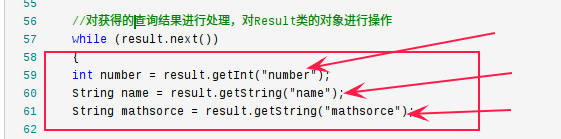
// 5. 處理結果集
while (rs.next()) {
    int id = rs.getInt("number");
    String name = rs.getString("name");
    String score = rs.getString("mathsorce");
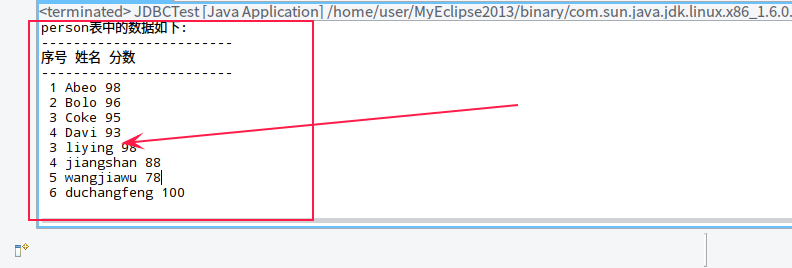
    System.out.println(id + " " + name + " " + score);
}

// 6. 釋放資源(逆序關閉,finally 塊保證)
rs.close();
stmt.close();
conn.close();package jdbc.demo;
import java.sql.*;
import java.util.ArrayList;
import java.util.List;
public class JdbcCrudDemo {
// 數據庫配置常量
private static final String URL = "jdbc:mysql://localhost:3306/testdb?useSSL=false&serverTimezone=UTC";
private static final String USER = "root";
private static final String PASS = "123456";
public static void main(String[] args) {
// 1. 插入數據
insertUsers();
// 2. 查詢所有
List users = queryAll();
users.forEach(System.out::println);
// 3. 更新
updateUser(3, "LiMing", 100);
// 4. 刪除
deleteUser(4);
// 5. 再次查詢驗證
queryAll().forEach(System.out::println);
}
// 獲取連接(生產環境應替換為連接池)
private static Connection getConnection() throws SQLException {
return DriverManager.getConnection(URL, USER, PASS);
}
// 插入多條(批處理優化)
private static void insertUsers() {
String sql = "INSERT INTO person (number, name, mathsorce) VALUES (?, ?, ?)";
try (Connection conn = getConnection();
PreparedStatement pstmt = conn.prepareStatement(sql)) {
conn.setAutoCommit(false); // 開啟事務
Object[][] data = {
{5, "WangWu", 85}, {6, "ZhaoLiu", 92}, {7, "SunQi", 78}
};
for (Object[] row : data) {
pstmt.setInt(1, (Integer) row[0]);
pstmt.setString(2, (String) row[1]);
pstmt.setInt(3, (Integer) row[2]);
pstmt.addBatch();
}
pstmt.executeBatch();
conn.commit();
System.out.println("批量插入完成");
} catch (SQLException e) {
e.printStackTrace();
}
}
// 查詢所有
private static List queryAll() {
List list = new ArrayList<>();
String sql = "SELECT number, name, mathsorce FROM person";
try (Connection conn = getConnection();
PreparedStatement pstmt = conn.prepareStatement(sql);
ResultSet rs = pstmt.executeQuery()) {
while (rs.next()) {
User u = new User();
u.setNumber(rs.getInt("number"));
u.setName(rs.getString("name"));
u.setScore(rs.getInt("mathsorce"));
list.add(u);
}
} catch (SQLException e) {
e.printStackTrace();
}
return list;
}
// 更新
private static void updateUser(int id, String name, int score) {
String sql = "UPDATE person SET name=?, mathsorce=? WHERE number=?";
try (Connection conn = getConnection();
PreparedStatement pstmt = conn.prepareStatement(sql)) {
pstmt.setString(1, name);
pstmt.setInt(2, score);
pstmt.setInt(3, id);
int rows = pstmt.executeUpdate();
System.out.println("更新行數:" + rows);
} catch (SQLException e) {
e.printStackTrace();
}
}
// 刪除
private static void deleteUser(int id) {
String sql = "DELETE FROM person WHERE number=?";
try (Connection conn = getConnection();
PreparedStatement pstmt = conn.prepareStatement(sql)) {
pstmt.setInt(1, id);
int rows = pstmt.executeUpdate();
System.out.println("刪除行數:" + rows);
} catch (SQLException e) {
e.printStackTrace();
}
}
}
// 實體類
class User {
private int number;
private String name;
private int score;
// getter/setter/toString...
} setInt/setString/setTimestamp 自動處理轉換try (Connection conn = getConnection();
PreparedStatement pstmt = conn.prepareStatement(sql);
ResultSet rs = pstmt.executeQuery()) {
// 業務邏輯
} // 自動關閉 rs → pstmt → conn,即使拋異常conn.setAutoCommit(false);
try {
// 多條 SQL
conn.commit();
} catch (SQLException e) {
conn.rollback();
throw e;
} finally {
conn.setAutoCommit(true); // 恢復默認
}// 可滾動、可更新結果集
PreparedStatement pstmt = conn.prepareStatement(sql,
ResultSet.TYPE_SCROLL_INSENSITIVE, ResultSet.CONCUR_READ_ONLY);
ResultSet rs = pstmt.executeQuery();
rs.last(); // 移動到最後一行
rs.beforeFirst(); // 移動到首行前jdbc:mysql://localhost:3306/db?
useSSL=false& # 開發環境關閉 SSL
serverTimezone=UTC& # 解決時區報錯
characterEncoding=utf8& # 字符編碼
allowPublicKeyRetrieval=true& # 缓存 sha256 密碼插件公鑰
rewriteBatchedStatements=true # 批處理優化(關鍵性能參數)DriverManager.getConnection() 每次建立物理連接,開銷極大,生產環境嚴禁使用。
<dependency>
    <groupId>com.zaxxer</groupId>
    <artifactId>HikariCP</artifactId>
    <version>5.0.1</version>
</dependency>public class DataSourceConfig {
public static HikariDataSource createDataSource() {
HikariConfig config = new HikariConfig();
config.setJdbcUrl(URL);
config.setUsername(USER);
config.setPassword(PASS);
config.setMaximumPoolSize(20); // 最大連接數
config.setMinimumIdle(5); // 最小空閒
config.setIdleTimeout(300000); // 空閒超時 5 分鐘
config.setConnectionTimeout(30000); // 獲取連接超時 30 秒
config.setMaxLifetime(1800000); // 連接最大壽命 30 分鐘
config.setPoolName("MyApp-Pool");
config.addDataSourceProperty("cachePrepStmts", "true");
config.addDataSourceProperty("prepStmtCacheSize", "250");
config.addDataSourceProperty("prepStmtCacheSqlLimit", "2048");
return new HikariDataSource(config);
}
}// 單例持有 DataSource
DataSource ds = DataSourceConfig.createDataSource();
// 業務代碼
try (Connection conn = ds.getConnection(); // 從池獲取
PreparedStatement pstmt = conn.prepareStatement(sql)) {
// ...
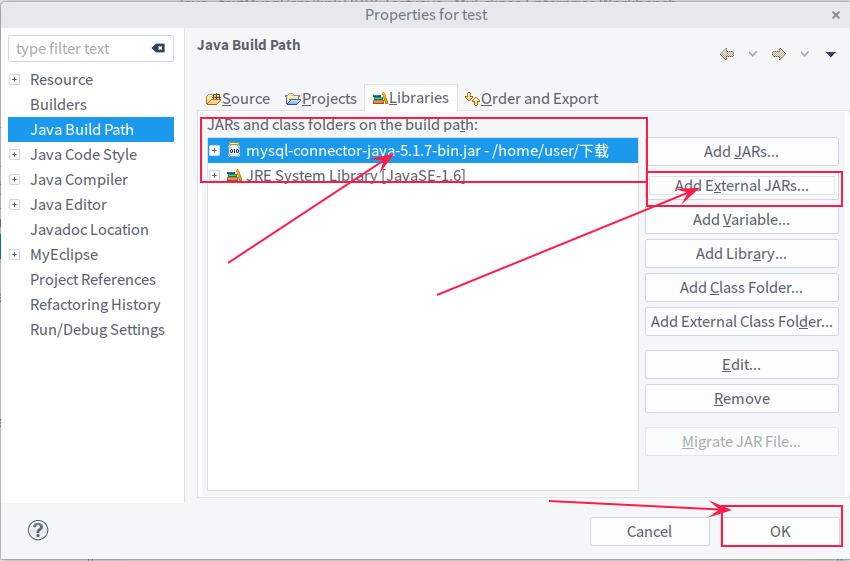
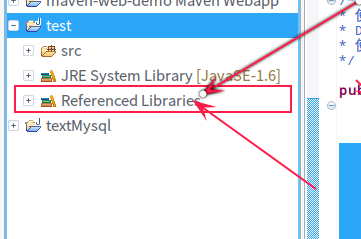
} // 歸還連接池,而非關閉物理連接mysql-connector-java-x.x.x.jar(MySQL 8.0+ 用 mysql-connector-j)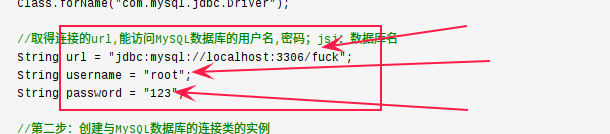
| 錯誤 | 原因 | 解決 |
|---|---|---|
ClassNotFoundException |
驅動 JAR 未加入 Classpath | |
Communications link failure |
IP/端口錯誤、MySQL 未啟動、防火牆 | |
Public Key Retrieval is not allowed |
MySQL 8.0 默認 caching_sha2_password | |
Server returns invalid timezone |
時區未指定 | |
| 中文亂碼 | 字符編碼不一致 |
serverTimezone、allowPublicKeyRetrieval、rewriteBatchedStatements掌握 JDBC 核心 API 與連接池原理,是通往 MyBatis、JPA、Spring Data 等 ORM 框架深度理解的基石。