FileDialog 是 AWT 提供的原生檔案選擇對話框,支援 LOAD(開啟)與 SAVE(儲存)兩種模式。本文示範整合選單、檔案對話框、文字區域與緩衝讀取的完整桌面應用雛形。
| 方法 | 說明 |
|---|---|
new FileDialog(Frame, String, int mode) | 建立對話框,mode 為 FileDialog.LOAD 或 SAVE |
setVisible(true) | 顯示模態對話框,阻塞直到用戶選擇或取消 |
getDirectory() | 取得選中檔案所在目錄路徑 |
getFile() | 取得選中檔案名稱 |
import java.awt.*;
import java.awt.event.*;
import java.io.*;

public class MenuBarDemo {
    private Frame frame;
    private MenuBar menuBar;
    private Menu menu;
    private MenuItem openFileBtn, exitItem;
    private FileDialog openFile;
    private TextArea textArea;

    public MenuBarDemo() { init(); addEvents(); }

    private void init() {
        frame = new Frame("檔案對話框示範");
        frame.setBounds(300, 200, 500, 400);

        // 選單列
        menuBar = new MenuBar();
        menu = new Menu("檔案");
        openFileBtn = new MenuItem("開啟");
        exitItem = new MenuItem("退出");
        menu.add(openFileBtn);
        menu.add(exitItem);
        menuBar.add(menu);
        frame.setMenuBar(menuBar);

        // 文字顯示區
        textArea = new TextArea();
        frame.add(textArea, BorderLayout.CENTER);

        frame.setVisible(true);
    }

    private void addEvents() {
        frame.addWindowListener(new WindowAdapter() {
            @Override public void windowClosing(WindowEvent e) { System.exit(0); }
        });

        exitItem.addActionListener(e -> System.exit(0));

        openFileBtn.addActionListener(e -> {
            openFile = new FileDialog(frame, "開啟檔案", FileDialog.LOAD);
            openFile.setVisible(true); // 阻塞等待用戶操作

            String dir = openFile.getDirectory();
            String file = openFile.getFile();
            if (dir == null || file == null) return; // 用戶取消

            File target = new File(dir, file);
            try (BufferedReader br = new BufferedReader(new FileReader(target))) {
                StringBuilder sb = new StringBuilder();
                String line;
                while ((line = br.readLine()) != null) {
                    sb.append(line).append("\r\n");
                }
                textArea.setText(sb.toString());
            } catch (IOException ex) {
                ex.printStackTrace();
            }
        });
    }

    public static void main(String[] args) { new MenuBarDemo(); }
}
setVisible(true) 會暫停事件執行緒,直到對話框關閉。getDirectory() 返回 null,必須判斷。BufferedReader 自動關閉。new FileReader(target, StandardCharsets.UTF_8)(Java 11+)。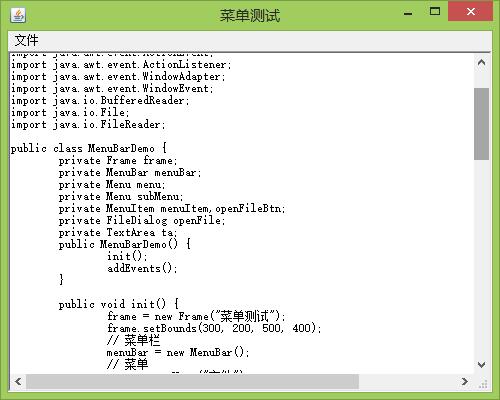
Swing 提供 JFileChooser,功能更豐富(檔案過濾器、多選、預覽);JavaFX 則有 FileChooser,支援非阻塞式調用。現代專案建議優先選用 Swing/JavaFX。