在 Java 專案中,動態修改 .properties 配置文件是常見需求(如運行時調整開關、刷新 Token)。許多開發者遇到「測試環境正常,打包部署後寫入失效/找不到文件」的問題。本文從類加載機制、資源路徑解析、JAR 包封裝限制三個維度,徹底剖析根因並給出生產級解決方案。
public static void modifyConfig(String key, String value) {
    try {
        Properties prop = getProperties(); // 從類路徑讀取
        prop.setProperty(key, value);

        // ❌ 關鍵錯誤:嘗試獲取類路徑資源的文件系統路徑
        String path = Global.class.getResource("/project.properties").getPath();
        FileOutputStream outputFile = new FileOutputStream(path);
        prop.store(outputFile, "modify");
        outputFile.close();
    } catch (Exception e) {
        e.printStackTrace();
    }
}NullPointerException:getResource() 返回 nullFileNotFoundException:路徑包含 file:/xxx.jar!/project.properties,非文件系統路徑| 場景 | Class.getResource("/x.properties") 返回 | 可否寫入 | 說明 |
|---|---|---|---|
| IDE 運行 (爆炸目錄) | file:/D:/workspace/target/classes/project.properties | ✅ 是 | 類文件在文件系統,資源直接映射到物理文件 |
| 打包 JAR 運行 | jar:file:/D:/app/app.jar!/project.properties | ❌ 否 | 資源在 JAR 內部,JVM 無法直接修改 JAR 內條目 |
| Spring Boot Fat JAR | jar:file:/D:/app/app.jar!/BOOT-INF/classes!/project.properties | ❌ 否 | 嵌套 JAR 結構,更不可寫 |
| War 部署 Tomcat | file:/D:/tomcat/webapps/ROOT/WEB-INF/classes/project.properties | ⚠️ 可但不推薦 | 爆炸部署時可寫,但熱部署/重啟會覆蓋;War 未爆炸同 JAR |
本質結論:類路徑資源是只讀的。ClassLoader.getResourceAsStream() 只提供輸入流,不保證底層存儲可寫。任何嘗試將資源 URL 轉為 File 寫入的做法,都違反了「配置與代碼分離」原則,在容器化/雲原生環境下必失效。
原則:配置文件放在 JAR 之外的固定文件系統路徑,啟動時指定加載。
# application.yml (Spring Boot)
spring:
  config:
    import: "file:/opt/app/config/project.properties"  # 絕對路徑
    # 或可選目錄:optional:file:/opt/app/config/  (2.4+)
# 啟動命令
java -jar app.jar --spring.config.location=file:/opt/app/config/project.properties優點:構建產物不可變、配置變更無需重新打包、支持 Docker ConfigMap/Secret 掛載、多環境隔離。缺點:需運維保證文件存在。
@ConfigurationProperties + Environment 運行時動態刷新(推薦 ⭐⭐⭐⭐)@ConfigurationProperties(prefix = "app")
@Component
@RefreshScope // Spring Cloud Context / Spring Boot Actuator
@Data
public class AppConfig {
private String someKey;
private int timeout;
}
// 動態修改:調用 /actuator/refresh 或 Config Server 推送
// 持久化:由外部配置中心(Nacos/Apollo/Consul/Etcd)保證,無需本地寫文件優點:零代碼侵入、毫秒級生效、集中管理、審計追蹤、灰度發布。現代微服務標配。
public class PropertiesPersister {
    private static final File CONFIG_FILE = new File(
        System.getProperty("app.config.dir", "/opt/app/config"),  // 環境變量/系統屬性注入
        "project.properties"
    );

    public static void save(Properties props) {
        try (FileOutputStream fos = new FileOutputStream(CONFIG_FILE)) {
            props.store(fos, "Updated at " + Instant.now());
        } catch (IOException e) {
            throw new ConfigPersistenceException("Failed to save config", e);
        }
    }

    public static Properties load() {
        Properties props = new Properties();
        if (CONFIG_FILE.exists()) {
            try (FileInputStream fis = new FileInputStream(CONFIG_FILE)) {
                props.load(fis);
            } catch (IOException e) {
                throw new ConfigPersistenceException("Failed to load config", e);
            }
        }
        return props;
    }
}關鍵點:路徑來源於外部注入(環境變量/JVM 參數/容器掛載點),而非類加載器推導。Docker 部署時 -v /host/config:/opt/app/config 掛載即可。
若配置項頻繁讀寫、需事務、需查詢,直接用輕量級嵌入式 DB,避免 Properties 文件並發寫入損壞、格式錯誤等問題。
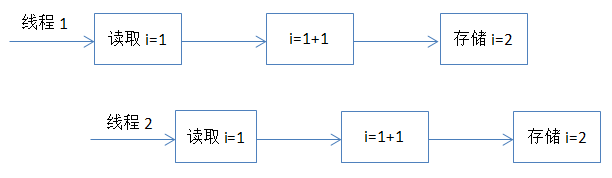
Properties 繼承自 Hashtable,雖然線程安全,但 store() 過程非原子:
save() → 內容交錯覆蓋最佳實踐:
public void saveAtomic(Properties props) {
    File tempFile = File.createTempFile("config-", ".tmp", CONFIG_FILE.getParentFile());
    try (FileOutputStream fos = new FileOutputStream(tempFile)) {
        props.store(fos, "Updated at " + Instant.now());
    }
    // 原子重命名(POSIX 保證原子性)
    if (!tempFile.renameTo(CONFIG_FILE)) {
        throw new IOException("Atomic rename failed");
    }
}Class.getResource().getPath() 寫入配置ServletContext.getRealPath("/WEB-INF/...") 寫入(War 未爆炸失效、容器遷移丟失)1. 命令行參數 (--spring.config.location=...) 2. 環境變量 (SPRING_CONFIG_LOCATION) 3. Java 系統屬性 (spring.config.location) 4. 應用程序目錄下的 config/ 子目錄 5. 應用程序目錄 (jar 同級) 6. 類路徑根目錄下的 config/ 包 7. 類路徑根目錄 8. @PropertySource 指定的資源 9. 默認屬性 (SpringApplication.setDefaultProperties) 後加載覆蓋先加載,實現「默認值 < 打包配置 < 環境配置 < 命令行覆蓋」
徹底拋棄「寫入類路徑資源」的思維定式,擁抱「配置外部化、不可變基礎設施、集中式配置治理」,才是雲原生時代 Java 應用的正確姿勢。