基於 MyEclipse 9 內置框架支持,記錄 Struts 2.3.24 + Hibernate 3.6.10 + Spring 4.3.2 + MySQL 5.5 整合全流程,含 JAR 管理、三層代碼、核心配置、事務管理、連接池優化、懶加載解決。
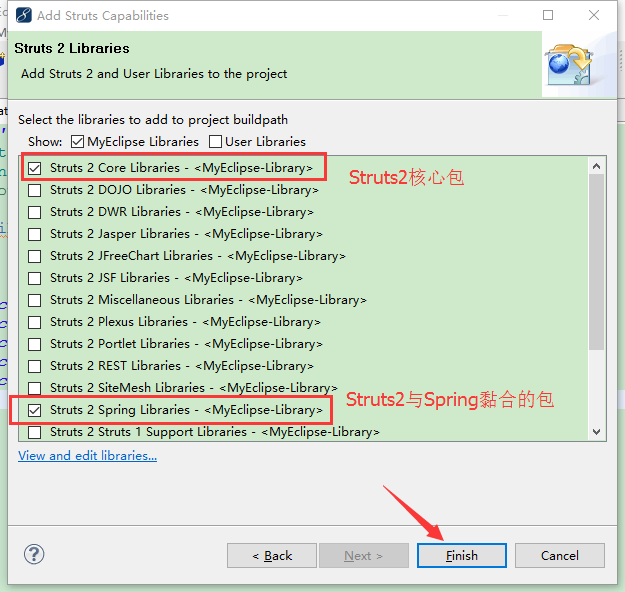
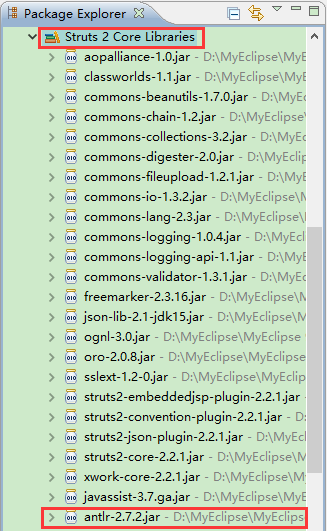
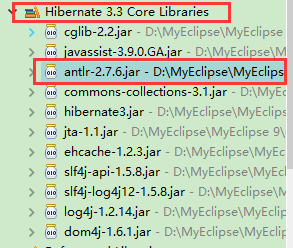
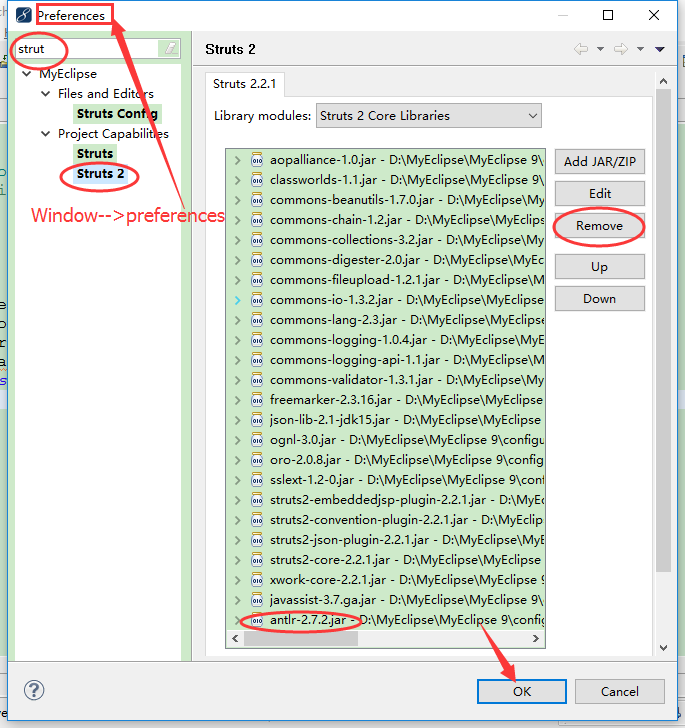
antlr JAR,版本衝突需排除一份 (MyEclipse 9 有此問題,10 版本已修復)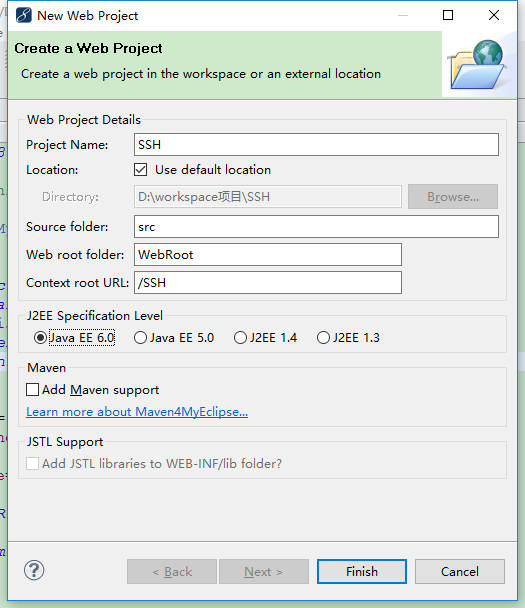
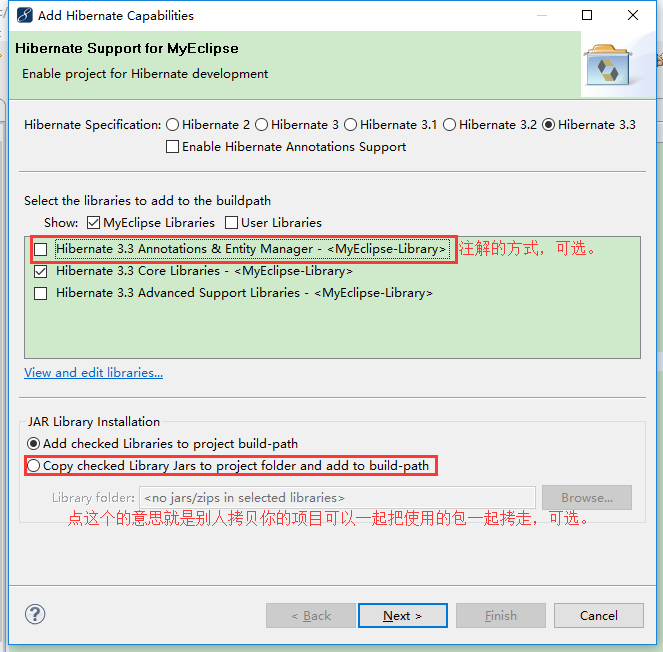
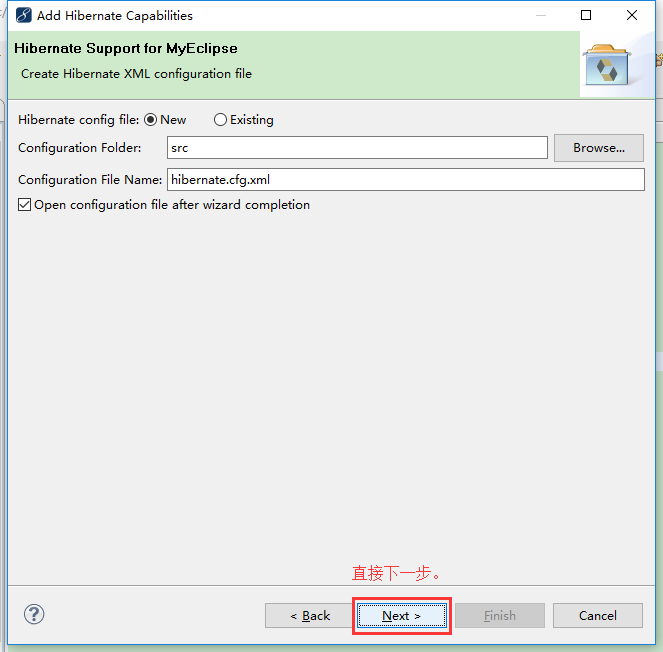
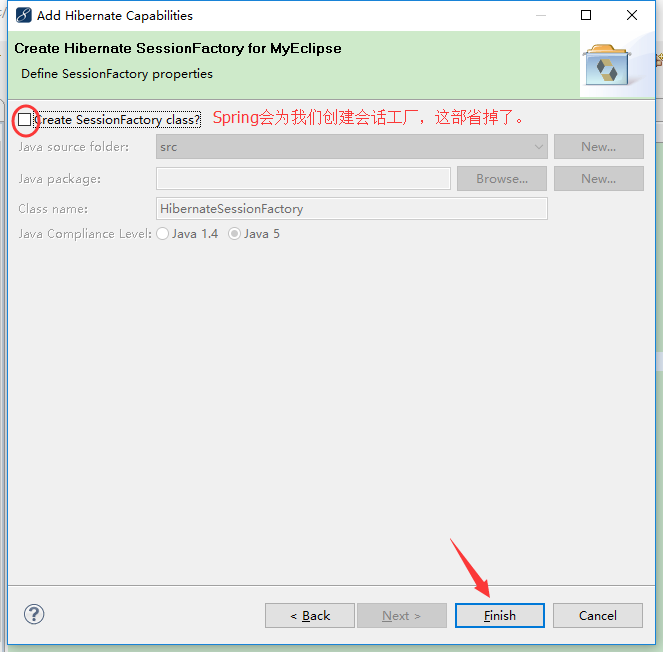
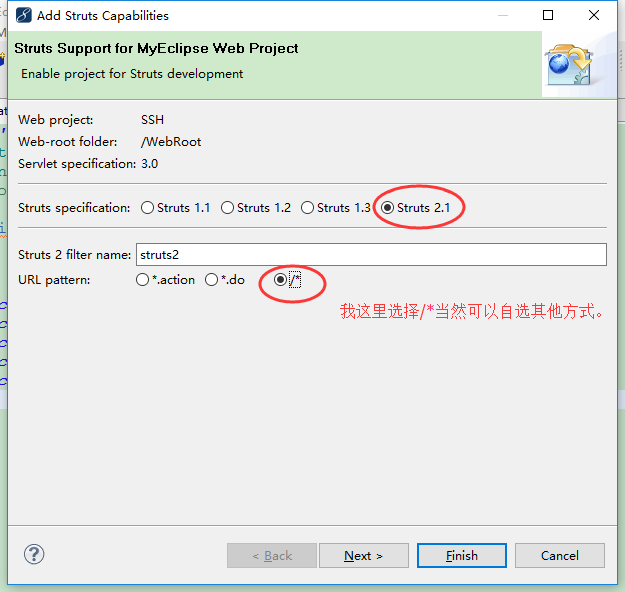
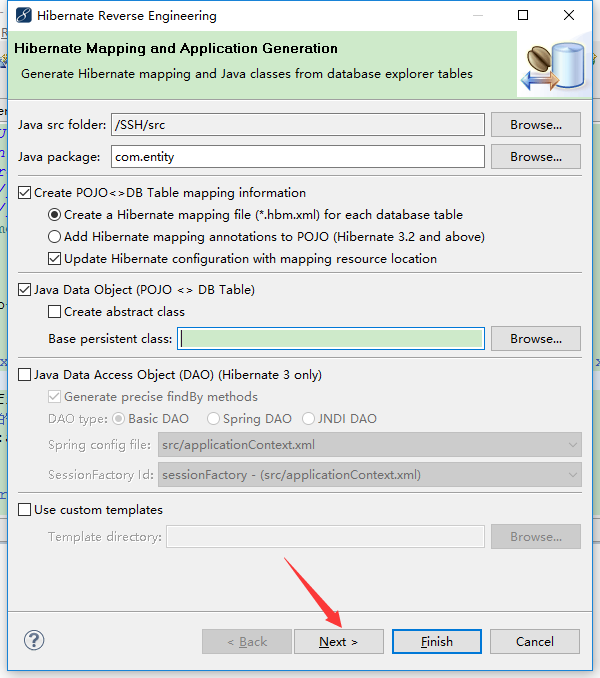
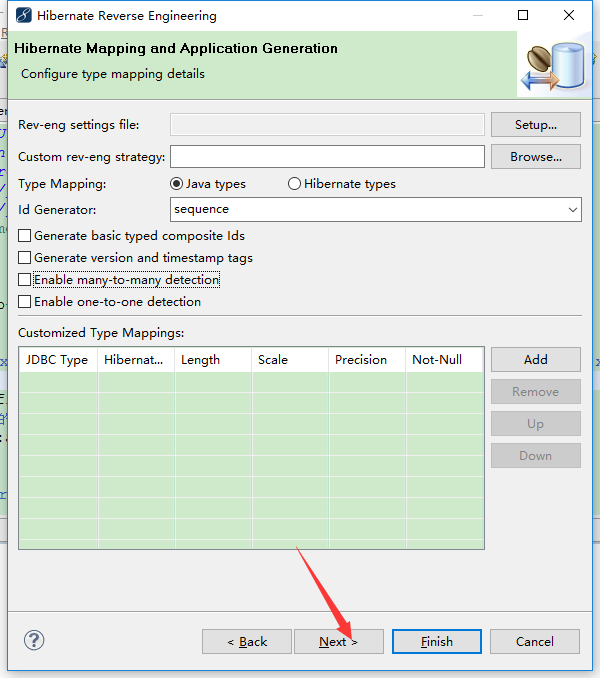
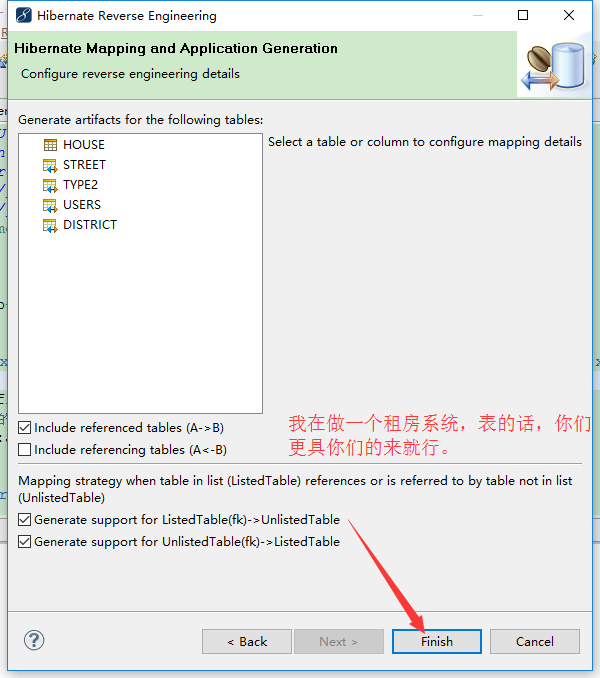
// 方式1:繼承 HibernateDaoSupport
public class UsersDaoImpl extends HibernateDaoSupport implements UsersDao {
    public Users loginCheck(Users u) {
        List<Users> list = getHibernateTemplate().find(
            "from Users where name=? and password=?", u.getName(), u.getPassword());
        return list.size()>0 ? list.get(0) : null;
    }
}

// 方式2:注入 HibernateTemplate
public class DistrictDaoImpl implements DistrictDao {
    private HibernateTemplate hibernateTemplate;
    public int addReg(District d) {
        try { hibernateTemplate.save(d); return 1; }
        catch (DataAccessException e) { return 0; }
    }
    // getter/setter
}
public class UsersServiceImpl implements UsersService {
    private UsersDao udd;
    public Users loginCheck(Users u) { return udd.loginCheck(u); }
    // getter/setter
}
public class UsersAction extends ActionSupport implements RequestAware {
    private Map<String,Object> request;
    private UsersService uss;
    public String login() {
        Users u = uss.loginCheck(getUser());
        if (u != null) { request.put("user", u); return SUCCESS; }
        return LOGIN;
    }
    // getter/setter
}
<context-param>
    <param-name>contextConfigLocation</param-name>
    <param-value>classpath:applicationContext.xml</param-value>
</context-param>
<listener>
    <listener-class>org.springframework.web.context.ContextLoaderListener</listener-class>
</listener>

<filter>
    <filter-name>struts2</filter-name>
    <filter-class>org.apache.struts2.dispatcher.ng.filter.StrutsPrepareAndExecuteFilter</filter-class>
</filter>
<filter-mapping>
    <filter-name>struts2</filter-name>
    <url-pattern>/*</url-pattern>
</filter-mapping>

<!-- 解決懶加載: OpenSessionInViewFilter -->
<filter>
    <filter-name>openSessionInViewFilter</filter-name>
    <filter-class>org.springframework.orm.hibernate3.support.OpenSessionInViewFilter</filter-class>
</filter>
<filter-mapping>
    <filter-name>openSessionInViewFilter</filter-name>
    <url-pattern>*.action</url-pattern>
</filter-mapping>
<package name="user" namespace="/" extends="struts-default">
    <action name="*User" class="userAction" method="{1}">
        <result name="success">/success.jsp</result>
        <result name="login">/login.jsp</result>
    </action>
</package>
<beans xmlns="..." xmlns:aop="..." xmlns:tx="...">
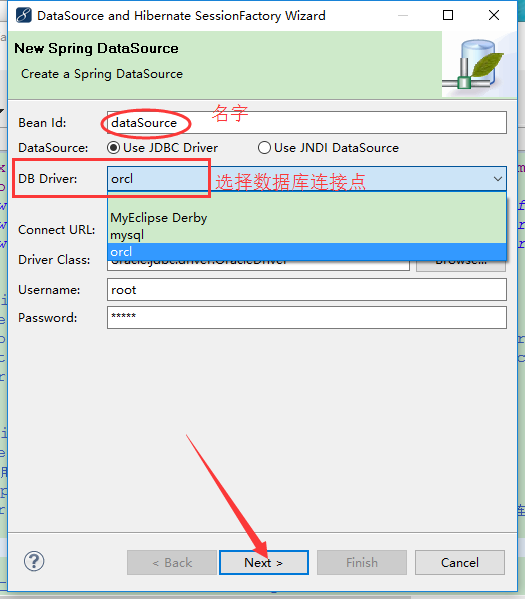
    <!-- 1. C3P0 連接池 -->
    <bean id="dataSource" class="com.mchange.v2.c3p0.ComboPooledDataSource">
        <property name="driverClass" value="oracle.jdbc.driver.OracleDriver"/>
        <property name="jdbcUrl" value="jdbc:oracle:thin:@localhost:1521:orcl"/>
        <property name="user" value="root"/>
        <property name="password" value="admin"/>
        <property name="initialPoolSize" value="1"/>
        <property name="minPoolSize" value="1"/>
        <property name="maxPoolSize" value="300"/>
        <property name="maxIdleTime" value="60"/>
        <property name="acquireIncrement" value="5"/>
        <property name="idleConnectionTestPeriod" value="60"/>
    </bean>

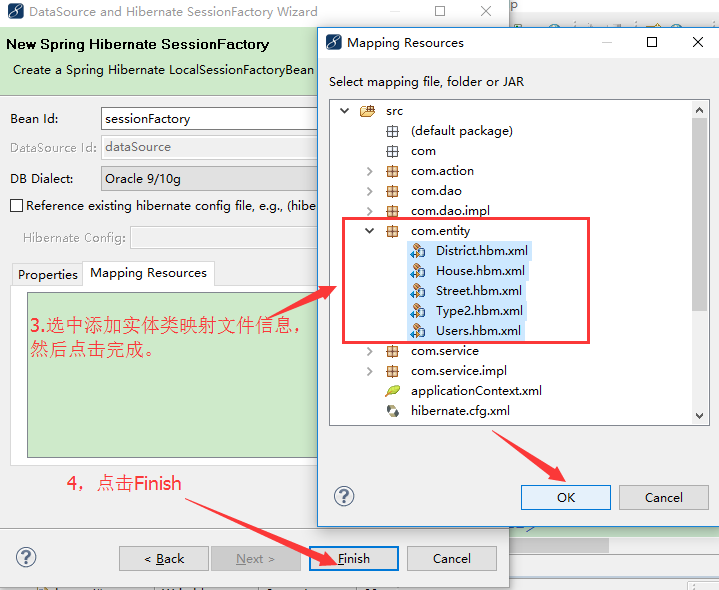
    <!-- 2. SessionFactory (掃描映射文件) -->
    <bean id="sessionFactory" class="org.springframework.orm.hibernate3.LocalSessionFactoryBean">
        <property name="dataSource" ref="dataSource"/>
        <property name="hibernateProperties">
            <props>
                <prop key="hibernate.dialect">org.hibernate.dialect.Oracle9Dialect</prop>
                <prop key="hibernate.show_sql">true</prop>
                <prop key="hibernate.format_sql">true</prop>
            </props>
        </property>
        <property name="mappingResources">
            <list>
                <value>com/entity/District.hbm.xml</value>
                <value>com/entity/House.hbm.xml</value>
                <value>com/entity/Street.hbm.xml</value>
                <value>com/entity/Type2.hbm.xml</value>
                <value>com/entity/Users.hbm.xml</value>
            </list>
        </property>
    </bean>

    <!-- 3. 事務管理器 -->
    <bean id="txManager" class="org.springframework.orm.hibernate3.HibernateTransactionManager">
        <property name="sessionFactory" ref="sessionFactory"/>
    </bean>

    <!-- 4. 事務通知 (AOP) -->
    <tx:advice id="txAdvice" transaction-manager="txManager">
        <tx:attributes>
            <tx:method name="get*" propagation="SUPPORTS" read-only="true"/>
            <tx:method name="add*" propagation="REQUIRED"/>
            <tx:method name="del*" propagation="REQUIRED"/>
            <tx:method name="update*" propagation="REQUIRED"/>
            <tx:method name="*" propagation="SUPPORTS" read-only="true"/>
        </tx:attributes>
    </tx:advice>
    <aop:config>
        <aop:pointcut id="serviceMethod" expression="execution(* com.service.impl.*.*(..))"/>
        <aop:advisor advice-ref="txAdvice" pointcut-ref="serviceMethod"/>
    </aop:config>

    <!-- 5. Bean 裝配 -->
    <bean id="userDaoImpl" class="com.dao.impl.UsersDaoImpl">
        <property name="sessionFactory" ref="sessionFactory"/>
    </bean>
    <bean id="userServiceImpl" class="com.service.impl.UsersServiceImpl">
        <property name="udd" ref="userDaoImpl"/>
    </bean>
    <bean id="userAction" class="com.action.UsersAction">
        <property name="uss" ref="userServiceImpl"/>
    </bean>
    <!-- District 同理 -->
</beans>
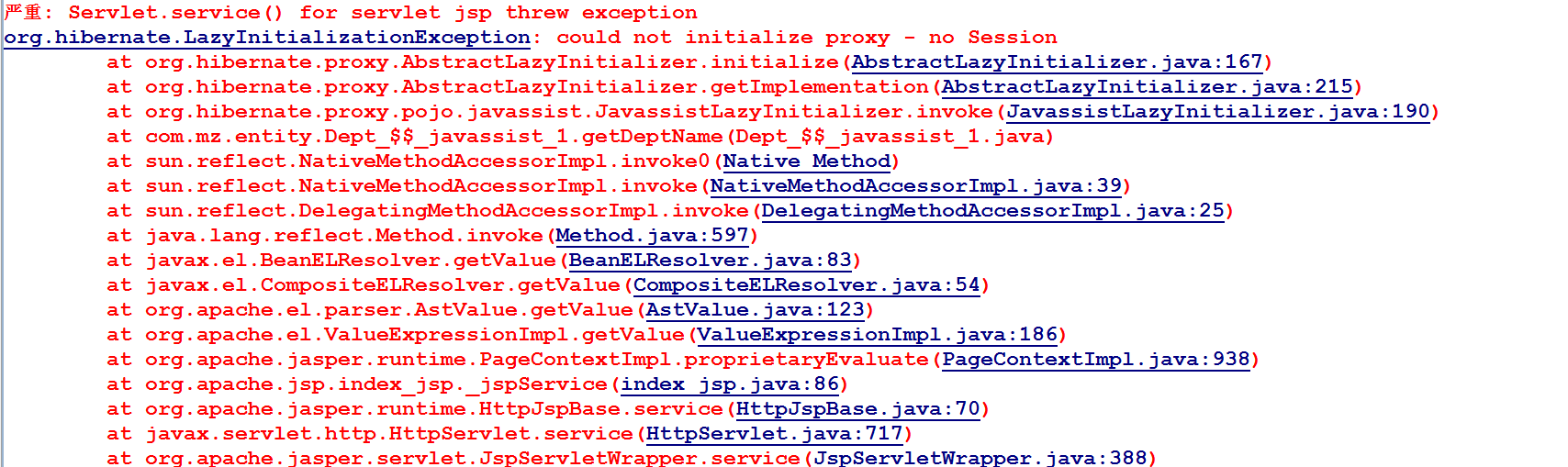
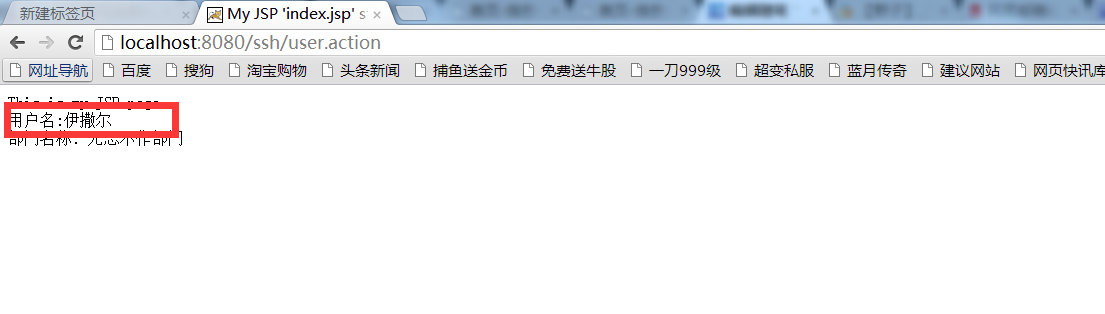
https://localhost:8080/ssh/user${user.username} 成功${user.dept.deptName} 拋出 LazyInitializationExceptionOpenSessionInViewFilter 映射 *.action 解決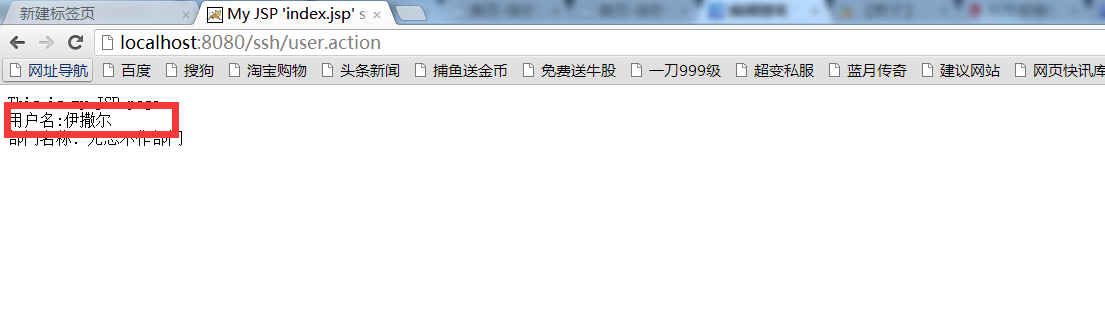
| 環節 | 核心要點 |
|---|---|
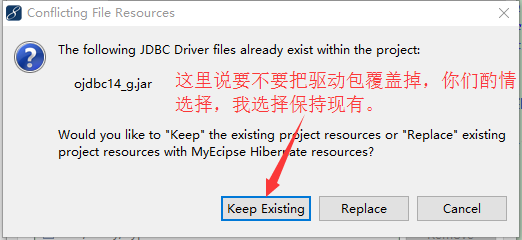
| JAR 衝突 | antlr 重複,排除 Struts2 中的 |
| 事務管理 | Spring AOP 織入 Service 層,方法名規則匹配 |
| Struts-Spring 整合 | Action 在 Spring 定義 Bean,struts.xml class 指向 Bean ID |
| 懶加載 | OpenSessionInViewFilter 延長 Session 至視圖渲染結束 |
| 連接池 | C3P0 替換默認 JDBC,配置核心參數 |
| 映射文件 | *.hbm.xml 放 classpath,SessionFactory 掃描 mappingResources |