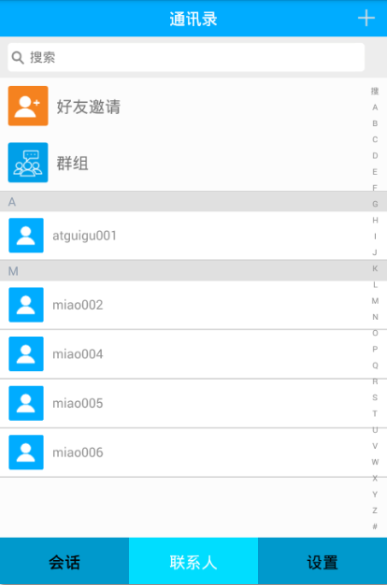
繼承環信提供的 EaseContactListFragment,自動獲得聯系人列表 UI:
public class ContactListFragment extends EaseContactListFragment {
    // 自動包含:搜索欄、字母側邊欄、聯系人列表、頭像、昵稱
}
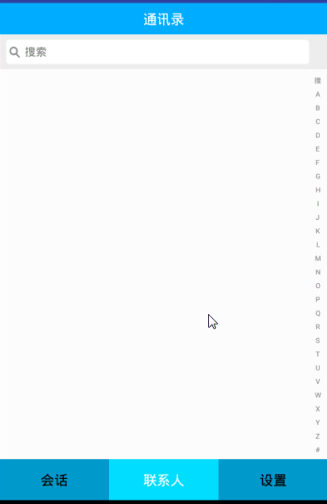
// 設置右側圖標
titleBar.setRightImageResource(R.drawable.em_add);

// 設置點擊監聽:跳轉添加好友頁面
titleBar.getRightLayout().setOnClickListener(new View.OnClickListener() {
    @Override
    public void onClick(View v) {
        Intent intent = new Intent(getActivity(), AddContactActivity.class);
        getActivity().startActivity(intent);
    }
});
在聯系人列表頂部插入自定義視圖(如新朋友、群聊、標籤入口):
// 加載頭布局
View headerView = View.inflate(getActivity(), R.layout.fragment_contact_header, null);
// 添加到 ListView
listView.addHeaderView(headerView);
<LinearLayout xmlns:android="https://schemas.android.com/apk/res/android"
    android:layout_width="match_parent"
    android:layout_height="wrap_content"
    android:orientation="vertical"
    android:padding="16dp">

    <!-- 新朋友、群聊、標籤等入口,橫向排列或卡片式 -->
    <LinearLayout
        android:layout_width="match_parent"
        android:layout_height="wrap_content"
        android:orientation="horizontal"
        android:gravity="center_vertical">

        <ImageView android:src="@drawable/ic_new_friend" ... />
        <TextView android:text="新的朋友" ... />
        <ImageView android:src="@drawable/ic_group" ... />
        <TextView android:text="群聊" ... />
        <ImageView android:src="@drawable/ic_tag" ... />
        <TextView android:text="標籤" ... />

    </LinearLayout>
</LinearLayout>
| 功能 | 實現方式 | 關鍵 API |
|---|---|---|
| 聯系人列表 | 繼承 EaseContactListFragment | 自動綁定數據源 |
| 標題欄加號 | 設置圖標 + OnClickListener | titleBar.setRightImageResource、getRightLayout() |
| 跳轉添加好友 | Intent 啟動 Activity | startActivity(intent) |
| 列表頭布局 | inflate + addHeaderView | View.inflate、listView.addHeaderView |
AddContactActivity:搜索用戶、發送好友申請善用 EaseUI 提供的基礎組件,能大幅減少重複 UI 開發,專注業務邏輯與用戶體驗打磨。