隨項目增長,單一 applicationContext.xml 膨脹難維護。拆分為功能維度配置文件:
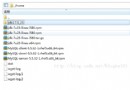
config/
├── datasource.xml      # 數據源、連接池、事務管理器
├── mybatis.xml         # SqlSessionFactory、Mapper 掃描
├── redis.xml           # RedisTemplate、序列化、集群配置
├── mq.xml              # RabbitMQ/Kafka ConnectionFactory、監聽容器
├── security.xml        # Spring Security 鏈、權限表達式
└── applicationContext.xml # 總裝配入口// 適用於單元測試、獨立應用、動態決定配置集合
String[] configLocations = {
"classpath:config/datasource.xml",
"classpath:config/mybatis.xml",
"classpath:config/redis.xml",
"classpath:config/mq.xml",
"classpath:config/security.xml"
};
ApplicationContext ctx = new ClassPathXmlApplicationContext(configLocations);<!-- applicationContext.xml -->
<import resource="classpath*:config/*.xml"/>
<!-- 或構造器 -->
ApplicationContext ctx = new ClassPathXmlApplicationContext("classpath*:config/*.xml");classpath*: 掃描**所有類加載器** (含 JAR 包) 下匹配路徑;classpath: 僅當前類加載器。<import> 或數組指定順序。<import> 標籤組合 (聲明式、順序可控、最推薦)<!-- applicationContext.xml 總入口 -->
<beans xmlns="https://www.springframework.org/schema/beans"
xmlns:xsi="https://www.w3.org/2001/XMLSchema-instance"
xsi:schemaLocation="https://www.springframework.org/schema/beans
https://www.springframework.org/schema/beans/spring-beans.xsd">
<import resource="classpath:config/datasource.xml"/>
<import resource="classpath:config/mybatis.xml"/>
<import resource="classpath:config/redis.xml"/>
<import resource="classpath:config/mq.xml"/>
<import resource="classpath:config/security.xml"/>
<!-- 覆蓋/補充 Bean 定義 -->
<bean id="customBean" class="..."/>
</beans><import> 出現順序加載,**後加載的 Bean 定義覆蓋先前同名 Bean** (利用此特性實現環境差異化覆蓋)。resource 路徑相對**當前配置文件位置**。config/datasource.xml 解析為 classpath:config/datasource.xml。classpath:com/example/shared/datasource.xml 可從依賴 JAR 中導入共享配置。| 維度 | Spring XML 時代 | Spring Boot (JavaConfig + YAML) |
|---|---|---|
| 入口 | applicationContext.xml + <import> | @SpringBootApplication 掃描包 |
| 分模塊 | 多 XML 文件 | @Configuration 類 + @Import / @EnableAutoConfiguration |
| 環境隔離 | applicationContext-dev.xml 覆蓋 | application-dev.yml / @Profile("dev") |
| 外部化 | PropertyPlaceholderConfigurer | @ConfigurationProperties + Environment 抽象 |
| 條件裝配 | BeanPostProcessor 手工 | @ConditionalOnClass/Property/Bean/MissingBean |
<import>,保證加載順序與依賴關系清晰。spring.factories 或 META-INF/spring/components.xml,主工程通過 classpath*:/META-INF/spring/*.xml 自動發現 (Spring Boot 自動裝配原理)。datasource-prod.xml) 通過 <import resource="${env}/datasource.xml"/> + JVM 參數 -Denv=config-prod 動態切換。BeanDefinitionParsingException。分層架構單向依賴。spring.context.indexer (編譯期生成候選索引)。Spring 多配置文件加載三板斧:
現代 Spring Boot 已以 **JavaConfig + YAML + Profile + Condition** 替代 XML,但**模塊化拆分、順序控制、覆蓋語義、跨模塊復用**的底層邏輯完全一致。理解 XML 時代的三種方式,能更透徹地掌握 Boot 自動裝配的本質。