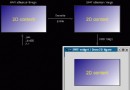
掌握 J2ME (Java ME) 開發環境搭建、MIDlet 生命週期、模擬器測試、Servlet 伺服端協作,打造首個「行動裝置 ↔ 伺服器」雙端應用。
| 組件 | 最低規格 | 推薦規格 (含 Forte for Java) |
|---|---|---|
| CPU | 166 MHz | 300 MHz+ |
| 記憶體 | 64 MB | 128 MB+ |
| 磁碟 | 30 MB | 140 MB+ |
| 作業系統 | Linux / Solaris / Windows | 同左 |
# Windows 98 autoexec.bat 範例
PATH=%PATH%;C:\jdk1.3.1\bin

# 驗證
java -version
# 輸出範例: java version "1.3.1_01"
import javax.microedition.midlet.*;
import javax.microedition.lcdui.*;

public class HelloMIDlet extends MIDlet implements CommandListener {
    private Display display;
    private Form mainForm;
    private Command exitCmd, sendCmd;

    public HelloMIDlet() {
        display = Display.getDisplay(this);
        mainForm = new Form("Hello MIDlet");
        mainForm.append("Welcome to Java ME!");

        exitCmd = new Command("Exit", Command.EXIT, 1);
        sendCmd = new Command("Send", Command.SCREEN, 2);
        mainForm.addCommand(exitCmd);
        mainForm.addCommand(sendCmd);
        mainForm.setCommandListener(this);
    }

    protected void startApp() {
        display.setCurrent(mainForm);
    }

    protected void pauseApp() {}

    protected void destroyApp(boolean unconditional) {}

    public void commandAction(Command c, Displayable d) {
        if (c == exitCmd) {
            notifyDestroyed();
        } else if (c == sendCmd) {
            // TODO: 實現 HTTP 連線 Servlet
            mainForm.append("\nConnecting to servlet...");
        }
    }
}
# 1. 建立專案目錄結構 mkdir -p HelloProject/src HelloProject/res # 2. 複製源碼到 src/ # 3. 使用 WTK 建構 # Windows:\bin\ktoolbar.exe (圖形介面) # Linux: /bin/ktoolbar # 或命令列批次建構 (WTK 2.x) /bin/preverify -classpath /lib/midpapi.jar -d tmpclasses src/ jar cvf HelloMIDlet.jar -C tmpclasses . -C res . # 產生 JAD 描述檔 (手寫或工具生成)
public class DataServlet extends HttpServlet {
    protected void doPost(HttpServletRequest req, HttpServletResponse resp)
            throws IOException {
        String data = req.getParameter("data");
        System.out.println("Received from MIDlet: " + data);
        resp.setContentType("text/plain");
        resp.getWriter().println("OK: " + data);
    }
}
// 在 commandAction 中實現
new Thread(() -> {
    try {
        HttpConnection conn = (HttpConnection) Connector.open(
                "https://localhost:8080/data", Connector.READ_WRITE);
        conn.setRequestMethod(HttpConnection.POST);
        conn.setRequestProperty("Content-Type", "application/x-www-form-urlencoded");
        String payload = "data=HelloFromMIDlet";
        OutputStream os = conn.openOutputStream();
        os.write(payload.getBytes("UTF-8"));
        os.close();

        InputStream is = conn.openInputStream();
        StringBuilder sb = new StringBuilder();
        int ch;
        while ((ch = is.read()) != -1) sb.append((char) ch);
        is.close();
        conn.close();

        // 回到事件執行緒更新 UI
        display.callSerially(() -> mainForm.append("\nServer: " + sb));
    } catch (Exception e) {
        e.printStackTrace();
    }
}).start();
| 問題 | 解決/替代 |
|---|---|
| WTK 早已停止更新 | 改用 Java ME SDK 8.3 (支援 CLDC 8 / MEEP 8) 或 MicroEJ 開發平台 |
| 功能機市場消失 | 轉向 Android (Kotlin/Java)、iOS (Swift)、Flutter、React Native |
| 舊系統維護 | 保留 WTK 2.5.2 离線安裝包,虛擬機運行 Windows XP/7 進行維護編譯 |
教學價值:理解「受限環境下的生命週期管理」「無縫網路協議 (HTTP/HTTPS)」「MIDP/CLDC 配置檔概念」,為嵌入式 Java、物聯網邊緣運算打基礎。