Java I/O 分為字節流(InputStream/OutputStream)處理二進制數據,與字符流(Reader/Writer)處理文本數據。字符流本質是字節流經過編解碼器(CharsetDecoder/Encoder)包裝。
FileInputStream/FileOutputStream:文件讀寫,常配合緩衝流使用。ByteArrayInputStream/ByteArrayOutputStream:內存字節數組緩衝。ObjectInputStream/ObjectOutputStream:對象序列化/反序列化。PipedInputStream/PipedOutputStream:線程間管道通信。直接讀寫磁盤開銷大,BufferedInputStream/BufferedOutputStream 內部維護 8KB 默認緩衝區,大幅減少系統調用次數。
public static byte[] readFileBytes(Path path) throws IOException {
    try (InputStream in = Files.newInputStream(path);
         ByteArrayOutputStream out = new ByteArrayOutputStream()) {
        byte[] buffer = new byte[8192];
        int len;
        while ((len = in.read(buffer)) != -1) {
            out.write(buffer, 0, len);
        }
        return out.toByteArray();
    }
}

public static void copyFile(Path src, Path dest) throws IOException {
    try (InputStream in = new BufferedInputStream(Files.newInputStream(src));
         OutputStream out = new BufferedOutputStream(Files.newOutputStream(dest))) {
        byte[] buffer = new byte[8192];
        int len;
        while ((len = in.read(buffer)) != -1) {
            out.write(buffer, 0, len);
        }
    }
}關鍵點:Files.newInputStream 返回 InputStream,配合 BufferedInputStream 使用;JDK 9+ 可直接用 Files.copy(src, dest, StandardCopyOption.REPLACE_EXISTING) 一行完成。
FileReader/FileWriter:默認平台編碼讀寫文本(生產環境慎用,指定編碼)。InputStreamReader/OutputStreamWriter:字節流轉字符流橋樑,可顯式指定 Charset。BufferedReader/BufferedWriter:按行讀寫,高效處理文本。PrintWriter:格式化輸出,含 println/printf。public static String readTextFile(Path path, Charset charset) throws IOException {
try (BufferedReader reader = Files.newBufferedReader(path, charset)) {
return reader.lines().collect(Collectors.joining(System.lineSeparator()));
}
}
public static void writeTextFile(Path path, String content, Charset charset) throws IOException {
try (BufferedWriter writer = Files.newBufferedWriter(path, charset, StandardOpenOption.CREATE, StandardOpenOption.TRUNCATE_EXISTING)) {
writer.write(content);
}
}RandomAccessFile 同時實現 DataInput/DataOutput,支持文件指針定位(seek)、讀寫模式("rw"),適合斷點續傳、大文件隨機修改、簡易索引實現。
public static void writeAtPosition(Path file, byte[] data, long position) throws IOException {
    try (RandomAccessFile raf = new RandomAccessFile(file.toFile(), "rw")) {
        raf.seek(position);
        raf.write(data);
    }
}

public static byte[] readAtPosition(Path file, long position, int length) throws IOException {
    try (RandomAccessFile raf = new RandomAccessFile(file.toFile(), "r")) {
        raf.seek(position);
        byte[] buf = new byte[length];
        raf.readFully(buf);
        return buf;
    }
}java.nio.file 包提供更豐富、異步、符號鏈接感知的文件操作。
// 移動/重命名(原子性)
Files.move(src, dest, StandardCopyOption.ATOMIC_MOVE, StandardCopyOption.REPLACE_EXISTING);

// 複制目錄樹
Files.walkFileTree(src, new SimpleFileVisitor() {
    @Override public FileVisitResult visitFile(Path file, BasicFileAttributes attrs) throws IOException {
        Files.copy(file, dest.resolve(src.relativize(file)), StandardCopyOption.REPLACE_EXISTING);
        return FileVisitResult.CONTINUE;
    }
    @Override public FileVisitResult preVisitDirectory(Path dir, BasicFileAttributes attrs) throws IOException {
        Files.createDirectories(dest.resolve(src.relativize(dir)));
        return FileVisitResult.CONTINUE;
    }
});

// 遞歸刪除
Files.walkFileTree(path, new SimpleFileVisitor() {
    @Override public FileVisitResult visitFile(Path file, BasicFileAttributes attrs) throws IOException {
        Files.delete(file); return FileVisitResult.CONTINUE;
    }
    @Override public FileVisitResult postVisitDirectory(Path dir, IOException exc) throws IOException {
        Files.delete(dir); return FileVisitResult.CONTINUE;
    }
});

// 獲取目錄大小
long size = Files.walk(dir).filter(Files::isRegularFile).mapToLong(p -> p.toFile().length()).sum();

// 大文件分片
public static void splitFile(Path file, long chunkSize) throws IOException {
    try (InputStream in = Files.newInputStream(file)) {
        byte[] buffer = new byte[(int) chunkSize];
        int part = 1, read;
        while ((read = in.read(buffer)) != -1) {
            Files.write(file.resolveSibling(file.getFileName() + "." + part++), Arrays.copyOf(buffer, read));
        }
    }
} public static void execCommand(String... cmd) throws IOException {
ProcessBuilder pb = new ProcessBuilder(cmd);
pb.redirectErrorStream(true);
Process process = pb.start();
try (BufferedReader reader = new BufferedReader(new InputStreamReader(process.getInputStream()))) {
reader.lines().forEach(System.out::println);
}
try { process.waitFor(); } catch (InterruptedException e) { Thread.currentThread().interrupt(); }
}| 問題 | 錯誤做法 | 正確做法 |
|---|---|---|
| 平台編碼依賴 | new FileReader(file) | Files.newBufferedReader(path, StandardCharsets.UTF_8) |
| 大文件 OOM | Files.readAllBytes() / readAllLines() | 流式處理 / Files.lines() / BufferedReader |
| 頻繁小塊寫入 | FileOutputStream 直接 write | BufferedOutputStream / Files.newBufferedWriter |
| 未關閉資源 | 手動 close 易漏 | Try-with-resources / Files API 自動管理 |
| 隨機讀寫並發 | 多線程共享 RandomAccessFile | 線程獨享實例 / FileChannel + 鎖 / 資料庫 |
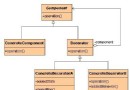
現代 Java 開發首選 java.nio.file.Files 及 Path API,配合 Stream 流式處理,代碼簡潔且性能優異。傳統 java.io 流仍需掌握,因為大量遗留代碼、第三方庫及序列化機制依賴其體系。理解裝飾器模式在流中的應用,是靈活組合功能(緩衝、編碼、壓縮、加密)的關鍵。