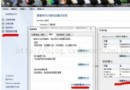
代碼前必須在 QQ 郵箱網頁端完成設置:
SMTP 服務器地址:smtp.qq.com,端口:465 (SSL) 或 587 (STARTTLS)。本文以 SSL 465 為例。
<dependency>
    <groupId>com.sun.mail</groupId>
    <artifactId>jakarta.mail</artifactId>
    <version>2.0.1</version> <!-- 或舊版 javax.mail:mail:1.6.2 -->
</dependency>
public class EmailSender {
    private final Session session;
    private final String from;

    public EmailSender(String username, String authCode) {
        this.from = username;
        Properties props = new Properties();
        props.put("mail.smtp.host", "smtp.qq.com");
        props.put("mail.smtp.port", "465");
        props.put("mail.smtp.auth", "true");
        props.put("mail.smtp.socketFactory.class", "javax.net.ssl.SSLSocketFactory");
        props.put("mail.smtp.socketFactory.port", "465");
        props.put("mail.smtp.ssl.enable", "true"); // JDK 1.8+ 簡化配置

        // 認證器
        Authenticator auth = new Authenticator() {
            @Override
            protected PasswordAuthentication getPasswordAuthentication() {
                return new PasswordAuthentication(username, authCode);
            }
        };
        this.session = Session.getInstance(props, auth);
    }

    public void sendHtmlEmail(String to, String subject, String htmlContent) throws MessagingException {
        MimeMessage message = new MimeMessage(session);
        message.setFrom(new InternetAddress(from));
        message.setRecipient(Message.RecipientType.TO, new InternetAddress(to));
        message.setSubject(subject, "UTF-8");
        message.setSentDate(new Date());

        // 構建 MimeMultipart 支持 HTML + 附件擴展
        MimeMultipart multipart = new MimeMultipart();
        MimeBodyPart htmlPart = new MimeBodyPart();
        htmlPart.setContent(htmlContent, "text/html; charset=UTF-8");
        multipart.addBodyPart(htmlPart);

        message.setContent(multipart);
        Transport.send(message);
    }
}
email.properties(放在 `src/main/resources`,加入 `.gitignore`)
mail.host=smtp.qq.com
mail.port=465
mail.username=your_qq@qq.com
mail.authCode=xxxxxxxxxxxxxxxx  # 16位授權碼
mail.ssl.enable=true
public class EmailConfig {
private static final Properties PROPS = new Properties();
static {
try (InputStream is = EmailConfig.class.getClassLoader().getResourceAsStream("email.properties")) {
if (is == null) throw new IllegalStateException("email.properties not found in classpath");
PROPS.load(is);
} catch (IOException e) {
throw new ExceptionInInitializerError(e);
}
}
public static String get(String key) { return PROPS.getProperty(key); }
public static int getInt(String key) { return Integer.parseInt(PROPS.getProperty(key)); }
}
發送器整合配置類
public class ConfiguredEmailSender {
private final Session session;
private final String from;
public ConfiguredEmailSender() {
this.from = EmailConfig.get("mail.username");
Properties props = new Properties();
props.put("mail.smtp.host", EmailConfig.get("mail.host"));
props.put("mail.smtp.port", EmailConfig.get("mail.port"));
props.put("mail.smtp.auth", "true");
if (EmailConfig.get("mail.ssl.enable").equals("true")) {
props.put("mail.smtp.socketFactory.class", "javax.net.ssl.SSLSocketFactory");
props.put("mail.smtp.socketFactory.port", EmailConfig.get("mail.port"));
props.put("mail.smtp.ssl.enable", "true");
}
Authenticator auth = new Authenticator() {
@Override protected PasswordAuthentication getPasswordAuthentication() {
return new PasswordAuthentication(from, EmailConfig.get("mail.authCode"));
}
};
this.session = Session.getInstance(props, auth);
}
// sendHtmlEmail 方法同上...
}
進階功能:附件、內嵌圖片、群發
// 添加附件
MimeBodyPart attachment = new MimeBodyPart();
attachment.attachFile(new File("report.pdf"));
multipart.addBodyPart(attachment);
// 內嵌圖片 (HTML 中用  )
MimeBodyPart imagePart = new MimeBodyPart();
imagePart.attachFile(new File("logo.png"));
imagePart.setContentID("<logoId>"); // CID
imagePart.setDisposition(MimeBodyPart.INLINE);
multipart.addBodyPart(imagePart);
// 群發 (BCC 隱藏收件人)
message.addRecipients(Message.RecipientType.BCC, InternetAddress.parse("a@qq.com, b@163.com"));
常見錯誤排查表
錯誤現象 原因 解決方案 535 Error: authentication failed 授權碼錯誤/未開啟 SMTP 重新生成授權碼,確認 SMTP 已開啟 Could not connect to SMTP host 端口/協議不匹配/防火牆 嘗試 587+STARTTLS,檢查網絡/代理 javax.net.ssl.SSLHandshakeException JDK 版本/證書問題 升級 JDK,或設置 `mail.smtp.ssl.trust=*`(不推薦生產) 中文附件名亂碼 RFC 2231 編碼缺失 `MimeUtility.encodeText(filename)` 設置文件名 發送超時 網絡延遲/大附件 設置 `mail.smtp.connectiontimeout`/`timeout`,異步發送
生產級建議:異步發送與重試
@Async("emailExecutor")
@Retryable(maxAttempts = 3, backoff = @Backoff(delay = 2000))
public void sendAsync(EmailRequest request) {
try {
sender.sendHtmlEmail(request.getTo(), request.getSubject(), request.getContent());
log.info("郵件發送成功: {}", request.getTo());
} catch (MessagingException e) {
log.error("郵件發送失敗: {}", request.getTo(), e);
throw new EmailSendException(e); // 觸發重試
}
}
配合線程池 `@EnableAsync`、重試機制 `@EnableRetry`、熔斷器,構建高可用郵件服務。
總結
JavaMail 發送郵件核心在於:正確的 SSL/TLS 配置 + 授權碼認證 + 敏感信息外部化。本文提供從基礎發送到生產級異步重試的完整方案,涵蓋 HTML、附件、內嵌圖片、群發等常見需求。記住:授權碼即密碼,嚴禁提交代碼倉庫,請使用配置中心或密鑰管理系統托管。