中文亂碼是 J2ME 開發最常見痛點。根源在於:**手機內部字串採 UTF-8**,**PC 端 Java 採 UTF-16 (char)**,**資源檔/網路傳輸/儲存**可能涉及 GBK、ISO-8859-1、Unicode 等多種編碼。本文系統梳理編碼原理、四大高發區、工具類封裝與最佳實踐。
| 編碼 | 位元組/字元 | 適用場景 | 備註 |
|---|
| ASCII | 1 Byte | 英文、控制字元 | 0x00~0x7F |
| UTF-8 | 1~3 Bytes | **手機內部、網路傳輸、JAD/MANIFEST** | ASCII 兼容,中文 3 Bytes |
| UTF-16BE (Unicode) | 2 Bytes | **Java char 內部、資源檔推薦** | 固定長度,解碼最快 |
| GBK/GB2312 | 1~2 Bytes | 中文 Windows、部分伺服器 | 非標準,手機多不支援 |
| ISO-8859-1 | 1 Byte | HTTP 預設、舊系統 | 無中文,常作透傳容器 |
UTF-8 位元組結構 (關鍵)
- 0x00~0x7F:
0xxxxxxx (1 Byte)
- 0x80~0x7FF:
110xxxxx 10xxxxxx (2 Bytes)
- 0x800~0xFFFF:
1110xxxx 10xxxxxx 10xxxxxx (3 Bytes,含中日韓)
特殊提醒:Java DataOutputStream.writeUTF() 寫入的是 **Modified UTF-8** (補碼長度前綴、Null 字元編碼為 0xC0 0x80 兩位元組),非標準 UTF-8,讀取必須配對 readUTF()。
四大亂碼高發區與解決方案
1. RMS 儲存讀取中文
錯誤:直接 recordStore.addRecord(str.getBytes()) → 平台預設編碼不可控。
正確:使用 DataOutputStream.writeUTF() / DataInputStream.readUTF() (Modified UTF-8,自帶長度前綴,無歧義)。
// 寫入
ByteArrayOutputStream bos = new ByteArrayOutputStream();
DataOutputStream dos = new DataOutputStream(bos);
dos.writeUTF(chineseString);
recordStore.addRecord(bos.toByteArray(), 0, bos.size());

// 讀取
byte[] data = recordStore.getRecord(id);
DataInputStream dis = new DataInputStream(new ByteArrayInputStream(data));
String str = dis.readUTF();
2. JAD/MANIFEST 中文屬性 (MIDlet-Name 等)
規範要求 **UTF-8 編碼**。WTK 默認生成 ANSI,需手工修正。
流程:
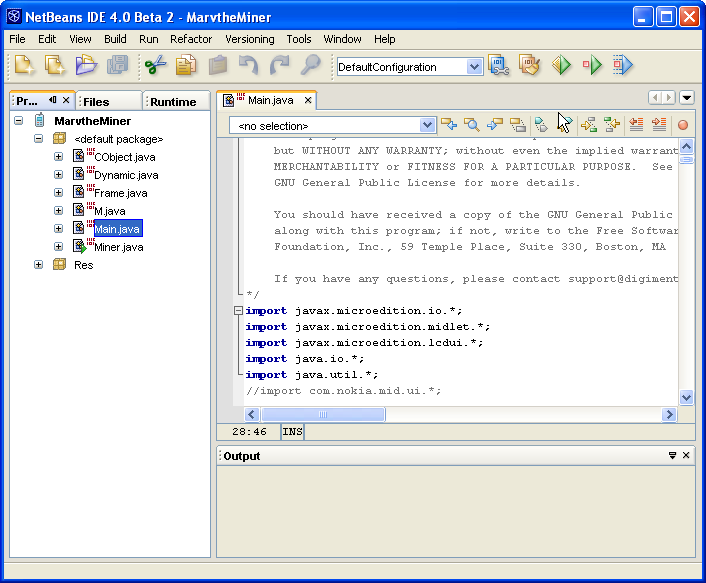
- 用文本編輯器 (Notepad++/VS Code) 開啟 JAD/MANIFEST
- 修改中文欄位
- 另存為 UTF-8 (無 BOM)
- 建議使用 **JAD 生成器工具** 統一流程,避免手工疏漏
3. 網路傳輸中文 (HTTP/Socket)
客戶端編碼不一 (System.getProperty("microedition.encoding") 可查)。
統一協議:雙端約定 **UTF-8** 或 **Unicode 轉義 (\uXXXX)**。
方案 A:UTF-8 位元組流 (需 MIDP 2.0 或手工解碼)
// 發送
byte[] utf8 = str.getBytes("UTF-8"); // MIDP 2.0
out.writeInt(utf8.length);
out.write(utf8);

// 接收
int len = in.readInt();
byte[] buf = new byte[len];
in.readFully(buf);
String str = new String(buf, "UTF-8");
方案 B:Unicode 轉義字串 (純 ASCII,零編碼問題,體積稍大)
// 發送端:字串 → \uXXXX 序列
public static String toUnicodeEscaped(String s) {
    StringBuilder sb = new StringBuilder();
    for (char c : s.toCharArray()) {
        sb.append("\\u").append(String.format("%04X", (int)c));
    }
    return sb.toString(); // 如: \u4E2D\u6587
}

// 接收端:\uXXXX → 字串
public static String fromUnicodeEscaped(String s) {
    StringBuilder sb = new StringBuilder();
    int i = 0;
    while (i < s.length()) {
        if (s.startsWith("\\u", i) && i+5 < s.length()) {
            int code = Integer.parseInt(s.substring(i+2, i+6), 16);
            sb.append((char)code);
            i += 6;
        } else {
            sb.append(s.charAt(i++));
        }
    }
    return sb.toString();
}
4. 模擬器不支援中文顯示
早期 Nokia S60/S40 模擬器無中文字型。解決:
- 升級模擬器版本
- 真機測試 (真機普遍支援)
- 開發期以 Unicode 轉義或英文佔位
通用編碼轉換工具類
public class EncodingUtil {
    // 位元組陣列 (UTF-16BE) ↔ 字串
    public static String bytesToUnicodeString(byte[] data) {
        char[] chars = new char[data.length / 2];
        for (int i = 0, j = 0; i < data.length; i += 2, j++) {
            chars[j] = (char)(((data[i] & 0xFF) << 8) | (data[i+1] & 0xFF));
        }
        return new String(chars);
    }
    public static byte[] unicodeStringToBytes(String s) {
        byte[] bytes = new byte[s.length() * 2];
        for (int i = 0, j = 0; i < s.length(); i++) {
            char c = s.charAt(i);
            bytes[j++] = (byte)(c >> 8);
            bytes[j++] = (byte)(c & 0xFF);
        }
        return bytes;
    }

    // ISO-8859-1 位元組陣列 → UTF-8 字串 (常用於伺服器端接收)
    public static String iso88591ToUtf8(String isoStr) {
        try {
            return new String(isoStr.getBytes("ISO-8859-1"), "UTF-8");
        } catch (UnsupportedEncodingException e) { return isoStr; }
    }
}
最佳實踐總結
- 內部統一:Java 記憶體中永遠用
String (UTF-16),不持有特定編碼位元組
- 邊界統一:RMS 用
writeUTF/readUTF;網路協議約定 UTF-8 或 Unicode 轉義;資源檔存 Unicode
- 工具鏈固化:建構腳本自動處理 JAD/MANIFEST UTF-8 存檔、資源檔編碼轉換
- 真機驗證:模擬器編碼行為常與真機不一,**必須真機測試中文顯示/輸入/傳輸**
- 上一篇文章: J2ME 讀取 Unicode 與 UTF-8 編碼文件工具類
- 下一篇文章: J2ME 字串資源管理與多語言支援架構設計
Copyright ©
程式碼之家 All Rights Reserved