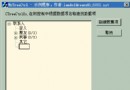
預設 MFC 僅支援單一 MRU(Most Recently Used)清單。若需像 Visual Studio 區分「最近工作區」與「最近檔案」兩類清單,需擴充 CRecentFileList 機制。本文提供完整實作步驟與程式碼範例。
ID_FILE_MRU_MYFILE1 起始 ID,字串表同步新增 ID_FILE_MRU_MYFILE2...ID_FILE_MRU_MYFILE##CRecentFileList* m_pRecentListMyFiles;m_pRecentListMyFiles = new CRecentFileList(5, "My Recent File List", "MyFile%d", 5);
m_pRecentListMyFiles->ReadList();m_pRecentListMyFiles->WriteList();ON_UPDATE_COMMAND_UI(ID_FILE_MRU_MYFILE1, OnUpdateMyFileMenu) 中呼叫 m_pRecentListMyFiles->UpdateMenu(pCmdUI);ON_COMMAND_EX_RANGE(ID_FILE_MRU_MYFILE1, ID_FILE_MRU_MYFILE##, OnOpenRecentMyFile)BOOL CMyApp::OnOpenRecentMyFile(UINT nID) {
int nIndex = nID - ID_FILE_MRU_MYFILE1;
if (OpenDocumentFile((*m_pRecentListMyFiles)[nIndex]) == NULL)
m_pRecentListMyFiles->Remove(nIndex);
return TRUE;
}void Ck2App::AddToRecentFileList(LPCTSTR lpszPathName) {
CString strExt, strPathName = lpszPathName;
int nPos = strPathName.ReverseFind('.');
if (nPos != -1) strExt = strPathName.Mid(nPos + 1);
if (strExt.CompareNoCase("XXX") == 0) { // 特定副檔名
if (m_pRecentListMyFiles != NULL) {
TCHAR szTemp[_MAX_PATH];
AfxFullPath(szTemp, lpszPathName);
m_pRecentListMyFiles->Add(szTemp);
}
} else {
CWinApp::AddToRecentFileList(lpszPathName); // 預設 MRU
}
}delete m_pRecentListMyFiles;CRecentFileList 處理一般檔案,新增第二個實例處理特定類型ON_COMMAND_EX_RANGE 處理動態選單項目命令AfxFullPath 確保儲存完整路徑,避免相對路徑問題std::map<CString, CRecentFileList*> 管理多個清單透過繼承 MFC 文件/視圖架構的 MRU 機制,僅需少量程式碼即可實現多重最近使用清單分離,完美解決 Visual Studio 風格的工作區/檔案分類需求。