屬性表 (Property Sheet) 自 Windows 95 起成為選項設定的標準介面;精靈模式則廣泛用於軟體安裝或複雜任務引導。WTL 提供 CPropertySheetImpl/CPropertyPageImpl 完整支援兩種模式,並整合 DDX/DDV 資料交換驗證機制。
| 類別 | 角色 | 定義於 |
|---|---|---|
CPropertySheetWindow | 視窗介面類別 (封裝 PSM_* 訊息) | atldlgs.h |
CPropertySheetImpl | 完整實作類別 (管理 PROPSHEETHEADER、頁面陣列) | |
CPropertyPageWindow | 頁面視窗介面 | atldlgs.h |
CPropertyPageImpl | 頁面完整實作 (衍生自 CDialogImplBaseT,支援 DDX/DDV) |
CPropertySheet/CPropertyPage 為非客製化專用的簡易別名。
// 建構式:標題(字串或資源ID)、起始頁索引、父視窗
CPropertySheetImpl(_U_STRINGorID title = NULL, UINT uStartPage = 0, HWND hWndParent = NULL)

BOOL AddPage(HPROPSHEETPAGE hPage)        // 以頁面控制代碼加入
BOOL AddPage(LPCPROPSHEETPAGE pPage)      // 以結構體加入 (內部建立管理)
BOOL RemovePage(HPROPSHEETPAGE hPage)     // 移除頁面
BOOL SetActivePage(HPROPSHEETPAGE hPage)  // 設定作用中頁面
void SetTitle(LPCTSTR lpszText, UINT nStyle = 0) // 設定標題,nStyle=PSH_PROPTITLE 會加上 "Properties for"
void SetWizardMode()                      // 切換為精靈模式 (必須在顯示前呼叫)
void EnableHelp()                         // 啟用說明按鈕 (PSH_HASHELP)
INT_PTR DoModal(HWND hWndParent = ::GetActiveWindow()) // 模態顯示
HWND Create(HWND hWndParent = NULL) // 非模態建立CPropertyPageImpl(_U_STRINGorID title = NULL) // 頁籤標題
HPROPSHEETPAGE Create() // 手工建立頁面控制代碼
void SetTitle(_U_STRINGorID title) // 變更頁籤文字
void SetHeaderTitle(LPCTSTR) // Wizard97 標頭標題
void SetHeaderSubTitle(LPCTSTR) // Wizard97 標頭副標題
void EnableHelp() // 啟用本頁說明按鈕 (PSP_HASHELP)
// 通知訊息處理虛擬函式 (WTL 7 新機制,需定義 _WTL_NEW_PAGE_NOTIFY_HANDLERS)
int OnSetActive() // 頁面啟動,傳回 0 允許
BOOL OnKillActive() // 頁面失去焦點,傳回 TRUE 允許
int OnApply() // 套用按鈕,傳回 PSNRET_NOERROR 成功
void OnReset() // 取消/重設
BOOL OnQueryCancel() // 詢問取消,傳回 TRUE 允許
int OnWizardBack() // 精靈「上一步」
int OnWizardNext() // 精靈「下一步」
INT_PTR OnWizardFinish()// 精靈「完成」
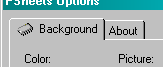
void OnHelp() // 說明按鈕專案為 SDI 程式,客戶區顯示圖片與背景色,透過「工具|選項」開啟屬性表,「工具|精靈」開啟精靈。
LRESULT CMainFrame::OnAppAbout(...)
{
    CPropertySheet sheet(_T("About PSheets"));
    CPropertyPage<IDD_ABOUTBOX> pgAbout;
    sheet.AddPage(pgAbout);
    sheet.DoModal();
    return 0;
}class CBackgroundOptsPage :
public CPropertyPageImpl<CBackgroundOptsPage>,
public CWinDataExchange<CBackgroundOptsPage>
{
public:
enum { IDD = IDD_BACKGROUND_OPTS };
BEGIN_MSG_MAP(CBackgroundOptsPage)
MSG_WM_INITDIALOG(OnInitDialog)
CHAIN_MSG_MAP(CPropertyPageImpl<CBackgroundOptsPage>)
END_MSG_MAP()
BEGIN_DDX_MAP(CBackgroundOptsPage)
DDX_RADIO(IDC_BLUE, m_nColor)
DDX_RADIO(IDC_ALYSON, m_nPicture)
END_DDX_MAP()
BOOL OnInitDialog(HWND, LPARAM);
int OnApply(); // 儲存使用者選擇
int m_nColor, m_nPicture;
};
int CBackgroundOptsPage::OnApply()
{
return DoDataExchange(TRUE) ? PSNRET_NOERROR : PSNRET_INVALID;
}class CAppPropertySheet : public CPropertySheetImpl<CAppPropertySheet>
{
public:
CAppPropertySheet(_U_STRINGorID title = NULL, UINT uStartPage = 0, HWND hWndParent = NULL);
BEGIN_MSG_MAP(CAppPropertySheet)
CHAIN_MSG_MAP(CPropertySheetImpl<CAppPropertySheet>)
END_MSG_MAP()
CBackgroundOptsPage m_pgBackground;
CPropertyPage<IDD_ABOUTBOX> m_pgAbout;
};
CAppPropertySheet::CAppPropertySheet(_U_STRINGorID title, UINT uStartPage, HWND hWndParent)
: CPropertySheetImpl<CAppPropertySheet>(title, uStartPage, hWndParent)
{
m_psh.dwFlags |= PSH_NOAPPLYNOW; // 隱藏「套用」按鈕
AddPage(m_pgBackground); AddPage(m_pgAbout);
}class COptionsWizard : public CPropertySheetImpl<COptionsWizard>
{
public:
COptionsWizard(HWND hWndParent = NULL);
BEGIN_MSG_MAP(COptionsWizard)
CHAIN_MSG_MAP(CPropertySheetImpl<COptionsWizard>)
END_MSG_MAP()
CWizIntroPage m_pgIntro;
// 其他頁面:CWizBkColorPage, CWizBkPicturePage, CWizFinishPage
};
COptionsWizard::COptionsWizard(HWND hWndParent)
: CPropertySheetImpl<COptionsWizard>(0U, 0, hWndParent)
{
SetWizardMode(); // 關鍵:切換精靈模式
AddPage(m_pgIntro);
// AddPage 其他頁面...
}// 簡介頁:僅啟用「下一步」
int CWizIntroPage::OnSetActive() { SetWizardButtons(PSWIZB_NEXT); return 0; }
// 背景色頁:啟用「上一步/下一步」,OnKillActive 執行 DDV 驗證
int CWizBkColorPage::OnSetActive() { SetWizardButtons(PSWIZB_BACK | PSWIZB_NEXT); return 0; }
int CWizBkColorPage::OnKillActive()
{
if (!DoDataExchange(TRUE)) return TRUE; // DDV 失敗阻止離開
if (m_bFailDDV) { // 核取方塊勾選時人為阻擋
MessageBox(_T("Error box checked, wizard will stay on this page."), _T("PSheets"), MB_ICONERROR);
return TRUE;
}
return FALSE; // 允許離開
}差異:OnKillActive 在「上一步/下一步」皆觸發;OnWizardNext 僅在「下一步」觸發,且可指定跳轉特定頁面。
預設出現在父視窗左上角。解法:自訂訊息 UWM_CENTER_SHEET,屬性表處理該訊息呼叫 CenterWindow,各頁面 OnInitDialog 發送此訊息。
#define UWM_CENTER_SHEET WM_APP
// 屬性表類別
BEGIN_MSG_MAP(CAppPropertySheet)
    MESSAGE_HANDLER_EX(UWM_CENTER_SHEET, OnPageInit)
    CHAIN_MSG_MAP(CPropertySheetImpl<CAppPropertySheet>)
END_MSG_MAP()
LRESULT OnPageInit(UINT, WPARAM, LPARAM)
{
    if (!m_bCentered) { m_bCentered = true; CenterWindow(m_psh.hwndParent); }
    return 0;
}
// 頁面 OnInitDialog
BOOL CBackgroundOptsPage::OnInitDialog(HWND, LPARAM)
{
    GetPropertySheet().SendMessage(UWM_CENTER_SHEET);
    DoDataExchange(FALSE); return TRUE;
}CBackgroundOptsPage::CBackgroundOptsPage()
{
m_psp.dwFlags |= PSP_USEICONID;
m_psp.pszIcon = MAKEINTRESOURCE(IDI_TABICON);
m_psp.hInstance = _Module.GetResourceInstance();
}
將介紹 WTL 工具類別、GDI 物件封裝與通用對話框。