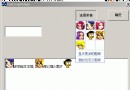
在 Windows 2000/XP 系統中,利用分層視窗特性可實現任意視窗的透明化效果,即使沒有目標程式的原始碼也能操作。本文介紹一款名為「WinTrans」的工具,它能讓使用者透過拖曳操作選取任意執行中程式的標題列,並以滑桿即時調整透明度。其介面類似 Spy++,並示範了多項 Win32 API 的實用技巧,如滑鼠定位視窗、獲取類別名稱與標題等視窗資訊。
Windows 2000/XP 的 User32.dll 新增了 SetLayeredWindowAttributes 函式。要使用該函式,必須先為視窗設定擴充風格 WS_EX_LAYERED (0x00080000),可在建立視窗時指定,或稍後呼叫 SetWindowLong 設定。啟用分層風格後,即可呼叫該函式控制透明度,其參數如下:
LWA_COLORKEY (1) 表示以 crKey 為透明色,LWA_ALPHA (2) 表示使用 bAlpha 進行整體透明混合由於 SetLayeredWindowAttributes 並非所有 Windows 版本皆有,需動態載入:
typedef BOOL (WINAPI *LPFN_SETLAYERED)(HWND, COLORREF, BYTE, DWORD);
LPFN_SETLAYERED g_pSetLayeredWindowAttributes = NULL;

BOOL CWinTransDlg::OnInitDialog() {
    HMODULE hUser32 = GetModuleHandle(_T("USER32.DLL"));
    g_pSetLayeredWindowAttributes = (LPFN_SETLAYERED)GetProcAddress(hUser32, "SetLayeredWindowAttributes");
    if (!g_pSetLayeredWindowAttributes)
        AfxMessageBox(_T("當前 Windows 版本不支援分層視窗"), MB_ICONEXCLAMATION);
    // 載入自訂游標資源...
}
在 WM_LBUTTONDOWN 時捕捉滑鼠,將游標改為十字形;WM_MOUSEMOVE 中透過 WindowFromPoint 即時獲取滑鼠下方的視窗控制代碼並顯示其資訊;WM_LBUTTONUP 釋放捕捉並套用透明效果:
void CWinTransDlg::OnLButtonUp(UINT nFlags, CPoint point) {
    ReleaseCapture();
    m_bTracking = FALSE;

    if (g_pSetLayeredWindowAttributes && m_hCurrWnd != m_hWnd) {
        // 切換 WS_EX_LAYERED 風格
        ::SetWindowLong(m_hCurrWnd, GWL_EXSTYLE,
            GetWindowLong(m_hCurrWnd, GWL_EXSTYLE) ^ WS_EX_LAYERED);

        // 依滑桿位置設定 Alpha 值
        g_pSetLayeredWindowAttributes(m_hCurrWnd, 0,
            (BYTE)m_slider.GetPos(), LWA_ALPHA);

        // 強制重繪
        ::RedrawWindow(m_hCurrWnd, NULL, NULL,
            RDW_ERASE | RDW_INVALIDATE | RDW_FRAME | RDW_ALLCHILDREN);
    }
}
透過動態載入 API 並結合滑鼠捕捉機制,WinTrans 實現了無需原始碼即可對任意視窗進行即時透明度調整,展示了分層視窗在實用工具開發中的強大潛力。