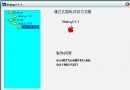
MFC AppWizard 產生的「啟動畫面」元件僅支援有框架視窗 (CMainFrame) 的專案,對話框型專案無法直接使用。本文提供一個獨立的 CSplashWnd 類別,支援位圖資源、任意逾時時間、父視窗指定,並可同時用於對話框與 SDI/MDI 專案。
CWnd,建立 WS_POPUP | WS_VISIBLE 視窗。ShowSplashScreen(UINT timeout, UINT bitmapID, CWnd* pParent) 一鍵顯示。PreTranslateAppMessage 攔截鍵盤/滑鼠訊息自動關閉。在 OnInitDialog 末尾加入:
// 顯示啟動畫面 3 秒,使用位圖資源 IDB_SPLASH24,父視窗為 this
CSplashWnd::ShowSplashScreen(3000, IDB_SPLASH24, this);
在函數開頭加入命令列解析與啟用:
CCommandLineInfo cmdInfo;
ParseCommandLine(cmdInfo);
CSplashWnd::EnableSplashScreen(cmdInfo.m_bShowSplash);
用 ClassWizard 加入 PreTranslateMessage 虛擬函數:
BOOL CMyApp::PreTranslateMessage(MSG* pMsg) {
    if (CSplashWnd::PreTranslateAppMessage(pMsg)) return TRUE;
    return CWinApp::PreTranslateMessage(pMsg);
}
class CSplashWnd : public CWnd {
public:
    CSplashWnd(UINT nBitmapID);           // 載入位圖資源
    static void ShowSplashScreen(UINT timeout, UINT nBitmapID, CWnd* pParent);
    static BOOL PreTranslateAppMessage(MSG* pMsg);
    static void EnableSplashScreen(BOOL bEnable);
protected:
    afx_msg int OnCreate(LPCREATESTRUCT);
    afx_msg void OnPaint();
    afx_msg void OnTimer(UINT nIDEvent);
    DECLARE_MESSAGE_MAP()
private:
    CBitmap m_bmp; UINT m_nTimeout; BOOL m_bEnabled;
};
OnCreate:CenterWindow() 置中,SetTimer(1, m_nTimeout, NULL) 設定自動關閉計時器。OnPaint:CPaintDC 配合 CDC::DrawState 或 BitBlt 繪製位圖。OnTimer:KillTimer、DestroyWindow() 關閉視窗。PreTranslateAppMessage:偵測 WM_KEYDOWN, WM_LBUTTONDOWN 等訊息提前關閉。SetText(LPCTSTR) 並 Invalidate() 重繪。IPicture (OLE) 或 GDI+ 載入。CSplashWnd 只需三步驟即可為任何 MFC 專案(含對話框型)加入專業啟動畫面,程式碼精簡、無 MFC 版本相依性問題,適合直接整合至現有專案。