在 VC6.0 開發環境下,開發者習慣使用 printf 輸出調試資訊。雖然透過 #if _DEBUG 預處理指令可阻止 Release 版本輸出文字,但字串常值仍會殘留在二進位檔中,經 IDA Pro 反組譯即可輕易取得。本文示範兩種徹底移除字串的技巧,並比較其效能差異。
典型寫法:
#if _DEBUG
printf("Some debug information here!\n");
#endif
為了減少鍵盤輸入,許多人封裝函式:
void printInfo(char *strInfo) {
#if _DEBUG
    printf(strInfo);
#endif
}
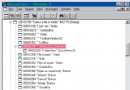
雖然 Release 執行時不印出訊息,但字串 "Some debug information here!\n" 仍存在於 .exe 的資料區,IDA 反組譯 main 函式即可看見(圖一)。

圖一:IDA 反組譯後的 main 函式,字串明文可見
定義條件巨集:
#if _DEBUG
#define _D(str) str
#else
#define _D(str) NULL
#endif
呼叫處改為:
printInfo(_D("Some debug information here!\n"));
Release 版本中字串被替換為 NULL,IDA 檢視確認字串已消失(圖二),但會殘留一個 call nullsub_1 的空函式呼叫,增加微小開銷。

圖二:方法一的反組譯結果,字串消失但保留呼叫指令
將函式定義與巨集結合:
#if _DEBUG
void printInfo(char *strInfo) {
    printf(strInfo);
}
#else
#define printInfo(str)
#endif
Release 版本中 printInfo(...) 直接展開為空白,完全不產生呼叫指令,IDA 反組譯乾淨無殘留(圖三)。

圖三:方法二的反組譯結果,連呼叫指令都沒有
兩種方法都能達到「字串不進二進位檔」的目標,但方法二更優:
建議在專案通用標頭檔(如 stdafx.h)統一定義此巨集,全專案統一風格,確保資訊安全與效能兼顧。