開發環境:Windows XP/2003/2000/NT4/98/Me,Visual Studio 6.0/2003,GDI+
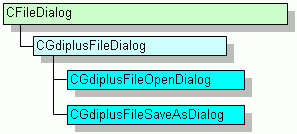
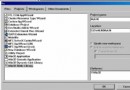
CFileDialog,為抽象基類,封裝編解碼器資訊陣列、實現過濾器轉換Gdiplus::Image::Save#include "GdiplusFileOpenDialog.h"
bool CFoo::LoadImage(Image*& pImage) {
bool bLoaded = false;
CGdiplusFileOpenDialog dlgFile;
if (IDOK == dlgFile.DoModal()) {
CString strPath = dlgFile.GetPathName();
pImage = Image::FromFile(strPath.AllocSysString());
if (Ok == pImage->GetLastStatus()) bLoaded = true;
}
return bLoaded;
}#include "GdiplusFileSaveAsDialog.h"
bool CFoo::SaveImage(Image* pImage) {
bool bSaved = false;
CGdiplusFileSaveAsDialog dlgFile;
if (IDOK == dlgFile.DoModal()) {
CLSID clsid = dlgFile.GetCodecCLSID(); // 取得選中格式的編碼器 CLSID
CString strPath = dlgFile.GetPathName();
if (Ok == pImage->Save(strPath.AllocSysString(), &clsid)) bSaved = true;
}
return bSaved;
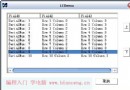
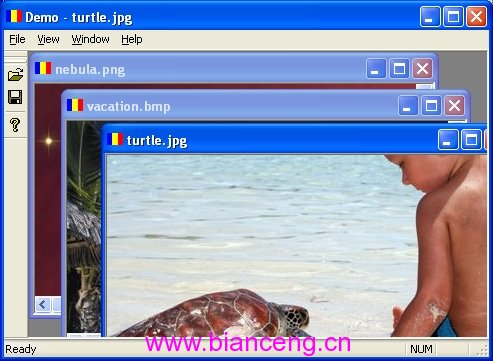
}MDI 架構簡易圖片瀏覽器,示範完整開啟/儲存流程:
// StdAfx.h
typedef unsigned __int32 ULONG_PTR; // VC6 必需,新版 SDK 可移除
#include <afxtempl.h>
#include <gdiplus.h>
#pragma comment(lib, "gdiplus.lib")
using namespace Gdiplus;

// 應用程式類別初始化/釋放 GDI+
class CDemoApp : public CWinApp {
    ULONG_PTR m_gdiplusToken;
    bool InitGdiplus() {
        GdiplusStartupInput input;
        return Ok == GdiplusStartup(&m_gdiplusToken, &input, NULL);
    }
    void TermGdiplus() { GdiplusShutdown(m_gdiplusToken); }
};

// 開啟檔案命令處理
void CDemoApp::OnFileOpen() {
    CGdiplusFileOpenDialog dlg;
    if (IDOK == dlg.DoModal()) OpenDocumentFile(dlg.GetPathName());
}

// Document 開啟檔案
BOOL CDemoDoc::OnOpenDocument(LPCTSTR pszPath) {
    SafeDeleteImage();
    m_pImage = Image::FromFile(CString(pszPath).AllocSysString());
    return Ok == m_pImage->GetLastStatus();
}

// 另存新檔命令處理
void CDemoDoc::OnFileSaveAs() {
    CGdiplusFileSaveAsDialog dlg;
    if (IDOK == dlg.DoModal()) {
        CLSID clsid = dlg.GetCodecCLSID();
        CString path = dlg.GetPathName();
        Status st = m_pImage->Save(path.AllocSysString(), &clsid);
        if (st != Ok) TRACE(_T("儲存失敗: %s, 錯誤碼: %u"), path, st);
    }
}

// View 繪圖
void CDemoView::OnDraw(CDC* pDC) {
    Image* img = GetDocument()->GetImage();
    if (img) {
        Graphics g(*pDC);
        if (Ok == g.GetLastStatus())
            g.DrawImage(img, 0, 0, img->GetWidth(), img->GetHeight());
    }
}gdiplus.dllgdiplus.dll,建議放置於應用程式目錄這組類別完美解決 MFC 專案中 GDI+ 圖片格式開啟/儲存的介面整合問題,自動處理編解碼器枚舉、過濾器建構、CLSID 取得與副檔名驗證,大幅簡化開發工作量。