不使用 ATL/Wizard,純手工建立標準 DLL 型 COM 元件 MathCOM.dll,涵蓋:專案建立、IDL 介面定義、模組定義檔 (.def)、自我註冊/反註冊、DllGetClassObject、介面實作、客戶端測試、DLL 除錯技巧。
MathCOM。DllMain)。import "oaidl.idl";
import "ocidl.idl";
[
uuid(FAEAE6B7-67BE-42a4-A318-3256781E945A),
helpstring("ISimpleMath Interface"),
object,
pointer_default(unique)
]
interface ISimpleMath : IUnknown
{
HRESULT Add([in]int nOp1, [in]int nOp2, [out,retval]int* pret);
HRESULT Subtract([in]int nOp1, [in]int nOp2, [out,retval]int* pret);
HRESULT Multiply([in]int nOp1, [in]int nOp2, [out,retval]int* pret);
HRESULT Divide([in]int nOp1, [in]int nOp2, [out,retval]int* pret);
};
[
uuid(01147C39-9DA0-4f7f-B525-D129745AAD1E),
helpstring("IAdvancedMath Interface"),
object,
pointer_default(unique)
]
interface IAdvancedMath : IUnknown
{
HRESULT Factorial([in]int nOp1, [out,retval]int* pret);
HRESULT Fabonacci([in]int nOp1, [out,retval]int* pret);
};
[
uuid(CA3B37EA-E44A-49b8-9729-6E9222CAE844),
version(1.0),
helpstring("MATHCOM 1.0 Type Library")
]
library MATHCOMLib
{
importlib("stdole32.tlb");
importlib("stdole2.tlb");
[
uuid(3BCFE27E-C88D-453C-8C94-F5F7B97E7841),
helpstring("MATHCOM Class")
]
coclass MATHCOM
{
[default] interface ISimpleMath;
interface IAdvancedMath;
};
};專案設定 → MIDL:輸出類型庫 MathCOM.tlb、Header MathCOM.h、Proxy/Stub MathCOM_p.c、GUID 定義 MathCOM_i.c (全專案僅能 #include 一次)。
LIBRARY "MathCOM.DLL"
EXPORTS
DllCanUnloadNow     @1 PRIVATE
DllGetClassObject   @2 PRIVATE
DllRegisterServer   @3 PRIVATE
DllUnregisterServer @4 PRIVATE#include "stdafx.h"
#include
#include
#include "MathCOM.h"
const char* g_RegTable[][3] = {
{"CLSID\\{3BCFE27E-C88D-453C-8C94-F5F7B97E7841}", 0, "MathCOM"},
{"CLSID\\{3BCFE27E-C88D-453C-8C94-F5F7B97E7841}\\InprocServer32", 0, (const char*)-1}, // -1 表示模組路徑
{"CLSID\\{3BCFE27E-C88D-453C-8C94-F5F7B97E7841}\\ProgID", 0, "tulip.MathCOM.1"},
{"tulip.MathCOM.1", 0, "MathCOM"},
{"tulip.MathCOM.1\\CLSID", 0, "{3BCFE27E-C88D-453C-8C94-F5F7B97E7841}"}
};
HINSTANCE g_hinstDll;
BOOL APIENTRY DllMain(HANDLE hModule, DWORD ul_reason, LPVOID lpReserved)
{
g_hinstDll = (HINSTANCE)hModule;
return TRUE;
}
STDAPI DllRegisterServer(void)
{
char szFileName[MAX_PATH];
GetModuleFileName(g_hinstDll, szFileName, MAX_PATH);
int nEntries = sizeof(g_RegTable)/sizeof(*g_RegTable);
HRESULT hr = S_OK;
for (int i = 0; SUCCEEDED(hr) && i < nEntries; i++)
{
const char* pszKey = g_RegTable[i][0];
const char* pszValName = g_RegTable[i][1];
const char* pszVal = g_RegTable[i][2];
if (pszVal == (const char*)-1) pszVal = szFileName;
HKEY hKey;
long err = RegCreateKey(HKEY_CLASSES_ROOT, pszKey, &hKey);
if (err == ERROR_SUCCESS)
{
err = RegSetValueEx(hKey, pszValName, 0, REG_SZ,
(const BYTE*)pszVal, strlen(pszVal)+1);
RegCloseKey(hKey);
}
if (err != ERROR_SUCCESS) { DllUnregisterServer(); hr = E_FAIL; }
}
return hr;
}
STDAPI DllUnregisterServer(void)
{
HRESULT hr = S_OK;
int nEntries = sizeof(g_RegTable)/sizeof(*g_RegTable);
for (int i = 0; SUCCEEDED(hr) && i < nEntries; i++)
{
long err = RegDeleteKey(HKEY_CLASSES_ROOT, g_RegTable[i][0]);
if (err != ERROR_SUCCESS) hr = S_FALSE;
}
return hr;
}
// 暫存 DllGetClassObject / DllCanUnloadNow 稍後實作
STDAPI DllGetClassObject(REFCLSID, REFIID, void**) { return CLASS_E_CLASSNOTAVAILABLE; }
STDAPI DllCanUnloadNow(void) { return E_FAIL; } 編譯後執行 regsvr32 MathCOM.dll 驗證註冊表 HKCR\CLSID\{...} 是否建立。
// math.h
#include "MathCOM.h"
class CMath : public ISimpleMath, public IAdvancedMath
{
private:
    ULONG m_cRef;
    int calcFactorial(int n);
    int calcFabonacci(int n);
public:
    CMath();
    // IUnknown
    STDMETHOD(QueryInterface)(REFIID riid, void** ppv);
    STDMETHOD_(ULONG, AddRef)();
    STDMETHOD_(ULONG, Release)();
    // ISimpleMath
    STDMETHOD(Add)(int nOp1, int nOp2, int* pret);
    STDMETHOD(Subtract)(int nOp1, int nOp2, int* pret);
    STDMETHOD(Multiply)(int nOp1, int nOp2, int* pret);
    STDMETHOD(Divide)(int nOp1, int nOp2, int* pret);
    // IAdvancedMath
    STDMETHOD(Factorial)(int nOp, int* pret);
    STDMETHOD(Fabonacci)(int nOp, int* pret);
};
// math.cpp
#include "math.h"
STDMETHODIMP CMath::QueryInterface(REFIID riid, void** ppv)
{
if (riid == IID_ISimpleMath) *ppv = static_cast(this);
else if (riid == IID_IAdvancedMath) *ppv = static_cast(this);
else if (riid == IID_IUnknown) *ppv = static_cast(this);
else { *ppv = 0; return E_NOINTERFACE; }
reinterpret_cast(*ppv)->AddRef();
return S_OK;
}
STDMETHODIMP_(ULONG) CMath::AddRef() { return ++m_cRef; }
STDMETHODIMP_(ULONG) CMath::Release()
{
ULONG res = --m_cRef;
if (res == 0) delete this;
return res;
}
STDMETHODIMP CMath::Add(int nOp1, int nOp2, int* pret) { *pret = nOp1+nOp2; return S_OK; }
STDMETHODIMP CMath::Subtract(int nOp1, int nOp2, int* pret) { *pret = nOp1-nOp2; return S_OK; }
STDMETHODIMP CMath::Multiply(int nOp1, int nOp2, int* pret) { *pret = nOp1*nOp2; return S_OK; }
STDMETHODIMP CMath::Divide(int nOp1, int nOp2, int* pret) { *pret = nOp1/nOp2; return S_OK; }
int CMath::calcFactorial(int n) { return (n<=1)?1:n*calcFactorial(n-1); }
STDMETHODIMP CMath::Factorial(int nOp, int* pret) { *pret = calcFactorial(nOp); return S_OK; }
int CMath::calcFabonacci(int n) { return (n<=1)?1:calcFabonacci(n-1)+calcFabonacci(n-2); }
STDMETHODIMP CMath::Fabonacci(int nOp, int* pret) { *pret = calcFabonacci(nOp); return S_OK; }
CMath::CMath() : m_cRef(0) {} #include "math.h"
#include "MathCOM_i.c"
static CMath* g_pMath = new CMath; // 單例
STDAPI DllGetClassObject(REFCLSID rclsid, REFIID riid, void** ppv)
{
if (rclsid == CLSID_MATHCOM)
return g_pMath->QueryInterface(riid, ppv);
return CLASS_E_CLASSNOTAVAILABLE;
}此法直接回傳物件介面,無法支援 CoCreateInstance (需 IClassFactory),客戶端須用 CoGetClassObject 取得介面。
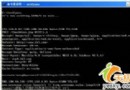
#include
#include "../MathCOM.h"
#include "../MathCOM_i.c"
#include
using namespace std;

void main()
{
    CoInitialize(0);
    ISimpleMath* pSimple = NULL;
    IAdvancedMath* pAdv = NULL;
    int ret = 0;

    HRESULT hr = CoGetClassObject(CLSID_MATHCOM, CLSCTX_INPROC_SERVER,
                                  NULL, IID_ISimpleMath, (void**)&pSimple);
    if (SUCCEEDED(hr))
    {
        pSimple->Add(10, 4, &ret);
        cout << "10 + 4 = " << ret << endl;
        ret = 0;
    }

    hr = pSimple->QueryInterface(IID_IAdvancedMath, (void**)&pAdv);
    if (SUCCEEDED(hr))
    {
        pAdv->Fabonacci(10, &ret);
        cout << "10 Fabonacci = " << ret << endl;
    }

    pAdv->Release(); pSimple->Release();
    CoUninitialize();
    system("pause");
} | 模式 | 特徵 | 適用場景 |
|---|---|---|
| 無 .lib | 僅 DLL,LoadLibrary/GetProcAddress 動態載入 | 系統 DLL、無ヘッダー提供時 |
| 有 .lib 無 .h | __declspec(dllexport) 產生 .lib,客戶端 #pragma comment(lib) 靜態連結 | 自家 DLL、介面穩定 |
| 有 .lib 有 .h | 標準發布模式,客戶端 #include "header.h" + 連結 .lib | 正式發布、SDK 模式 |
本文附錄詳細示範三種模式的建置與客戶端呼叫寫法。
DllGetClassObject (單例版)、客戶端測試。CoCreateInstance 失效;無 IDispatch,腳本環境不可用。IClassFactory 與 IDispatch,打造真正完整的 COM 元件。本文配套完整原始碼 (MathCOM DLL + TestMathCOM 客戶端 + 除錯範例) 可供下載。