本文彙整三個實用的 Windows 程式設計技巧:偵測螢幕色深支援、單一執行檔同時支援 GUI 與控制台模式啟動、以及 .NET Windows Forms 視窗位置儲存與還原。
透過 GetDeviceCaps 取得裝置內容的色階數(PLANES)與每像素位元數(BITSPIXEL),相乘即得總色深位元數:
CWindowDC dc(NULL);
int nPlanes = dc.GetDeviceCaps(PLANES);
int nBitsPixel = dc.GetDeviceCaps(BITSPIXEL);
int totalBits = nPlanes * nBitsPixel; // 8=256色, 16/24/32=真彩色
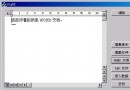
附贈 ColorBits 範例程式可即時顯示目前螢幕色深資訊。
Windows 將 EXE 分為 /subsystem:windows 與 /subsystem:console 兩類,無法單一檔案兼具。解決方案:專案產生兩個執行檔——App.exe(GUI)與 App.com(控制台)。
App 時,Windows 優先執行 .com,進入控制台模式。App.exe 進入 GUI 模式。-c),無參數時呼叫 ShellExecute 啟動 GUI 版本並退出。// ListProc-cons.cpp 控制台進入點
int main(int argc, char* argv[]) {
if (argc > 1 && strcmp(argv[1], "-c") == 0) {
EnumProcessesConsole(); // 列印至控制台
} else {
// 啟動 GUI 版本
TCHAR exePath[MAX_PATH];
GetModuleFileName(NULL, exePath, MAX_PATH);
PathRenameExtension(exePath, _T(".exe"));
ShellExecute(NULL, _T("open"), exePath, NULL, NULL, SW_SHOWNORMAL);
}
return 0;
}Visual Studio 專案設定:ListProc-cons 專案加入自訂建置步驟,將輸出 .exe 重命名為 .com。
.NET 設定檔(app.config)適合管理員部署,不適合使用者個人化設定。註冊表難以複製與編輯。建議使用 INI 檔,配合 GetPrivateProfileInt/WritePrivateProfileString API,支援 XCOPY 部署。
public class IniFile {
    string path;
    public IniFile(string fileName, bool useAppDataPath) {
        if (useAppDataPath)
            path = Path.Combine(Application.UserAppDataPath, fileName);
        else
            path = fileName;
    }
    public void SaveWinPos(Form form, string section) {
        SetVal(section, "X", form.Left.ToString());
        SetVal(section, "Y", form.Top.ToString());
        SetVal(section, "Width", form.Width.ToString());
        SetVal(section, "Height", form.Height.ToString());
    }
    public void RestoreWinPos(Form form, string section) {
        form.StartPosition = FormStartPosition.Manual; // 關鍵!
        form.Left = GetIntVal(section, "X", form.Left);
        form.Top = GetIntVal(section, "Y", form.Top);
        form.Width = GetIntVal(section, "Width", form.Width);
        form.Height = GetIntVal(section, "Height", form.Height);
    }
    // 內部 P/Invoke GetPrivateProfileInt / WritePrivateProfileString
}public class Form1 : Form {
IniFile ini = new IniFile("SavePos.ini", true); // 存放於使用者 AppData
public Form1() { ini.RestoreWinPos(this, "MainWindow"); }
protected override void Dispose(bool disposing) {
if (disposing) ini.SaveWinPos(this, "MainWindow");
base.Dispose(disposing);
}
}產生的 SavePos.ini 內容:
[MainWindow]
X=282
Y=442
Width=417
Height=234