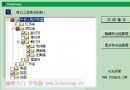
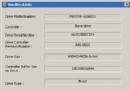
MFC 無直接提供磁碟機類型的類別,但 Windows 磁碟區管理函數可達成:GetLogicalDrives、GetLogicalDriveStrings、GetDriveType、GetVolumeInformation、SetVolumeLabel。為方便使用,封裝為 CVolumeMaster 類別 (原始碼可下載),並撰寫 VolInfo.exe 示範。
GetLogicalDrives 傳回 DWORD 位元遮罩,bit 0 = A:、bit 1 = B:... CVolumeMaster::FormatBitMask 可格式化為字串,如 10110 10001 11000 00000 00000 00000 00 代表 A、C、D、F、J、K、L 存在。
GetLogicalDriveStrings 傳回以 null 結尾的字串陣列 (格式 D:\),CVolumeMaster 封裝為 CStringArray:
CVolumeMaster vm;
CStringArray arDrives;
int n = vm.GetLogicalDriveStrings(arDrives);GetDriveType 傳回代碼:DRIVE_FIXED (硬碟)、DRIVE_CDROM (光碟機) 等。CVolumeMaster 提供靜態函數格式化為可讀字串。
GetVolumeInformation 可取得磁碟標籤、檔案系統 (NTFS/FAT)、磁碟區序號、旗標、最大元件長度。最大元件長度指路徑中反斜線間部分的長度限制 (NTFS 255、CD-ROM 常為 127),解釋為何燒錄 MP3 常提示檔名過長。
CString volName, fsName;
DWORD serNo, maxCompLen, flags;
vm.GetVolumeInformation("C:\\", volName, serNo, maxCompLen, flags, fsName);
使用 CString 避免緩衝區溢位,更安全。
CVolumeMaster 可將旗標格式化為人類可讀字串,方便除錯。
C++ 用 GetSystemMenu,C# 同樣可透過 P/Invoke 呼叫。範例程式 SysMenu 示範在標題列系統選單加入分隔線與自訂項目:
using System.Runtime.InteropServices;
public class Form1 : Form {
    [DllImport("user32.dll")]
    private static extern IntPtr GetSystemMenu(IntPtr hwnd, int bRevert);
    [DllImport("user32.dll")]
    private static extern bool AppendMenu(IntPtr hMenu,
        MenuFlags uFlags, uint uIDNewItem, string lpNewItem);
}
用 IntPtr 對應 HWND/HMENU,string 對應 LPCTSTR,框架自動封送。自訂 MenuFlags 列舉對應 WinUser.h 常數。
IntPtr hSysMenu = GetSystemMenu(this.Handle, 0);
AppendMenu(hSysMenu, MenuFlags.MF_SEPARATOR, 0, null);
AppendMenu(hSysMenu, MenuFlags.MF_BYCOMMAND, IDC_MYCOMMAND, "Do you like interop?");const int WM_SYSCOMMAND = 0x0112;
protected override void WndProc(ref Message msg) {
if (msg.Msg == WM_SYSCOMMAND && msg.WParam.ToInt32() == IDC_MYCOMMAND) {
// 處理自訂命令
return;
}
base.WndProc(ref msg); // 必須呼叫基底類別
}執行結果:系統選單出現新項目。完整原始碼可從 MSDN Magazine 下載。