Lua是輕量級、高效能、ANSI C實作的擴展程式語言,廣泛應用於遊戲邏輯、配置系統、插件架構、嵌入式裝置。本文以WTL專案為例,完整示範:Lua庫建置、VC++專案整合、虛擬機啟動/關閉、C函數註冊為Lua API、腳本載入執行、錯誤處理與資源管理最佳實踐。
lua-5.4.6.tar.gz)nmake -f Makefile.msc 或建立專案編譯所有 .c 產生 lua54.lib / lua54.dlllua.org 提供Windows二進制包)
// 連結庫設定
#if defined(_DEBUG)
#pragma comment(lib, "lua54.lib")
#else
#pragma comment(lib, "lua54.lib")
#endif

// 專案屬性設定
// C/C++ → General → Additional Include Directories: $(SolutionDir)lua\src
// Linker → General → Additional Library Directories: $(SolutionDir)lua\src
extern "C" {
    #include "lua.h"
    #include "lauxlib.h"
    #include "lualib.h"
}
Lua純C實作,C++編譯單元必須用 extern "C" 防止名稱修飾導致連結失敗。
class LuaEngine {
public:
    LuaEngine() : L(nullptr) {}
    ~LuaEngine() { Close(); }

    bool Initialize() {
        L = luaL_newstate();        // 建立新狀態機
        if (!L) return false;

        luaL_openlibs(L);           // 一次性開啟所有標準庫
        // 或按需開啟:
        // luaopen_base(L); luaopen_table(L); luaopen_string(L);
        // luaopen_math(L); luaopen_io(L); luaopen_debug(L);

        return true;
    }

    void Close() {
        if (L) {
            lua_close(L);           // 關閉狀態機、釋放所有資源
            L = nullptr;
        }
    }

    lua_State* GetState() const { return L; }

private:
    lua_State* L;
};
// 標準簽名:int func(lua_State* L)
// 回傳值:壓入棧的返回值數量
static int l_SetTitle(lua_State* L) {
    // 1. 參數檢查與取得
    const char* title = luaL_checkstring(L, 1); // 第1個參數,必須為字串

    // 2. 呼叫C++業務邏輯
    // 假設 theMainFrame 為全域主視窗指標
    if (theMainFrame) {
        theMainFrame->SetWindowText(CA2W(title)); // ANSI轉Unicode
    }

    // 3. 返回值壓棧(此處無返回值)
    return 0;
}

// 註冊多個函數
static const luaL_Reg mylib[] = {
    {"SetTitle",       l_SetTitle},
    {"SetWindowSize",  l_SetWindowSize},
    {"ShowPanel",      l_ShowPanel},
    {"Navigate",       l_Navigate},
    {"InsertItem",     l_InsertItem},
    {"ExpandItem",     l_ExpandItem},
    {NULL, NULL} // 結束標記
};

// 一次性註冊到全域表
void RegisterMyLib(lua_State* L) {
    luaL_newlib(L, mylib);      // 建立表並註冊函數
    lua_setglobal(L, "MyApp");  // 設為全域變數 MyApp
    // Lua中調用:MyApp.SetTitle("Hello")
}
| 操作 | API | 說明 |
|---|---|---|
| 取字串 | luaL_checkstring(L, idx) | 非字串報錯 |
| 取數字 | luaL_checknumber(L, idx) | 非數字報錯 |
| 取布林 | lua_toboolean(L, idx) | 不報錯,自動轉換 |
| 取表格 | lua_getfield(L, idx, "key") | 壓入值,返回型別 |
| 壓字串 | lua_pushstring(L, str) | |
| 壓數字 | lua_pushnumber(L, num) | |
| 壓布林 | lua_pushboolean(L, b) | |
| 壓C函數 | lua_pushcfunction(L, func) | |
| 建表 | lua_newtable(L) | |
| 設全域 | lua_setglobal(L, name) | 彈出棧頂值 |
bool LuaEngine::ExecuteScript(const char* filename) {
    if (!L) return false;

    // 註冊自定義API
    RegisterMyLib(L);

    // 執行檔案:編譯 + 執行
    int result = luaL_dofile(L, filename);

    if (result != LUA_OK) {
        // 錯誤訊息在棧頂
        const char* err = lua_tostring(L, -1);
        LogError("Lua script error: %s", err);
        lua_pop(L, 1); // 移除錯誤訊息
        return false;
    }
    return true;
}

// 也可執行字串
bool ExecuteString(const char* code) {
    int result = luaL_dostring(L, code);
    // 錯誤處理同上...
}
-- 視窗標題與尺寸
MyApp.SetTitle("Trinity Systems Help")
MyApp.SetWindowStartSize(800, 600)
MyApp.SetMinWindowSize(400, 300)

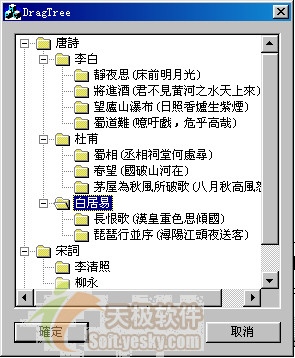
-- 內容面板樹狀結構
-- InsertItem(標題, URL, 圖示, ID, 父ID)
-- 圖示: 0=書本, 1=檔案, 2=網路檔案
MyApp.InsertItem("Trinity Systems", "https://www.example.com/", 0, 1, 0)
MyApp.InsertItem("Orion Module", "https://www.example.com/orion", 2, 2, 1)
MyApp.InsertItem("Documentation", "https://www.example.com/docs", 1, 3, 1)

-- 預設展開根節點
MyApp.ExpandItem(1)

-- 顯示面板
MyApp.ShowContentPanel(true)
static int l_InsertItem(lua_State* L) {
    // 參數:title, url, icon, id, parentId
    const char* title = luaL_checkstring(L, 1);
    const char* url   = luaL_checkstring(L, 2);
    int icon          = luaL_checkinteger(L, 3);
    int id            = luaL_checkinteger(L, 4);
    int parentId      = luaL_checkinteger(L, 5);

    // 呼叫UI層邏輯
    if (g_pContentPanel) {
        g_pContentPanel->InsertItem(CA2W(title), CA2W(url), icon, id, parentId);
    }
    return 0;
}

static int l_SetWindowStartSize(lua_State* L) {
    int w = luaL_checkinteger(L, 1);
    int h = luaL_checkinteger(L, 2);
    if (theMainFrame) {
        theMainFrame->SetInitialSize(w, h);
    }
    return 0;
}
// C++中安全呼叫Lua函數
bool CallLuaFunction(lua_State* L, const char* funcName, int nArgs, int nResults) {
    lua_getglobal(L, funcName);  // 取得函數
    if (!lua_isfunction(L, -1)) {
        lua_pop(L, 1);
        return false;
    }
    // 參數已在棧上,函數在 -nArgs-1
    int base = lua_gettop(L) - nArgs;
    lua_insert(L, base); // 移動函數到參數前

    int err = lua_pcall(L, nArgs, nResults, 0); // 0 = 無錯誤處理函數
    if (err != LUA_OK) {
        LogError("Lua call failed: %s", lua_tostring(L, -1));
        lua_pop(L, 1);
        return false;
    }
    return true;
}
static int msghandler(lua_State* L) {
    const char* msg = lua_tostring(L, 1);
    if (msg) {
        // 可加入堆疊追蹤
        luaL_traceback(L, L, msg, 1);
    }
    return 1; // 返回錯誤物件
}

// 使用:lua_pcall(L, nArgs, nResults, errFuncIndex)
lua_State 複用,避免頻繁建立/銷毀require 機制自動快取,避免重複載入lua_newuserdata + __gc 元方法管理C++物件生命週期| 問題 | 原因 | 解決 |
|---|---|---|
| 連結錯誤 LNK2019 | 未加 extern "C" | 標頭檔包含加 extern "C" |
| 執行崩潰 | 棧不平衡 | 每次操作後檢查 lua_gettop,善用 luaL_check* 系列 |
| 中文亂碼 | 編碼不一致 | 統一 UTF-8,C++端用 CA2W/W2A 轉換 |
| 全域變數汙染 | 多腳本共用狀態機 | 用 lua_newtable 建立沙箱環境,setfenv 隔離 |
| 記憶體洩漏 | Userdata無 __gc | 為C++物件實作 __gc 元方法調用 delete |
Lua以 ~200KB 體積提供完整動態語言能力,嵌入流程核心三步:
luaL_newstate() + luaL_openlibs() 初始化luaL_newlib / lua_register 註冊C APIluaL_dofile / lua_pcall 執行腳本掌握棧操作、錯誤處理、資源管理三大核心,即可在任何C/C++專案中輕鬆引入腳本化能力,實現邏輯與配置分離、熱更新、使用者二次開發等高級架構。