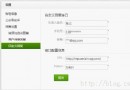
使用富文本編輯器(如 SinaEditor)發布文章時,圖片會自動上傳至服務器。用戶編輯文章刪除某些圖片後,數據庫中的 `` 標籤雖被移除,但服務器上的實體圖片文件仍殘留,佔用空間且難以維護。需在文章更新時,比對新舊內容,刪除不再引用的圖片。
$oldImgs$newImgs$deleted = array_diff($oldImgs, $newImgs)$deleted 刪除物理文件/**
* 從文章 HTML 中提取圖片文件名數組
* 假設圖片 URL 格式:https://domain/.../201111291322589013.jpg
*/
function getImgsInArticle(string $content): array|false {
$matches = [];
// 匹配 http 開頭,以 jpg/gif/png 結尾的 URL
preg_match_all('/https?:\/\/[^\s\'"]+?\.(?:jpg|gif|png)/i', $content, $matches);
$urls = $matches[0] ?? [];
if (empty($urls)) return false;
$filenames = [];
foreach ($urls as $url) {
$filenames[] = basename($url); // 取文件名
}
return $filenames;
}$oldContent = $oldArticle['content']; // 舊文章 HTML
$newContent = $_POST['content']; // 新提交 HTML
$oldImgs = getImgsInArticle($oldContent) ?? [];
$newImgs = getImgsInArticle($newContent) ?? [];
$deleted = array_diff($oldImgs, $newImgs);
$deleted = array_values($deleted); // 重建索引
foreach ($deleted as $filename) {
$filePath = ARTICLE_IMG_DIR . '/' . $filename;
if (is_file($filePath)) {
@unlink($filePath); // 靜默刪除,避免權限錯誤中斷流程
}
}function deleteArticle(int $articleId): bool {
// 1. 讀取文章內容
$article = $db->get("SELECT content FROM articles WHERE id = ?", $articleId);
if (!$article) return false;
// 2. 提取並刪除圖片
$imgs = getImgsInArticle($article['content']) ?? [];
foreach ($imgs as $img) {
@unlink(ARTICLE_IMG_DIR . '/' . $img);
}
// 3. 刪除數據庫記錄
return $db->execute("DELETE FROM articles WHERE id = ?", $articleId);
}原文使用 `/http[^d]*[d]+[.](jpg|gif|png)/` 存在以下問題:
推薦使用:
'/https?:\/\/[^\s\'"]+?\.(?:jpg|jpeg|gif|png|webp)(?:\?[^\s\'"]*)?/i'可正確匹配帶參數的圖片 URL,並支援更多格式。
// 獲取項目根目錄下的 uploads/article 絕對路徑
define('ARTICLE_IMG_DIR', __DIR__ . '/../uploads/article');

// 或動態構建
$baseDir = realpath(__DIR__ . '/../../public/uploads/article');通過「提取文件名 → 計算差集 → 物理刪除」三步,可輕鬆實現文章編輯/刪除時的圖片自動清理,避免垃圾文件堆積。關鍵在於正則的準確性與路徑的正確拼接。