處理富文本內容時,常需從 <img> 標籤提取 src、width、height,或批次修改圖片路徑、移除尺寸屬性。本文提供實戰正則模式與 preg_replace 替換技巧。
<?php
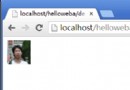
$str = '<center><img src="/uploads/images/20100516000.jpg" height="120" width="120"><br />PHP正則提取或更改圖片img標籤中的任意屬性</center>';
?>preg_match('/<\s*img\s+[^>]*?src\s*=\s*([\'"])(.*?)\1[^>]*?\/?\s*>/i', $str, $match);
echo $match[0]; // 完整標籤preg_match('/<img.+?(width\s*=\s*[\'"]?\d*[\'"]?).+?>/i', $str, $match);
echo $match[1]; // width="120"preg_match('/<img.+?(height\s*=\s*[\'"]?\d*[\'"]?).+?>/i', $str, $match);
echo $match[1]; // height="120"preg_match('/<img.+?src\s*=\s*[\'"]?(.+?\.(?:jpg|gif|bmp|png))[\'"]?.+?>/i', $str, $match);
echo $match[1]; // /uploads/images/20100516000.jpg// 將 src="/uploads/images/xxx.jpg" → src="/uploads/uc/images/xxx.jpg"
echo preg_replace(
'/(<img.+?src\s*=\s*[\'"]?.+?)(images\/)(.+?\.(?:jpg|gif|bmp|png)[\'"]?.+?>)/i',
'${1}uc/images/${3}',
$str
);// 保留 img 標籤與新 src,刪除其餘屬性
echo preg_replace(
'/(<img).+?(src\s*=\s*[\'"]?.+?)images\/(.+?\.(?:jpg|gif|bmp|png)[\'"]?).+?>/i',
'${1} ${2}uc/images/${3}>',
$str
);
// 結果:
正則處理 HTML 易受屬性順序、換行、單雙引號、巢狀標籤影響。PHP 內建 DOMDocument 更可靠:
<?php
function extractImgAttributes($html) {
    $dom = new DOMDocument();
    libxml_use_internal_errors(true);
    $dom->loadHTML('' . $html); // 修正編碼警告
    libxml_clear_errors();

    $images = [];
    foreach ($dom->getElementsByTagName('img') as $img) {
        $attr = [];
        foreach ($img->attributes as $name => $node) {
            $attr[$name] = $node->value;
        }
        $images[] = $attr;
    }
    return $images;
}

function replaceImgSrc($html, callable $callback) {
    $dom = new DOMDocument();
    libxml_use_internal_errors(true);
    $dom->loadHTML('' . $html);
    libxml_clear_errors();

    foreach ($dom->getElementsByTagName('img') as $img) {
        if ($img->hasAttribute('src')) {
            $newSrc = $callback($img->getAttribute('src'), $img);
            if ($newSrc !== null) $img->setAttribute('src', $newSrc);
        }
    }

    // 取得 body 內容(loadHTML 會補全 html/body)
    $body = $dom->getElementsByTagName('body')->item(0);
    $result = '';
    foreach ($body->childNodes as $node) {
        $result .= $dom->saveHTML($node);
    }
    return $result;
}

// 使用範例:所有圖片路徑加上 CDN 前綴
$newHtml = replaceImgSrc($str, function($src) {
    if (strpos($src, 'http') !== 0) {
        return 'https://cdn.example.com' . $src;
    }
    return $src;
});
?>| 場景 | 推薦方式 | 理由 |
|---|---|---|
| 簡單、固定格式、一次性腳本 | 正則 | 代碼短、無依賴、執行快 |
| 使用者輸入、富文本編輯器輸出、結構複雜 | DOMDocument | 正確解析巢狀、屬性順序、實體編碼 |
| 需修改多個屬性、刪除標籤、包裹標籤 | DOMDocument | 物件模型操作直觀、不易破壞結構 |
| 超大 HTML(>10MB)、記憶體受限 | XMLReader / 串流解析 | DOM 會將整棵樹載入記憶體 |
.*? 或排除字元集 [^>]*。[\'"] 匹配並反向引用 \1。s 修飾符 /.../is 讓 . 匹配換行。<img ... />:模式加 \/? 兼容。