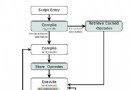
Zend_Layout 實現「兩步視圖」模式:動作視圖渲染為內容片段 → 佈局視圖包裝輸出最終頁面。本文詳解:**配置啟用 → Bootstrap 初始化 → 佈局腳本編寫 → 模塊化佈局切換 → 視圖佔位符/助手使用**,構建可維護的頁面框架。
第一步:配置文件啟用 (application/configs/application.ini)
; 佈局腳本目錄
resources.layout.layoutPath = APPLICATION_PATH "/layouts/scripts"

; 可選:默認佈局名 (默認 layout)
; resources.layout.layout = "layout"

; 可選:啟用佈局 (默認 true)
; resources.layout.enabled = true
第二步:Bootstrap 初始化視圖與 Doctype
<?php
class Bootstrap extends Zend_Application_Bootstrap_Bootstrap
{
    protected function _initDoctype()
    {
        $this->bootstrap('view'); // 確保視圖資源已加載
        $view = $this->getResource('view');
        $view->doctype('HTML5'); // 設置 HTML5 doctype
        // 可在此統一添加頭部資源
        $view->headLink()->prependStylesheet('/css/global.css');
        $view->headScript()->prependFile('/js/vendor/modernizr.js');
    }

    // 可選:根據模塊切換佈局
    protected function _initLayout()
    {
        $this->bootstrap('layout');
        $layout = $this->getResource('layout');
        $front  = $this->getResource('frontController');
        // 可在插件/控制器中動態切換:$layout->setLayout('admin');
    }
}
?>
第三步:佈局腳本 (application/layouts/scripts/layout.phtml)
<?php echo $this->doctype() ?>
<html lang="zh-CN">
<head>
    <meta charset="utf-8">
    <title>ZF Application</title>
    <?php echo $this->headLink() ?>
    <?php echo $this->headScript() ?>
    <?php echo $this->headStyle() ?>
</head>
<body>
    <div id="header" class="bg-light py-2">
        <div class="container">
            <a href="<?= $this->url(['controller' => 'index'], 'default', true) ?>" class="fw-bold">MyApp</a>
            <nav class="float-end">
                <a href="<?= $this->url(['controller' => 'guestbook'], 'default', true) ?>">留言板</a>
            </nav>
        </div>
    </div>

    <main class="container my-4">
        <?php echo $this->layout()->content ?> <!-- 動作視圖內容注入點 -->
    </main>

    <footer class="text-center py-3 border-top">
        © 2025 MyApp
    </footer>

    <?php echo $this->inlineScript() ?>
</body>
</html>
關鍵佔位符與助手
| 語法 | 作用 |
|---|
$this->layout()->content | **核心**:注入動作視圖渲染內容 |
$this->layout()->variable | 讀取/設置佈局變量 (控制器 `$this->_helper->layout()->variable = 'val'`) |
$this->placeholder('key') | 視圖佔位符,動作視圖 `$this->placeholder('key')->set('val')` |
$this->headTitle() | 頁面標題疊加 (動作視圖 `$this->headTitle('頁面標題')->setSeparator(' - ')`) |
$this->headLink()/headScript()/headStyle() | 頭部資源收集 (支持 `prepend`/`append`/`offsetSet`) |
$this->inlineScript() | 頁尾腳本收集 (動作視圖 `$this->inlineScript()->appendFile('/x.js')`) |
動作視圖中設置頁面標題與側邊欄 (示例)
<?php
// application/views/scripts/guestbook/sign.phtml
$this->headTitle('留言板'); // 最終輸出: "留言板 - MyApp"
$this->placeholder('sidebar')->set('<div class="widget">熱門文章...</div>');
?>
<h1>留言板</h1>
<?= $this->form ?>
佈局中渲染側邊欄佔位符
<div class="row">
    <div class="col-md-9">
        <?php echo $this->layout()->content ?>
    </div>
    <div class="col-md-3">
        <?php echo $this->placeholder('sidebar') ?>
    </div>
</div>
模塊化佈局:Admin 後台不同佈局
<?php
// Admin 控制器基類
class Admin_Controller_Action extends Zend_Controller_Action
{
    public function preDispatch()
    {
        $layout = $this->_helper->layout();
        $layout->setLayout('admin'); // 使用 layouts/scripts/admin.phtml
        $layout->assign('adminMenu', $this->buildMenu());
    }
}

// 或在具體 Action 中
public function dashboardAction()
{
    $this->_helper->layout()->setLayout('blank'); // 無佈局 (AJAX/彈窗)
    $this->_helper->layout()->disableLayout();    // 完全禁用佈局
}
?>
停用佈局 (AJAX/JSON 輸出)
<?php
public function apiAction()
{
    $this->_helper->layout()->disableLayout();
    $this->_helper->viewRenderer->setNoRender(true);
    echo json_encode(['status' => 'ok']);
}
?>
常見問題
| 現象 | 原因 | 解決 |
|---|
| 佈局不生效 / 空白頁 | 未在配置啟用 / layoutPath 路徑錯 / 腳本文件名不匹配 | 檢查 application.ini、layouts/scripts/ 目錄權限、文件名 layout.phtml |
| 雙重渲染 / 內容重複 | 視圖腳本中又 `echo $this->layout()->content` / 控制器重複分配 | 動作視圖**只輸出自身內容**,佈局自動注入 |
| headTitle/headLink 不顯示 | 佈局腳本未 `echo $this->headTitle()` / `echo $this->headLink()` | 在 layout.phtml `` 區域輸出對應助手 |