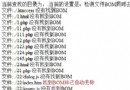
UTF-8 BOM (Byte Order Mark, `EF BB BF`) 會導致 PHP 輸出空白、Header 已發送、XML/JSON 解析失敗等疑難雜症。本文提供掃描目錄檢測 BOM、自動移除 BOM 的完整腳本,可直接用於項目部署前檢查。
<?php
/**
 * 檢測並移除文件 BOM
 * @param string $filename 文件路徑
 * @return bool true=發現並移除, false=無BOM或失敗
 */
function removeBOM($filename) {
    $content = file_get_contents($filename);
    if ($content === false) return false;

    // UTF-8 BOM: EF BB BF
    if (strlen($content) >= 3 &&
        ord($content[0]) === 0xEF &&
        ord($content[1]) === 0xBB &&
        ord($content[2]) === 0xBF) {

        $content = substr($content, 3); // 截除前 3 字節
        $result = file_put_contents($filename, $content);
        return $result !== false;
    }
    return false; // 無 BOM
}

// 使用
if (removeBOM('config.php')) {
    echo "已移除 BOM: config.php\n";
} else {
    echo "無 BOM 或移除失敗\n";
}
?><?php
/**
* 遞歸掃描目錄,檢測並可選移除所有 PHP/HTML/JS/CSS 文件的 BOM
* 用法: php remove_bom.php [目錄] [--fix]
*/
$dir = $argv[1] ?? __DIR__;
$fix = in_array('--fix', $argv);
$exts = ['php', 'html', 'htm', 'js', 'css', 'xml', 'json', 'txt', 'vue', 'scss', 'less'];
$found = 0;
$fixed = 0;
$iterator = new RecursiveIteratorIterator(new RecursiveDirectoryIterator($dir, FilesystemIterator::SKIP_DOTS));
foreach ($iterator as $file) {
if (!$file->isFile()) continue;
$ext = strtolower($file->getExtension());
if (!in_array($ext, $exts)) continue;
$path = $file->getPathname();
$content = file_get_contents($path);
if ($content === false) continue;
if (strlen($content) >= 3 &&
ord($content[0]) === 0xEF &&
ord($content[1]) === 0xBB &&
ord($content[2]) === 0xBF) {
$found++;
echo "發現 BOM: $path\n";
if ($fix) {
if (file_put_contents($path, substr($content, 3)) !== false) {
$fixed++;
echo " ✅ 已移除\n";
} else {
echo " ❌ 移除失敗 (權限?)\n";
}
}
}
}
echo "\n掃描完成。發現 $found 個帶 BOM 文件";
if ($fix) echo ",已修復 $fixed 個";
echo "\n";
?>| 問題 | 原因 | 解決 |
|---|---|---|
| 頁面頂部多出空白行 | 包含文件有 BOM,`include` 時直接輸出 | 批量移除 BOM,編輯器設置「UTF-8 無 BOM」 | `header()`/`session_start()` 警告「headers already sent」 | BOM 導致輸出提前開始 | 同上 |
| XML/JSON 解析錯誤 | BOM 非合法文檔開頭 | 移除 BOM 或解析前 `ltrim($str, "\xEF\xBB\xBF")` |
| Git diff 顯示二進制差異 | 編輯器保存時自動加/除 BOM | 統一團隊編輯器配置:VS Code `files.encoding: utf8` + `files.autoGuessEncoding: false` |
// composer.json
{
    "scripts": {
        "check-bom": "php scripts/remove_bom.php",
        "fix-bom": "php scripts/remove_bom.php --fix"
    }
}
# 使用
composer check-bom  # 僅檢查
composer fix-bom    # 檢查並自動修復