驗證碼核心流程
- 產生隨機碼:決定長度、字元集,存入
$_SESSION。
- 建立畫布:
imagecreatetruecolor() 設定寬高。
- 分配顏色:背景色、文字色、干擾線色。
- 繪製干擾:隨機線條、噪點、背景雜訊。
- 繪製文字:
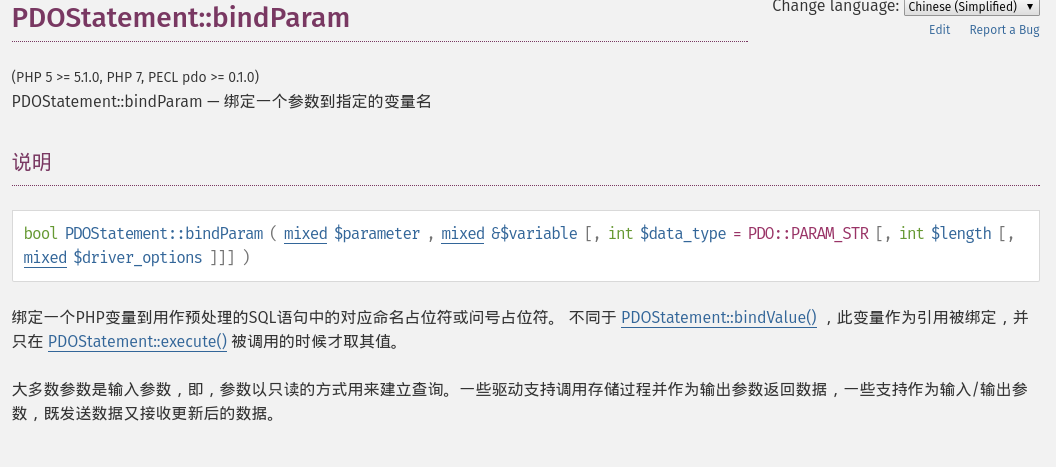
imagettftext() (TTF 字型) 或 imagestring() (內建字型)。
- 輸出圖片:送出
Content-Type: image/jpeg 標頭,imagejpeg() 輸出。
- 銷毀資源:
imagedestroy() 釋放記憶體。
完整可用範例 captcha.php
<?php
session_start();

// 1. 設定參數
$width = 120;
$height = 40;
$codeLen = 4;
$charset = '23456789ABCDEFGHJKLMNPQRSTUVWXYZ'; // 排除易混淆字元

// 2. 產生隨機碼
$code = '';
for ($i = 0; $i < $codeLen; $i++) {
    $code .= $charset[random_int(0, strlen($charset) - 1)];
}
$_SESSION['captcha'] = strtoupper($code); // 不分大小寫驗證時統一大寫

// 3. 建立真彩色畫布
$img = imagecreatetruecolor($width, $height);

// 4. 分配顏色
$bgColor = imagecolorallocate($img, 240, 240, 240); // 淺灰背景
$textColor = imagecolorallocate($img, 50, 50, 50);
$noiseColor = imagecolorallocate($img, 180, 180, 180);

// 填滿背景
imagefill($img, 0, 0, $bgColor);

// 5. 繪製干擾線 (5 條)
for ($i = 0; $i < 5; $i++) {
    imageline($img,
        random_int(0, $width), random_int(0, $height),
        random_int(0, $width), random_int(0, $height),
        $noiseColor
    );
}

// 6. 繪製干擾點 (50 個)
for ($i = 0; $i < 50; $i++) {
    imagesetpixel($img, random_int(0, $width), random_int(0, $height), $noiseColor);
}

// 7. 繪製驗證碼文字 (使用內建字型,簡單部署)
$fontSize = 5; // 1-5
$x = 10;
$y = 28;
for ($i = 0; $i < $codeLen; $i++) {
    $char = $code[$i];
    // 隨機旋轉角度 -15~15 度 (需 imagettftext + TTF 字型)
    // 這裡用 imagestring 簡單示範
    imagestring($img, $fontSize, $x, $y, $char, $textColor);
    $x += imagefontwidth($fontSize) + 2;
}

// 8. 輸出
header('Content-Type: image/jpeg');
header('Cache-Control: no-store, no-cache, must-revalidate');
header('Pragma: no-cache');
imagejpeg($img, null, 90);
imagedestroy($img);
前端調用
<img id="captchaImg" src="captcha.php" alt="驗證碼" style="cursor:pointer;vertical-align:middle" title="點擊更換" />
<input type="text" name="captcha_input" maxlength="4" />
<script>
document.getElementById('captchaImg').onclick = function() {
    this.src = 'captcha.php?' + Date.now(); // 防快取
};
</script>
後端驗證
<?php
session_start();
$input = strtoupper(trim($_POST['captcha_input'] ?? ''));
$valid = !empty($_SESSION['captcha']) && hash_equals($_SESSION['captcha'], $input);

// 安全:驗證後立即銷毀,防重放
unset($_SESSION['captcha']);

if ($valid) {
    echo '驗證通過';
} else {
    echo '驗證碼錯誤';
}
進階強化建議
- TTF 字型 + 旋轉/扭曲:下載開源字型 (如 Noto Sans),用
imagettftext() 逐字繪製並套用隨機角度、字間距,大幅提高 OCR 識別難度。
- Session 防暴力:限制同一 Session 最多產生 N 次驗證碼,或加入 IP 限流。
- 無障礙替代:提供語音驗證碼或簡單算術題 (如 3+5=?) 給視障用戶。
- 現代替代方案:考慮 Google reCAPTCHA v3、hCaptcha、Turnstile 等行為分析型驗證,零干擾且安全性更高。
常見問題排查
| 現象 | 可能原因 | 解決 |
|---|
| 圖片顯示破圖 | 腳本有 BOM、空白輸出、錯誤訊息混入圖片二進位 | 檔案存 UTF-8 無 BOM;error_reporting(0);確保 header() 前無任何輸出 |
| Session 讀不到 | session_start() 未在最前面、Cookie 被封鎖 | 確保 session_start() 在任何輸出前;檢查 session.cookie_secure/httponly 設定 |
| 字元重疊/截斷 | 畫布寬度不足、字型過大 | 依字元數 × 字寬 + 間距 計算最小寬度 |