本文展示一個生產級的 Excel 匯入流程:上傳檔案 → 解析表頭 → 資料驗證 (必填、重複、格式) → 錯誤報表輸出 (Excel) → 批次寫入資料庫。採用 PHPExcel (現建議升級至 PhpSpreadsheet) 並示範分批處理大量資料以避免記憶體耗盡。
<?php
public function importProductBasicInfo($data) {
    // 1. 載入核心類別 (建議改用 PhpSpreadsheet)
    require_once 'PHPExcel.php';
    require_once 'PHPExcel/IOFactory.php';
    require_once 'PHPExcel/Reader/Excel5.php';

    $error = [];           // 錯誤收集器
    $resultInfo = null;    // 統一回傳結構
    $needNext = true;

    // 2. 檔案上傳處理
    $fileName = $_FILES['productinfo']['name'];
    $filePath = CBase_Common_UploadPicture::uploadFile($data['productinfo'], 'product');

    // 上傳錯誤代碼對應
    if ($filePath === 1) { $error[1] = '檔案超過 upload_max_filesize 限制'; }
    elseif ($filePath === 4) { $error[4] = '無檔案上傳'; }
    else {
        // 3. 讀取 Excel (僅讀資料模式節省記憶體)
        $objReader = PHPExcel_IOFactory::createReader('Excel5');
        $objReader->setReadDataOnly(true);
        $objPHPExcel = $objReader->load($filePath);
        $objWorksheet = $objPHPExcel->getActiveSheet();

        $highestRow = $objWorksheet->getHighestRow();
        $highestColumn = $objWorksheet->getHighestColumn();
        $highestColumnIndex = PHPExcel_Cell::columnIndexFromString($highestColumn);

        // 4. 解析表頭對應欄位
        $colums = [];
        for ($i = 0; $i < $highestColumnIndex; $i++) {
            $cValue = trim($objWorksheet->getCellByColumnAndRow($i, 1)->getValue());
            // 依專案常數對應欄位鍵名
            $map = [
                self::PRODUCT_SAP_CODE     => 'sap_code',
                self::PRODUCT_NAME         => 'pname',
                self::PRODUCT_GROUP        => 'product_group',
                self::PRODUCT_BRAND        => 'product_brand',
                self::PRODUCT_PROXY_FLAG   => 'product_proxy_flag',
                self::PRODUCT_BINNING      => 'product_binning',
                self::PRODUCT_SELL_PICK    => 'product_sell_pick',
                self::PRODUCT_ATTRIBUTE    => 'product_attribute',
                self::PRODUCT_SUPPLIER_CODE=> 'vendor_code',
                self::PRODUCT_SUPPLY_ADDRESS=> 'zzwerk_code',
                self::PRODUCT_BATCH        => 'zzlgort_code',
            ];
            $colums[$i] = $map[$cValue] ?? null;
            if (!$colums[$i]) $error[3][] = $cValue; // 未識別表頭
        }

        // 5. 基礎驗證
        $dataCount = $highestRow - 1;
        if (empty($colums)) $error[5] = '缺少表頭';
        elseif (!in_array('sap_code', $colums)) $error[2] = '表頭缺少 SAP 編碼';
        elseif ($dataCount <= 0) $error[6] = 'Excel 無資料列';

        // 6. 逐列資料驗證與收集
        if (empty($error)) {
            $execlAllShopLinkedId = [];
            $excelIdRow = [];
            $allProduct = [];

            // 第一輪:掃描重複、收集 SAP 代碼
            for ($i = 2; $i <= $highestRow; $i++) {
                $colKey = array_search('sap_code', $colums);
                $sap = trim($objWorksheet->getCellByColumnAndRow($colKey, $i)->getValue());
                if (!$sap) continue;

                if (in_array($sap, $execlAllShopLinkedId)) {
                    $error[7][$sap]['duplicate'] = true;
                    $error[7][$sap]['excelRow'][] = $i;
                } else {
                    $excelIdRow[$sap] = $i;
                    $execlAllShopLinkedId[$i] = $sap;
                }
            }

            // 分批查詢資料庫既有資料 (每 1000 筆)
            $dealMultiple = ceil($dataCount / 1000);
            for ($batch = 0; $batch < $dealMultiple; $batch++) {
                $offset = $batch * 1000 + 2;
                $max = min(($batch + 1) * 1000 + 1, $highestRow);
                $batchIds = [];
                for ($j = $offset; $j <= $max; $j++) {
                    if (!empty($execlAllShopLinkedId[$j])) $batchIds[] = $execlAllShopLinkedId[$j];
                }
                $dbShopProducts = $this->getShopLinkedByIds($batchIds); // 需自行實作

                // 第二輪:逐欄驗證必填、格式
                for ($j = $offset; $j <= $max; $j++) {
                    $product = [];
                    for ($k = 0; $k < $highestColumnIndex; $k++) {
                        $val = trim($objWorksheet->getCellByColumnAndRow($k, $j)->getValue());
                        if ($val !== '' && isset($colums[$k])) $product[$colums[$k]] = $val;
                    }
                    $id = $product['sap_code'] ?? '';
                    if (!$id) continue;

                    // 檢查資料庫是否已存在
                    if (!in_array($id, $dbShopProducts)) {
                        $allProduct[$id] = $product;
                    } else {
                        $error[7][$id]['hasId'] = true;
                    }

                    // 必填欄位檢查
                    $required = ['pname','product_group','product_brand','product_proxy_flag',
                                 'product_binning','product_sell_pick','product_attribute',
                                 'vendor_code','zzwerk_code','zzlgort_code'];
                    foreach ($required as $field) {
                        if (!isset($product[$field])) $error[7][$id]['empty'.$field] = true;
                    }
                    if (isset($error[7][$id])) $error[7][$id]['excelRow'] = $j;
                }
            }
        }

        // 7. 結果處理:有錯誤 → 產出錯誤報表 Excel;無錯誤 → 批次入庫
        $resultInfo['fileName'] = $fileName;
        if (!empty($error)) {
            // 依優先順序決定錯誤類型
            $typeMap = [1=>1, 2=>2, 3=>3, 4=>4, 6=>6, 7=>7];
            foreach ($typeMap as $code => $type) {
                if (isset($error[$code])) {
                    $resultInfo['type'] = $type;
                    $resultInfo['msg'] = $code === 3
                        ? '表頭【'.implode(',',$error[3]).'】不存在'
                        : ($error[$code] ?? '檔案資料有誤');
                    break;
                }
            }

            // 產出錯誤報表 (type 7)
            if ($resultInfo['type'] === 7) {
                $objWrite = new PHPExcel();
                $objWrite->getProperties()->setCreator('System')->setTitle('ErrorReport');
                $sheet = $objWrite->getActiveSheet();
                $sheet->setTitle('錯誤報告');
                // 寫入表頭...
                $headers = ['SAP編碼','原Excel行號','重複行號','商品名','商品群組','品牌','代銷旗標',
                            '裝箱清單','先銷後採','屬性','供應商代碼','供應地點','庫區','其他'];
                foreach ($headers as $idx => $h) {
                    $sheet->setCellValueByColumnAndRow($idx, 1, $h);
                    $sheet->getColumnDimensionByColumn($idx)->setWidth(20);
                }
                $row = 2;
                foreach ($error[7] as $pid => $info) {
                    $sheet->setCellValueByColumnAndRow(0, $row, isset($info['hasId']) ? "$pid-已存在" : $pid);
                    $sheet->setCellValueByColumnAndRow(1, $row, $info['excelRow']);
                    if (isset($info['duplicate'])) $sheet->setCellValueByColumnAndRow(2, $row, $excelIdRow[$pid]);
                    foreach (['emptyName'=>3,'emptyProductGroup'=>4,'emptyProductBrand'=>5,
                              'emptyProductProxyFlag'=>6,'emptyProductBinning'=>7,
                              'emptyProductSellPick'=>8,'emptyProductAttribute'=>9,
                              'emptyVendorCode'=>10,'emptyZzwerkCode'=>11,'emptyZzlgortCode'=>12] as $key => $col) {
                        if (isset($info[$key])) $sheet->setCellValueByColumnAndRow($col, $row, '-為空');
                    }
                    $row++;
                }
                $writer = PHPExcel_IOFactory::createWriter($objWrite, 'Excel5');
                $reportName = date('Y_m_d_H_i_s').'_'.mt_rand(1,99).'_'.pathinfo($fileName, PATHINFO_FILENAME).'ErrorReport.xls';
                $reportPath = FILE_PATH . DS . 'feedback' . DS . $reportName;
                $writer->save($reportPath);
                $resultInfo['errorReport'] = $reportName;
            }
        } else {
            // 8. 批次入庫 (示範 SQL 組裝,實際建議使用 Prepared Statement)
            foreach ($allProduct as $id => $p) {
                $sql = "INSERT INTO yr_product SET ";
                $fields = [];
                // SAP 編碼左補 0 至 18 碼
                if (isset($p['sap_code']) && strlen($p['sap_code']) < 18) {
                    $p['sap_code'] = str_pad($p['sap_code'], 18, '0', STR_PAD_LEFT);
                }
                foreach (['pname','sap_code','product_group','product_brand','product_proxy_flag',
                          'product_binning','product_sell_pick','product_attribute',
                          'vendor_code','zzwerk_code','zzlgort_code'] as $f) {
                    if (isset($p[$f])) $fields[] = "`$f` = '" . addslashes($p[$f]) . "'";
                }
                $sql .= implode(', ', $fields);
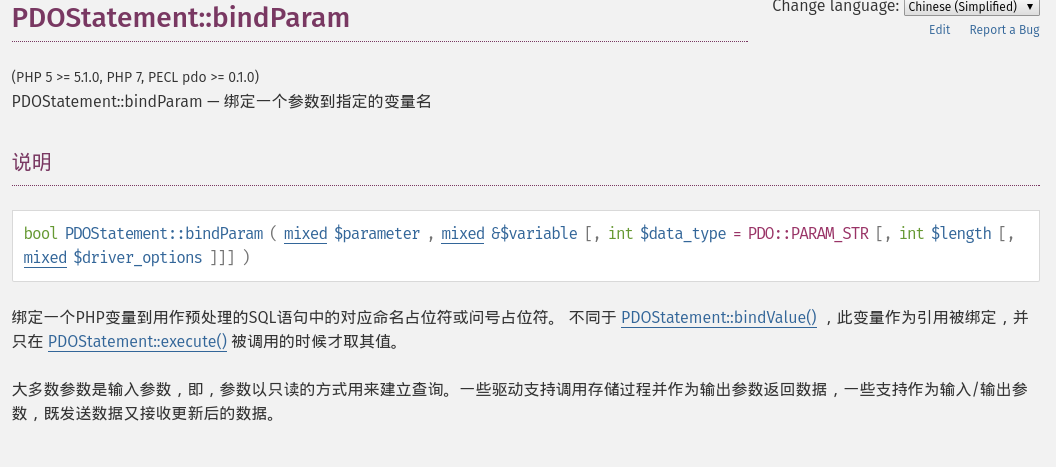
                $this->excuteMultiInsertSql($sql); // 需自行實作
            }
            $resultInfo['type'] = 8;
            $resultInfo['msg'] = '匯入商品基本資料成功';
        }
        return $resultInfo;
    }
}
?>IN (...) 過長或記憶體暴增。addslashes,實務上務必改用 PDO Prepared Statements。PHPExcel 替換為 PhpSpreadsheet (已停止維護),命名空間對應調整即可。Validator 類別,支援單元測試。INSERT ... ON DUPLICATE KEY UPDATE 或批次 INSERT 提升效能。