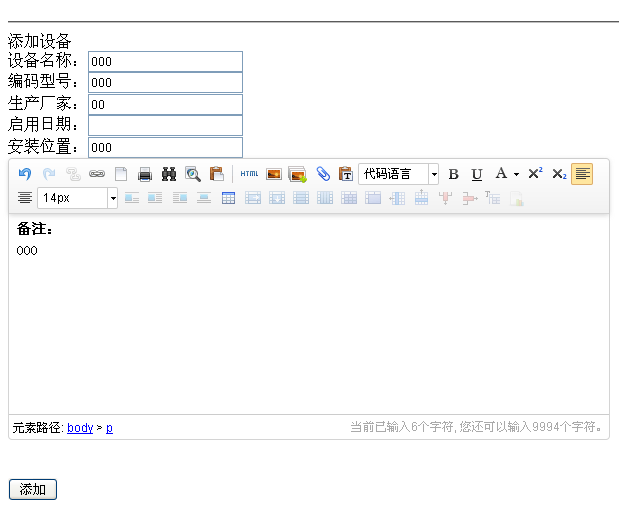
模擬 POST 請求是爬蟲、API 串接、自動化測試的核心技能。本文對比 fsockopen 底層實作與 cURL 高階封裝,提供完整可用的請求類別。
<?php
function postWithSocket(string $host, string $path, array $data, int $port = 80, bool $https = false): string {
    $postData = http_build_query($data);
    $protocol = $https ? 'ssl://' : '';
    $target = $protocol . $host;
    $port = $https ? 443 : $port;

    $fp = @fsockopen($target, $port, $errno, $errstr, 10);
    if (!$fp) {
        throw new Exception("連線失敗: $errstr ($errno)");
    }

    $request = "POST $path HTTP/1.1\r\n";
    $request .= "Host: $host\r\n";
    $request .= "Content-Type: application/x-www-form-urlencoded\r\n";
    $request .= "Content-Length: " . strlen($postData) . "\r\n";
    $request .= "Connection: Close\r\n\r\n";
    $request .= $postData;

    fwrite($fp, $request);

    $response = '';
    while (!feof($fp)) {
        $response .= fgets($fp, 4096);
    }
    fclose($fp);

    // 簡易分離 Header 與 Body
    list($header, $body) = explode("\r\n\r\n", $response, 2);
    return $body;
}

// 使用範例
$html = postWithSocket('example.com', '/login.php', [
    'username' => 'user',
    'password' => 'pass',
]);
?><?php
class HttpClient {
private array $defaultOptions = [
CURLOPT_RETURNTRANSFER => true,
CURLOPT_FOLLOWLOCATION => true,
CURLOPT_MAXREDIRS => 5,
CURLOPT_CONNECTTIMEOUT => 10,
CURLOPT_TIMEOUT => 30,
CURLOPT_SSL_VERIFYPEER => true,
CURLOPT_USERAGENT => 'Mozilla/5.0 PHP HttpClient',
CURLOPT_COOKIEJAR => '', // 啟用 Cookie 管理
CURLOPT_COOKIEFILE => '',
];
public function post(string $url, array $data, array $headers = [], array $options = []): string {
$ch = curl_init($url);
$opts = array_merge($this->defaultOptions, $options, [
CURLOPT_POST => true,
CURLOPT_POSTFIELDS => http_build_query($data),
CURLOPT_HTTPHEADER => array_merge([
'Content-Type: application/x-www-form-urlencoded',
], $headers),
]);
curl_setopt_array($ch, $opts);
$response = curl_exec($ch);
if ($response === false) {
$error = curl_error($ch);
curl_close($ch);
throw new Exception("cURL 錯誤: $error");
}
$httpCode = curl_getinfo($ch, CURLINFO_HTTP_CODE);
curl_close($ch);
if ($httpCode < 200 || $httpCode >= 300) {
throw new Exception("HTTP 錯誤: $httpCode");
}
return $response;
}
// 支援 JSON POST
public function postJson(string $url, array $data, array $headers = []): string {
return $this->post($url, $data, array_merge($headers, [
'Content-Type: application/json',
'Accept: application/json',
]), [
CURLOPT_POSTFIELDS => json_encode($data),
]);
}
// 檔案上傳
public function postFile(string $url, array $fields, array $files, array $headers = []): string {
$postData = $fields;
foreach ($files as $key => $path) {
$postData[$key] = new CURLFile($path);
}
return $this->post($url, $postData, $headers);
}
}
// 使用範例
$client = new HttpClient();
// 一般表單登入
$html = $client->post('https://example.com/login', [
'username' => 'user',
'password' => 'pass',
'remember' => '1',
]);
// JSON API 呼叫
$response = $client->postJson('https://api.example.com/orders', [
'product_id' => 123,
'quantity' => 2,
]);
// 檔案上傳
$response = $client->postFile('https://example.com/upload', [
'description' => '我的頭像',
], [
'avatar' => '/path/to/photo.jpg',
]);
?>| 特性 | fsockopen | cURL |
|---|---|---|
| HTTPS 支援 | 需 ssl:// 前綴 | 原生完整 |
| 重導向處理 | 手動實作 | CURLOPT_FOLLOWLOCATION |
| Cookie 管理 | 手動解析 Set-Cookie | COOKIEJAR/COOKIEFILE |
| 檔案上傳 | 手動構建 multipart | CURLFile 類別 |
| 錯誤處理 | 基礎 errno | 詳細錯誤碼與訊息 |
| 效能 | 較低 | 高(連線重用、管線) |
<?php
// 從回應 Header 解析 Cookie 並設定到瀏覽器
function syncCookiesFromResponse(string $header, string $domain): void {
    if (preg_match_all('/Set-Cookie:\s*([^;]+)/i', $header, $matches)) {
        foreach ($matches[1] as $cookie) {
            list($name, $value) = explode('=', $cookie, 2);
            // 解析 path, domain, expires, httponly, secure...
            setcookie($name, urldecode($value), [
                'expires' => time() + 86400 * 7,
                'path' => '/',
                'domain' => $domain,
                'secure' => true,
                'httponly' => true,
                'samesite' => 'Lax',
            ]);
        }
    }
}
?>
現代專案強烈建議使用 cURL 或更高階的 GuzzleHttp/Guzzle,僅在嵌入式環境無 cURL 時考慮 fsockopen。