PHP 從 5.2.0 版本起內建了 ZipArchive 類,提供了強大的 ZIP 檔案處理能力,無需安裝額外擴展即可實現壓縮、解壓、追加、刪除等操作。本文將系統梳理其核心方法、常見場景與最佳實踐,幫助開發者高效處理壓縮檔案。
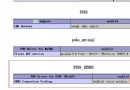
extension=zip 已啟用Windows:在 php.ini 中取消 extension=php_zip.dll 註釋,重啟 Apache/IIS 即可。
Linux:通常預設編譯已包含,若無則透過 yum install php-zip 或 apt-get install php-zip 安裝後重啟 PHP-FPM。
mixed ZipArchive::open(string $filename [, int $flags ])常用旗標:
ZipArchive::OVERWRITE:總是建立新檔,存在則覆蓋ZipArchive::CREATE:不存在時建立新檔ZipArchive::EXCL:檔案存在則報錯ZipArchive::CHECKCONS:檢查一致性回傳值:成功回傳 TRUE,失敗回傳錯誤代碼(如 ER_NOENT 檔案不存在、ER_OPEN 無法開啟等)。
$zip = new ZipArchive();
$res = $zip->open('test.zip');
if ($res === TRUE) {
    $zip->extractTo('test/'); // 解壓到 test 資料夾
    $zip->close();
} else {
    echo '失敗,錯誤碼:' . $res;
}// 取得索引對應的檔名
$name = $zip->getNameIndex(0); // hello.txt
// 取得檔案串流(注意編碼)
$stream = $zip->getStream('hello.txt');
$content = stream_get_contents($stream);// 依索引重命名
$zip->renameIndex(0, 'newname.txt');
// 依檔名重命名
$zip->renameName('word.txt', 'newword.txt');// 取得壓縮包註解
$comment = $zip->getArchiveComment();
// 設定壓縮包註解
$zip->setArchiveComment('新的壓縮包註解');$zip->deleteIndex(0); // 刪除第一個檔案$zip = new ZipArchive();
$res = $zip->open('backup.zip', ZipArchive::CREATE | ZipArchive::OVERWRITE);
if ($res === TRUE) {
// 從實體檔案加入
$zip->addFile('data/report.pdf', 'reports/2024_report.pdf');
// 從字串直接建立檔案
$zip->addFromString('readme.txt', '這是自動產生的說明文件。');
$zip->close();
echo '壓縮完成';
} else {
echo '建立失敗:' . $res;
}function zipFolder($source, $destination) {
$zip = new ZipArchive();
if ($zip->open($destination, ZipArchive::CREATE | ZipArchive::OVERWRITE) !== TRUE) {
return false;
}
$source = rtrim($source, '/') . '/';
$files = new RecursiveIteratorIterator(
new RecursiveDirectoryIterator($source),
RecursiveIteratorIterator::LEAVES_ONLY
);
foreach ($files as $file) {
if (!$file->isDir()) {
$relativePath = substr($file->getPathname(), strlen($source));
$zip->addFile($file->getPathname(), $relativePath);
}
}
return $zip->close();
}
// 使用
zipFolder('project/', 'project_backup.zip');| 常數 | 含義 |
|---|---|
| ER_EXISTS | 檔案已存在 |
| ER_INCONS | 壓縮檔不一致 |
| ER_INVAL | 無效參數 |
| ER_MEMORY | 記憶體配置失敗 |
| ER_NOENT | 檔案不存在 |
| ER_NOZIP | 非 ZIP 檔案 |
| ER_OPEN | 無法開啟檔案 |
| ER_READ | 讀取錯誤 |
| ER_SEEK | 定位錯誤 |
close() 釋放資源memory_limit 與 max_execution_timeiconv 轉換掌握 ZipArchive 可讓你在報表匯出、備份系統、插件安裝等場景輕鬆應對。建議結合實際專案多加練習,發掘更多進階用法。