擷取影片特定時間點的畫面作為預覽圖是影音平台核心功能。FFmpeg 的 -ss (seek) 與 -vframes 1 可高效產出單張圖片。本文示範同步呼叫與生產級非同步架構。
<?php
function extractThumbnail(string $input, string $output, string $time = '00:00:05'): bool {
    if (!file_exists($input)) {
        throw new \InvalidArgumentException("影片不存在: $input");
    }

    // -ss 00:00:05  跳至 5 秒
    // -vframes 1    只擷取 1 幀
    // -vcodec mjpeg 輸出 JPEG
    // -f rawvideo   強制 raw video 格式(舊版相容)
    // -s 286x160    縮放尺寸
    // -aspect 16:9  保持比例
    $cmd = sprintf(
        'ffmpeg -v 0 -y -i %s -vframes 1 -ss %s -vcodec mjpeg -f rawvideo -s 286x160 -aspect 16:9 %s',
        escapeshellarg($input),
        escapeshellarg($time),
        escapeshellarg($output)
    );

    shell_exec($cmd);
    return file_exists($output) && filesize($output) > 0;
}

// 使用
extractThumbnail('video.mp4', 'thumb.jpg', '00:00:10');
?><?php
function extractThumbnailAtPercent(string $input, string $output, float $percent): bool {
// 1. 取得影片長度 (秒)
$cmd = sprintf('ffprobe -v error -show_entries format=duration -of default=noprint_wrappers=1:nokey=1 %s', escapeshellarg($input));
$duration = (float) trim(shell_exec($cmd));
if ($duration <= 0) return false;
$seekTime = $duration * $percent / 100;
$timeStr = gmdate('H:i:s', $seekTime); // 格式化為 HH:MM:SS
return extractThumbnail($input, $output, $timeStr);
}
?><?php
// 適用於  $video = $_GET['video'] ?? '';
$time = $_GET['time'] ?? '00:00:01';
if ($video && file_exists($video)) {
header('Content-Type: image/jpeg');
$cmd = sprintf(
'ffmpeg -v 0 -y -i %s -ss %s -vframes 1 -vcodec mjpeg -f image2pipe -',
escapeshellarg($video),
escapeshellarg($time)
);
// 直接輸出 stdout
passthru($cmd);
exit;
}
http_response_code(404);
?>
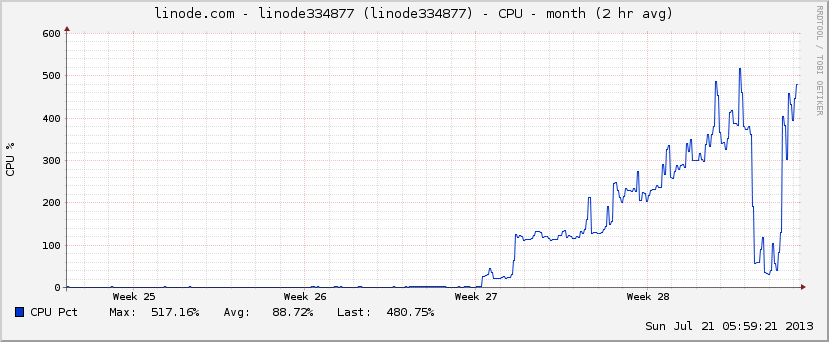
同步 shell_exec 會阻塞 PHP-FPM 進程,高併發下導致服務不可用。標準架構:
thumbnail_jobs 表/Redis Queue(video_path, time_points[])。FFmpeg 擷取縮圖指令簡潔高效,關鍵在於 -ss 定位與 -vframes 1。生產環境禁止同步呼叫,必須採用非同步佇列解耦。希望本文對您的 PHP 程式設計有所幫助。