Ubuntu 使用 SysV 風格的 /etc/init.d/ 腳本 + /etc/rc*.d/ 符號鏈接管理運行級別。不同於 CentOS 的 ntsysv,Ubuntu 提供 rcconf(TUI)和 update-rc.d(CLI)兩種原生工具。
sudo apt-get install rcconf
sudo rcconf
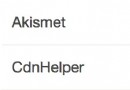
界面操作:
* 表示啟用)。| 問題 | 原因 | 解決 |
|---|---|---|
| 界面顯示亂碼 | SSH 客戶端編碼非 UTF-8 | PuTTY: Window → Translation → UTF-8;Terminal 設置 locale |
| 選項修改後重進未生效 | 權限不足未寫入配置 | 必須用 sudo rcconf 執行 |
| 配置已變但開機不生效 | /var/lib/rcconf/services 文件權限錯誤 | sudo chmod 755 /var/lib/rcconf/services 後重新 sudo rcconf |
update-rc.d [options]
| 動作 | 效果 | 示例 |
|---|---|---|
defaults | 按默認優先級添加啟動/關閉鏈接(S20/K80) | sudo update-rc.d apache2 defaults |
enable | 啟用服務(創建 S 鏈接) | sudo update-rc.d mysql enable |
disable | 禁用服務(移除所有 S/K 鏈接) | sudo update-rc.d bluetooth disable |
remove | 完全移除所有運行級別鏈接 | sudo update-rc.d old-service remove |
start/stop | 指定具體運行級別與優先級 | sudo update-rc.d apache2 start 20 2 3 4 5 . stop 80 0 1 6 . |
# 1. 禁用 Avahi 零配置服務(桌面環境常不用)
sudo update-rc.d avahi-daemon disable

# 2. 為自定義腳本註冊開機啟動
# 腳本放 /etc/init.d/my-service,需符合 LSB 標準(start/stop/status)
sudo chmod +x /etc/init.d/my-service
sudo update-rc.d my-service defaults

# 3. 調整啟動順序(優先級 00-99,數字小先啟動)
sudo update-rc.d my-service start 30 2 3 4 5 . stop 70 0 1 6 .

# 4. 查看當前鏈接狀態
ls -l /etc/rc*.d/ | grep my-service
現代 Ubuntu 使用 systemd,推薦使用 systemctl:
| SysV 命令 | Systemd 命令 |
|---|---|
update-rc.d apache2 defaults | systemctl enable apache2 |
update-rc.d apache2 disable | systemctl disable apache2 |
service apache2 start | systemctl start apache2 |
service apache2 status | systemctl status apache2 |
update-rc.d my-script defaults | 創建 /etc/systemd/system/my-script.service 單元文件 |
# /etc/systemd/system/my-app.service
[Unit]
Description=My Custom Application
After=network.target mysql.service

[Service]
Type=simple
User=www-data
WorkingDirectory=/var/www/my-app
ExecStart=/usr/bin/php artisan serve --host=0.0.0.0 --port=8000
Restart=on-failure
RestartSec=5

[Install]
WantedBy=multi-user.target
sudo systemctl daemon-reload
sudo systemctl enable my-app
sudo systemctl start my-app
rcconf 圖形化管理,update-rc.d 腳本自動化。systemctl,編寫 .service 單元文件,功能更強(依賴、重啟策略、日誌整合、沙箱隔離)。/etc/rc*.d/ 符號鏈接,極易出錯且難維護。