驗證碼核心作用
- 區分人機,防止自動化腳本註冊、暴力破解、刷票、垃圾評論
- 增加攻擊成本,配合限流、行為分析構建多層防禦
基礎版:字母數字混合 + 干擾點 + 邊框
<?php
// captcha.php
session_start();

// 1. 產生隨機字串
function generateCode($len = 4) {
  $chars = 'ABCDEFGHJKLMNPQRSTUVWXYZ23456789'; // 排除易混淆字元
  $code = '';
  for ($i = 0; $i < $len; $i++) {
    $code .= $chars[random_int(0, strlen($chars) - 1)];
  }
  return strtoupper($code);
}

$code = generateCode(4);
$_SESSION['captcha_code'] = $code;

// 2. 畫布設定
$width = 120;
$height = 40;
$img = imagecreatetruecolor($width, $height);

// 3. 顏色分配
$bg = imagecolorallocate($img, 245, 245, 245);      // 淺灰背景
$noise = imagecolorallocate($img, 180, 200, 220);   // 干擾點顏色
$text = imagecolorallocate($img, 30, 80, 180);      // 文字顏色
$border = imagecolorallocate($img, 150, 150, 150);  // 邊框

// 4. 填背景
imagefilledrectangle($img, 0, 0, $width, $height, $bg);

// 5. 畫干擾點
for ($i = 0; $i < 200; $i++) {
  imagesetpixel($img, random_int(0, $width), random_int(0, $height), $noise);
}

// 6. 畫干擾線(可選)
for ($i = 0; $i < 5; $i++) {
  imageline($img,
    random_int(0, $width), random_int(0, $height),
    random_int(0, $width), random_int(0, $height),
    imagecolorallocate($img, random_int(150,200), random_int(150,200), random_int(150,200))
  );
}

// 7. 繪製文字(使用 TTF 字體更美觀、難識別)
$font = __DIR__ . '/fonts/arial.ttf'; // 需自備字體檔
if (file_exists($font)) {
  imagettftext($img, 20, 0, 15, 30, $text, $font, $code);
} else {
  // 內建字體備援
  imagestring($img, 5, 25, 10, $code, $text);
}

// 8. 邊框
imagerectangle($img, 0, 0, $width-1, $height-1, $border);

// 9. 輸出
header('Content-Type: image/png');
header('Cache-Control: no-store, no-cache, must-revalidate');
header('Pragma: no-cache');
imagepng($img);
imagedestroy($img);
前端調用
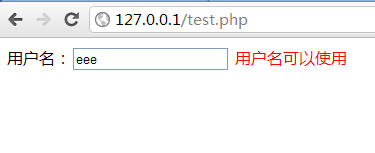
<img id="captcha" src="captcha.php" alt="驗證碼" style="cursor:pointer;vertical-align:middle" title="點擊換一張">
<input type="text" name="captcha_input" placeholder="輸入驗證碼" maxlength="4">
<script>
document.getElementById('captcha').onclick = function() {
  this.src = 'captcha.php?' + Date.now(); // 防快取
};
</script>
後端驗證
<?php
session_start();
$input = strtoupper(trim($_POST['captcha_input'] ?? ''));
$valid = !empty($_SESSION['captcha_code']) && hash_equals($_SESSION['captcha_code'], $input);

if ($valid) {
  // 驗證成功,清除防重複使用
  unset($_SESSION['captcha_code']);
  echo "驗證通過";
} else {
  echo "驗證碼錯誤";
}
進階強化:對抗 OCR/機器學習識別
| 手段 | 實現要點 | 效果 |
|---|
| 字體扭曲/旋傾 | imagettftext 每字隨機角度 ±15°、隨機字距 | ⭐⭐⭐⭐ |
| 干擾線/曲線 | 貝塞爾曲線、正弦波干擾線,顏色接近文字 | ⭐⭐⭐ |
| 背景紋理 | 漸層、噪點圖案、隨機幾何圖形 | ⭐⭐ |
| 字元粘連/重疊 | 故意讓字元邊界模糊、部分重疊 | ⭐⭐⭐⭐ |
| 中文驗證碼 | 從常用字庫隨機取 4-5 字,字體檔較大 | ⭐⭐⭐⭐⭐ |
| 點選/滑動/拼圖 | 前端 Canvas 交互,後端驗證軌跡/座標 | ⭐⭐⭐⭐⭐ (現代主流) |
進階版:字元隨機旋轉 + 位置抖動
<?php
// 在繪製文字處替換為:
$fontFile = __DIR__ . '/fonts/SourceSansPro-Bold.ttf';
$fontSize = 24;
$x = 15;
for ($i = 0; $i < strlen($code); $i++) {
  $char = $code[$i];
  $angle = random_int(-15, 15);
  $y = 30 + random_int(-3, 3); // 垂直抖動
  imagettftext($img, $fontSize, $angle, $x, $y, $text, $fontFile, $char);
  $x += $fontSize * 0.7 + random_int(0, 5); // 字距隨機
}
現代替代方案(強烈建議生產環境使用)
- Google reCAPTCHA v3:無感分數制,不打擾用戶
- hCaptcha:隱私友好、支援中文、有收益分成
- Geetest / 阿里云驗證碼 / 騰訊防水牆:國內訪問快、滑動/點選/無感多模式
- Turnstile (Cloudflare):免費、無 Cookie、易整合
安全檢查清單
- ✅ Session 驗證碼驗證後立即銷毀(防重放)
- ✅ 使用
hash_equals() 防時序攻擊
- ✅ 圖片響應頭禁止快取
- ✅ 限制單 IP 請求頻率(如 10 次/分鐘)
- ✅ 字體檔案放在 Web 目錄外,防止直接下載分析
- ✅ 記錄驗證失敗日誌,異常 IP 自動封禁
常見問題
| 問題 | 原因 | 解決 |
|---|
| 圖片不顯示/破圖 | 輸出前有空白/BOM、錯誤訊息混入 | 關閉 error_display、確保無輸出、檢查 GD 擴展 |
| Session 驗證總失敗 | session_start() 未在最前、域名/路徑不一致 | 統一 session 配置、檢查 cookie_domain |
| 中文亂碼/方塊 | 字體不支援中文 | 使用 Noto Sans CJK、思源黑體等完整中文字體 |