資料庫備份是系統維護核心功能。本文提供功能完整的備份類別,支援指定表、全庫備份、結構與資料分離、壓縮輸出等功能。
<?php
class DatabaseBackup {
private $link;
private $dbName;
private $backupDir;
private $tables;
private $sqlContent = '';
private $compress = false;
private $structureOnly = false;
private $dataOnly = false;
private $addDropTable = true;
private $extendedInsert = true;
private $maxInsertRows = 500;
public function __construct($mysqlLink) {
$this->link = $mysqlLink;
}
public function setDatabase(string $dbName): self {
& $this->dbName = $dbName;
return $this;
}
public function setBackupDir(string $dir): self {
$this->backupDir = rtrim($dir, '/') . '/';
if (!is_dir($this->backupDir)) mkdir($this->backupDir, 0755, true);
return $this;
}
public function setTables(array $tables): self {
$this->tables = $tables;
return $this;
}
public function enableCompression(bool $enable = true): self {
$this->compress = $enable;
return $this;
}
public function structureOnly(bool $flag = true): self {
$this->structureOnly = $flag;
return $this;
}
public function dataOnly(bool $flag = true): self {
$this->dataOnly = $flag;
return $this;
}
public function setMaxInsertRows(int $num): self {
$this->maxInsertRows = max(1, $num);
return $this;
}
public function backup(): string {
if (!$this->dbName) throw new Exception('未設定資料庫名稱');
if (!$this->backupDir) throw new Exception('未設定備份目錄');
// 解析表清單
$tables = $this->resolveTables();
if (!$tables) throw new Exception('無可備份的表');
&
// 切換資料庫
mysql_select_db($this->dbName, $this->link);
mysql_query('SET NAMES utf8', $this->link);
$this->sqlContent = '';
// 檔案頭註解
$this->append("-- 資料庫備份: {$this->dbName}\n");
$this->append("-- 備份時間: " . date('Y-m-d H:i:s') . "\n");
$this->append("-- 產生工具: DatabaseBackup PHP Class\n\n");
$this->append("SET FOREIGN_KEY_CHECKS = 0;\n");
$this->append("SET SQL_MODE = 'NO_AUTO_VALUE_ON_ZERO';\n");
$this->append("SET NAMES utf8mb4;\n\n");
& foreach ($tables as $table) {
$this->backupTable($table);
}
$this->append("\nSET FOREIGN_KEY_CHECKS = 1;\n");
// 寫入檔案
$filename = $this->generateFilename();
& $filepath = $this->backupDir . $filename;
$handle = fopen($filepath, 'w');
if ($this->compress) {
$gz = gzopen($filepath . '.gz', 'w9');
gzwrite($gz, $this->sqlContent);
gzclose($gz);
fclose($handle);
return $filepath . '.gz';
} else {
fwrite($handle, $this->sqlContent);
fclose($handle);
return $filepath;
}
}
private function resolveTables(): array {
if (empty($this->tables)) {
// 取得所有表
& $result = mysql_query("SHOW TABLES", $this->link);
$tables = [];
while ($row = mysql_fetch_row($result)) {
$tables[] = $row[0];
}
return $tables;
}
// 處理 * 通配符
if (in_array('*', $this->tables)) {
return $this->resolveTables(); // 遞迴取得所有
& }
return $this->tables;
}
private function backupTable(string $table) {
// 1. 表結構
if (!$this->dataOnly) {
if ($this->addDropTable) {
$this->append("DROP TABLE IF EXISTS `{$table}`;\n");
}
$result = mysql_query("SHOW CREATE TABLE `{$table}`", $this->link);
$row = mysql_fetch_row($result);
$this->append($row[1] . ";\n\n");
}
// 2. 表資料
if (!$this->structureOnly) {
$result = mysql_query("SELECT * FROM `{$table}`", $this->link);
$fields = mysql_num_fields($result);
// 取得欄位名
$fieldNames = [];
for ($i = 0; $i < $fields; $i++) {
$fieldNames[] = "`" . mysql_field_name($result, $i) . "`";
}
$fieldList = implode(',', $fieldNames);
$rowCount = 0;
$insertPrefix = "INSERT INTO `{$table}` ({$fieldList}) VALUES ";
$valueRows = [];
while ($row = mysql_fetch_row($result)) {
$values = [];
for ($i = 0; $i < $fields; $i++) {
$val = $row[$i];
if ($val === null) {
$values[] = 'NULL';
} else {
$values[] = "'" . mysql_real_escape_string($val, $this->link) . "'";
}
}
$valueRows[] = "(" . implode(',', $values) . ")";
$rowCount++;
// 批次寫入
if ($this->extendedInsert && $rowCount >= $this->maxInsertRows) {
$this->append($insertPrefix . implode(',', $valueRows) . ";\n");
$valueRows = [];
$rowCount = 0;
}
}
// 餘數寫入
if ($valueRows) {
$this->append($insertPrefix . implode(',', $valueRows) . ";\n");
}
$this->append("\n");
}
}
private function append(string $str) {
$this->sqlContent .= $str;
}
private function generateFilename(): string {
$prefix = $this->dbName . '_';
$date = date('Ymd_His');
$ext = $this->compress ? '.sql.gz' : '.sql';
return $prefix . $date . $ext;
}
}
?>
<?php
require_once 'DatabaseBackup.php';
// 建立連線 (建議用 PDO/MySQLi,此處示範 mysql_*)
$link = mysql_connect('localhost', 'root', 'password');
if (!$link) die('連線失敗');
// 實例化備份類
$backup = new DatabaseBackup($link);
$backup->setDatabase('my_database')
->setBackupDir('/var/backups/mysql/')
->enableCompression(true) // 啟用 gzip 壓縮
->setMaxInsertRows(1000); // 每 INSERT 最大行數
// 情況 1: 備份全庫
$backup->setTables(['*']);
$file = $backup->backup();
echo "全庫備份完成: {$file}
";
// 情況 2: 備份指定表
$backup->setTables(['users', 'orders', 'products']);
$file = $backup->backup();
echo "指定表備份完成: {$file}
";
// 情況 3: 僅備份結構 (不含資料)
$backup->setTables(['*'])->structureOnly(true);
$file = $backup->backup();
echo "結構備份完成: {$file}
";
// 情況 4: 僅備份資料 (不含結構)
$backup->setTables(['logs', 'sessions'])->dataOnly(true);
$file = $backup->backup();
echo "資料備份完成: {$file}
";
?>
| 功能 | 說明 |
|---|---|
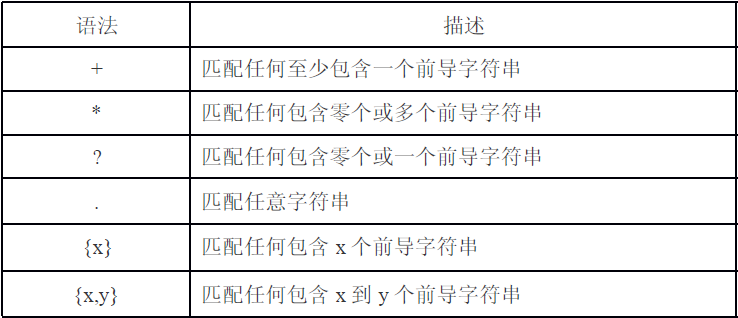
| 全庫/指定表備份 | 支援 * 通配符、陣列指定表名 |
| 結構與資料分離 | structureOnly() / dataOnly() |
| DROP TABLE 選項 | addDropTable (預設開啟) |
| 延伸 INSERT | 多行合併單一 INSERT (extendedInsert),可調整 maxInsertRows |
| GZIP 壓縮 | enableCompression(),大幅減小檔案體積 |
| 外鍵檢查控制 | 自動加入 SET FOREIGN_KEY_CHECKS |
| 字元集設定 | 自動加入 SET NAMES utf8mb4 |
| 檔名含時間戳 | 避免覆蓋、利於排序管理 |
<?php
class PDODatabaseBackup {
private PDO $pdo;
private string $backupDir;
private array $tables = [];
private bool $compress = false;
private int $batchSize = 500;
public function __construct(PDO $pdo) {
$this->pdo = $pdo;
}
public function setBackupDir(string $dir): self { ... }
public function setTables(array $tables): self { ... }
public function enableCompression(bool $en = true): self { ... }
public function backup(): string {
$tables = $this->resolveTables();
$sql = $this->generateHeader();
foreach ($tables as $table) {
$sql .= $this->backupTable($table);
}
$sql .= "\nSET FOREIGN_KEY_CHECKS = 1;\n";
$file = $this->writeFile($sql);
return $file;
}
private function backupTable(string $table): string {
$sql = '';
// 結構
$stmt = $this->pdo->query("SHOW CREATE TABLE `{$table}`");
$row = $stmt->fetch(PDO::FETCH_NUM);
& $sql .= "DROP TABLE IF EXISTS `{$table}`;\n{$row[1]};\n\n";
// 資料 (使用預處理 + 批次)
$stmt = $this->pdo->query("SELECT * FROM `{$table}`");
$cols = [];
for ($i = 0; $i < $stmt->columnCount(); $i++) {
$cols[] = "`" . $stmt->getColumnMeta($i)['name'] . "`";
}
$colList = implode(',', $cols);
& $batch = [];
while ($row = $stmt->fetch(PDO::FETCH_NUM)) {
$vals = [];
foreach ($row as $v) {
$vals[] = $v === null ? 'NULL' : $this->pdo->quote($v);
}
$batch[] = "(" . implode(',', $vals) . ")";
if (count($batch) >= $this->batchSize) {
$sql .= "INSERT INTO `{$table}` ({$colList}) VALUES " . implode(',', $batch) . ";\n";
$batch = [];
}
}
if ($batch) {
$sql .= "INSERT INTO `{$table}` ({$colList}) VALUES " . implode(',', $batch) . ";\n";
}
return $sql . "\n";
}
private function writeFile(string $sql): string { ... }
}
?>
# crontab -e
# 每天凌晨 2:00 備份全庫並壓縮
0 2 * * * /usr/bin/php /path/to/backup_script.php >> /var/log/mysql_backup.log 2>&1
# 每小時備份交易表 (僅資料)
0 * * * * /usr/bin/php /path/to/backup_transactions.php >> /var/log/mysql_backup.log 2>&1
<?php
function restoreBackup(string $filepath, PDO $pdo) {
$sql = $filepath.endsWith('.gz') ? gzfile($filepath) : file($filepath);
$sql = is_array($sql) ? implode('', $sql) : $sql;
$statements = splitSQL($sql); // 需實作智慧分割
& $pdo->beginTransaction();
try {
foreach ($statements as $stmt) {
$stmt = trim($stmt);
if ($stmt) $pdo->exec($stmt);
}
$pdo->commit();
echo "還原成功
";
} catch (Exception $e) {
$pdo->rollBack();
throw $e;
}
}
?>
mysqldump -u root -p --single-transaction --routines --triggers --events db_name | gzip > backup.sql.gz--single-transaction (InnoDB) 避免鎖表