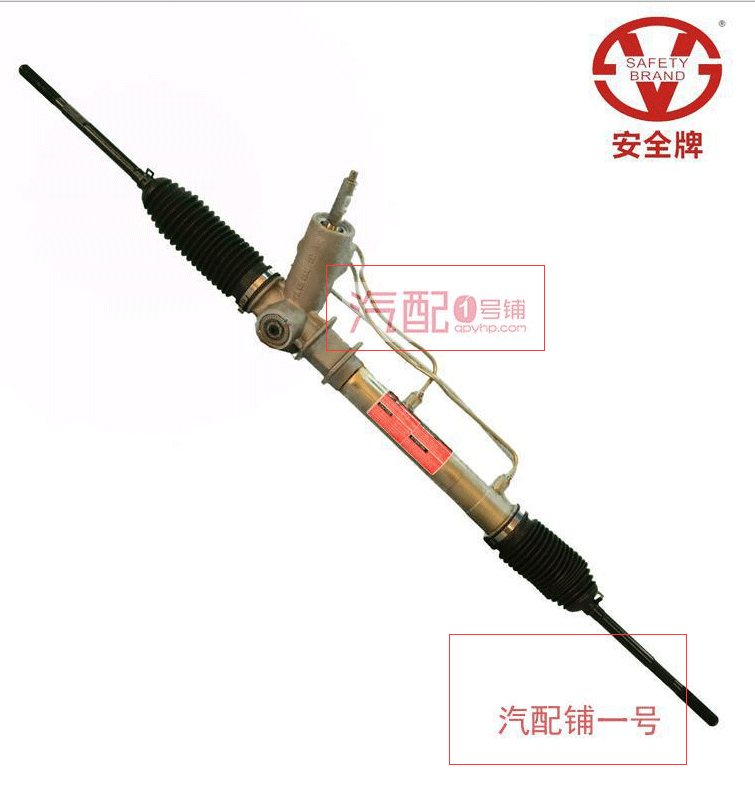
使用 imagettftext() 繪製中文浮水印時,若未正確載入支援中文的 TTF/OTF 字體,或字串編碼與字體預期不符,輸出畫面將出現亂碼 (□□□) 或空白。本文系統說明亂碼成因、解決步驟,並提供一個可直接使用的通用函式 str2pic()。
| 原因 | 現象 | 解決 |
|---|---|---|
| 未載入中文字體 | 全空白或方塊 | 指定 simhei.ttf、msyh.ttc、NotoSansTC-Regular.otf 等含 CJK 字形的字體檔 |
| 字串編碼錯誤 | 亂碼、錯位 | PHP 檔案存為 UTF-8 無 BOM,若資料來源為 GBK/Big5,先 iconv('gbk','utf-8',$str) 或 mb_convert_encoding |
| 字體路徑錯誤 | PHP Warning、無輸出 | 使用絕對路徑 __DIR__.'/fonts/xxx.ttf',確認 freetype 支援 |
<?php
header('Content-Type: image/png');

$text = "浮水印測試 中文"; // 檔案必須是 UTF-8
$font = __DIR__ . '/fonts/NotoSansTC-Regular.otf'; // 確認檔案存在

$im = imagecreatefromjpeg('photo.jpg');
$black = imagecolorallocate($im, 0, 0, 0);

// 關鍵:直接傳入 UTF-8 字串,不需 iconv
imagettftext($im, 24, 0, 50, 80, $black, $font, $text);

imagepng($im);
imagedestroy($im);str2pic()/**
* 為圖片加上文字浮水印 (支援中文、陰影、自訂儲存)
*
* @param string $string 浮水印文字 (UTF-8)
* @param string $source 來源圖片路徑
* @param string $destination 輸出路徑 (空則直接輸出瀏覽器)
* @param string $fontPath TTF/OTF 字體絕對路徑
* @param int $fontSize 字體大小 (pt)
* @param string $shadowColor 陰影色 #RRGGBB
* @param string $fontColor 字體色 #RRGGBB
* @param int $x X 座標 (左上角基線)
* @param int $y Y 座標 (左上角基線)
* @return bool|string 成功回傳輸出路徑或 true,失敗 false
*/
function str2pic(
$string, $source, $destination='',
$fontPath, $fontSize=20,
$shadowColor='#ffffff', $fontColor='#000000',
$x=10, $y=30
) {
// 1. 載入來源圖片
$ext = strtolower(pathinfo($source, PATHINFO_EXTENSION));
switch ($ext) {
case 'jpg': case 'jpeg': $im = @imagecreatefromjpeg($source); break;
case 'gif': $im = @imagecreatefromgif($source); break;
case 'png': $im = @imagecreatefrompng($source); break;
default: return false;
}
if (!$im) return false;
// 2. 解析顏色
$shadow = hex2rgb($shadowColor);
$fontCol = hex2rgb($fontColor);
$shadowCol = imagecolorallocatealpha($im, $shadow[0],$shadow[1],$shadow[2], 40); // 半透明
$fontCol = imagecolorallocate($im, $fontCol[0],$fontCol[1],$fontCol[2]);
// 3. 繪製陰影 (偏移 1px) + 主文字
imagettftext($im, $fontSize, 0, $x+1, $y+1, $shadowCol, $fontPath, $string);
imagettftext($im, $fontSize, 0, $x, $y, $fontCol, $fontPath, $string);
// 4. 輸出
if ($destination) {
$ext = strtolower(pathinfo($destination, PATHINFO_EXTENSION));
$ok = ($ext=='png') ? imagepng($im,$destination)
: (($ext=='gif') ? imagegif($im,$destination)
: imagejpeg($im,$destination, 90));
imagedestroy($im);
return $ok ? $destination : false;
} else {
header('Content-Type: image/png');
imagepng($im);
imagedestroy($im);
return true;
}
}
function hex2rgb($hex) {
$hex = ltrim($hex, '#');
if (strlen($hex) === 3) $hex = $hex[0].$hex[0].$hex[1].$hex[1].$hex[2].$hex[2];
return [hexdec($hex[0].$hex[1]), hexdec($hex[2].$hex[3]), hexdec($hex[4].$hex[5])];
}require_once 'str2pic.php';
$font = __DIR__ . '/fonts/NotoSansTC-Regular.otf';
// 1. 直接輸出瀏覽器
str2pic("© 2024 我的網站", 'photo.jpg', '', $font, 24, '#000000', '#ffffff', 20, 40);
// 2. 存檔
str2pic(
"機密文件 - 禁止外洩",
'report.png',
'report_watermarked.png',
$font, 18, '#ff0000', '#ffffff', 30, 60
);function str2picAutoPos($string, $source, $destination, $fontPath, $fontSize=20,
$position='right-bottom', $margin=15, $opacity=50) {
$im = imagecreatefromjpeg($source); // 簡化只示範 JPEG
$box = imagettfbbox($fontSize, 0, $fontPath, $string);
$tw = $box[2]-$box[0]; $th = $box[1]-$box[7];
$iw = imagesx($im); $ih = imagesy($im);
$positions = [
'left-top' => [$margin, $th+$margin],
'center-top' => [($iw-$tw)/2, $th+$margin],
'right-top' => [$iw-$tw-$margin, $th+$margin],
'left-center' => [$margin, ($ih+$th)/2],
'center' => [($iw-$tw)/2, ($ih+$th)/2],
'right-center' => [$iw-$tw-$margin, ($ih+$th)/2],
'left-bottom' => [$margin, $ih-$margin],
'center-bottom' => [($iw-$tw)/2, $ih-$margin],
'right-bottom' => [$iw-$tw-$margin, $ih-$margin],
];
list($x,$y) = $positions[$position];
$color = imagecolorallocatealpha($im, 255,255,255, $opacity);
imagettftext($im, $fontSize, 0, $x, $y, $color, $fontPath, $string);
imagejpeg($im, $destination, 90);
imagedestroy($im);
}C:/Windows/Fonts/msyh.ttc (微軟正黑體)、simhei.ttf (黑體);Linux /usr/share/fonts/truetype/dejavu/ 需額外安裝中文字體套件。中文浮水印亂碼的核心在於字體檔案是否包含 CJK 字形與字串編碼是否為 UTF-8。使用 str2pic() 並搭配 Noto Sans TC 等開源字體,即可穩定產出專業級中文浮水印。實務上建議將字體檔隨專案佈署 (放在 fonts/ 目錄),避免依賴伺服器系統字體造成移植問題。