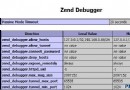
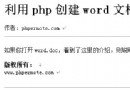
使用 JPGraph 繪圖時,中文在以下三處顯示為方框/亂碼:
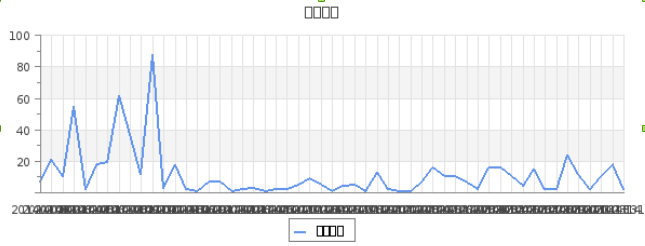
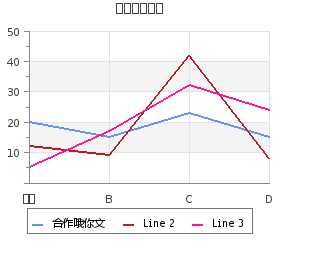
JPGraph 內部默認字體族為 FF_DEFAULT (內置點陣字體),不支持中文。需將相關字體族指向支持中文的 TTF 字體 (如 FF_SIMSUN 宋體),並確保 TTF 字體文件存在。
# 下載 simsun.ttc (宋體) 或微軟雅黑等
sudo mkdir -p /usr/share/fonts/truetype/chinese
sudo cp simsun.ttc /usr/share/fonts/truetype/chinese/
# 或建立軟鏈接到 JPGraph 字體目錄
sudo ln -s /usr/share/fonts/truetype/chinese/simsun.ttc /usr/share/fonts/truetype/simsun.ttc
jpgraph_legend.inc.php - 圖例字體// 文件位置:src/jpgraph_legend.inc.php
class Legend {
// 原代碼 (約第 12 行)
// public $font_family = FF_DEFAULT, $font_style = FS_NORMAL, $font_size = 8;
// 修改為:
public $font_family = FF_SIMSUN, $font_style = FS_NORMAL, $font_size = 8;
}
jpgraph_ttf.inc.php - TTF 中文處理邏輯// 文件位置:src/jpgraph_ttf.inc.php
// 在 FF_SIMSUN case 分支中 (約第 9 行附近)
elseif ($aFF === FF_SIMSUN) {
// 原代碼嘗試 GB2312 轉 UTF-8,但我們源文件已是 UTF-8,直接返回即可
// 註釋掉轉換邏輯:
/*
if ($this->g2312 == null) {
include_once 'jpgraph_gb2312.php';
$this->g2312 = new GB2312toUTF8();
}
return $this->g2312->gb2utf8($aTxt);
*/
return $aTxt; // 直接返回原 UTF-8 文本
}
jpgraph.php - 統一替換默認字體 (解決標題、坐標軸、DisplayValue)使用編輯器全局替換 (或 sed):
# 在 jpgraph.php 中執行
:%s/FF_DEFAULT/FF_SIMSUN/g
這將一次性修正以下類的默認字體:
Graph::title (標題)AxisPrototype (坐標軸標籤)DisplayValue (數值標籤)FF_DEFAULT 的地方修正後重新生成圖表:
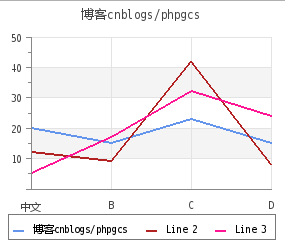
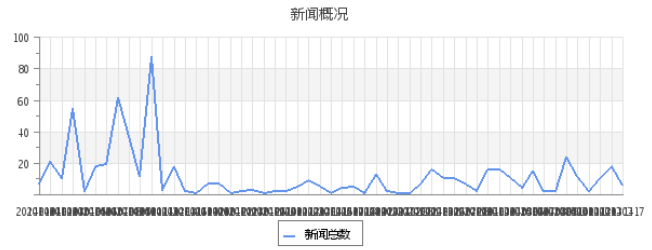
中文顯示正常。
FF_DEFAULT 定義的屬性FF_SIMSUN / FF_MICROSOFT_YAHEI 等 (需在 jpgraph_ttf.inc.php 中註冊)jpgraph_ttf.inc.php 的 TTF_DIR 或系統字體目錄JPGraph 維護較少,新項目建議使用:
- 後端生成圖表:
pChart、Image_GraphViz、或直接輸出數據給前端- 前端可視化 (推薦): ECharts、Chart.js、AntV/G2、Highcharts、ApexCharts — 脫離後端繪圖,交互豐富、維護活躍、中文原生支持。